
“Your base is the only thing out here that will still be yours tomorrow. Build it like you mean it.”
— Fleet Admiral Selene Voss
The Command Bridge
The Command Bridge is the heart of your base. Its Mark is your Bridge level (1 to 5). The Bridge level decides which buildings you can build and how much of the base grid is open. The Bridge can't be demolished, but it can be moved onto any "Any" tile.
How the grid grows, what each tile type holds, and how to build, move and re-type tiles are all covered in the Base Layout guide.
Bridge levels
| Bridge level | Upgrade cost | Upgrade time | Unlocks |
|---|---|---|---|
| 1 | Starter | — | |
| 2 | 2,400 Min · 900 He-3 | 20m | |
| 3 | 4,800 Min · 1,800 He-3 | 40m | |
| 4 | 9,600 Min · 3,600 He-3 | 1h 20m | |
| 5 | 19,200 Min · 7,200 He-3 | 2h 40m |
Power
Every building except the Bridge, Reactors and Barricades draws power. The Bridge provides 20, and each Fusion Reactor provides 100 (more at higher Marks). You can only place a building if your power budget covers it, so build Reactors before you run out.
Buildings
Every building, the Bridge level it needs, its power draw, its cost and its build time. Click a building for all of its stats.
| Building | Type | Bridge | Power | Cost | Build time |
|---|---|---|---|---|---|
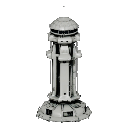 Command Bridge | Building | 1 | +20 | Free | — |
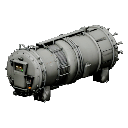 Fusion Reactor | Utility | 1 | +100 | 800 Min · 300 He-3 | 10m |
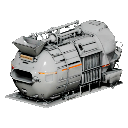 Mineral Mine | Production | 1 | −10 | 500 Min · 100 He-3 | 5m |
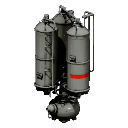 Helium-3 Extractor | Production | 2 | −15 | 800 Min · 250 He-3 | 8m |
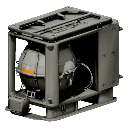 Antimatter Condenser | Production | 5 | −35 | 4,000 Min · 2,000 He-3 | 30m |
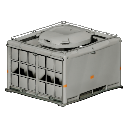 Warehouse | Storage | 1 | −5 | 400 Min · 100 He-3 | 4m |
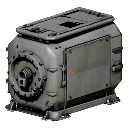 Shielded Vault | Storage | 4 | −8 | 2,500 Min · 1,200 He-3 · 50 AM | 20m |
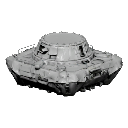 Defense Platform | Defense | 3 | −18 | 1,200 Min · 500 He-3 | 10m |
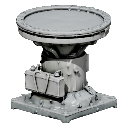 Light Turret | Turret | 2 | −12 | 700 Min · 250 He-3 | 7m |
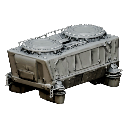 Heavy Turret | Turret | 5 | −30 | 3,000 Min · 1,500 He-3 · 25 AM | 25m |
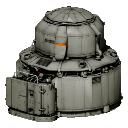 Shield Generator | Shield | 4 | −45 | 2,500 Min · 1,800 He-3 · 20 AM | 25m |
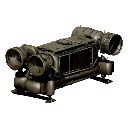 Screen Projector | Screen | 3 | −25 | 1,800 Min · 900 He-3 · 10 AM | 15m |
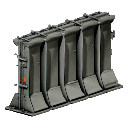 Armored Barricade | Barricade | 1 | 0 | 600 Min | 3m |
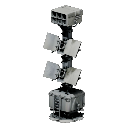 Combat Array | Combat | 4 | −28 | 2,200 Min · 1,100 He-3 · 15 AM | 20m |
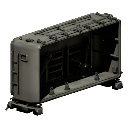 Repair Bay | Repair Bay | 3 | −20 | 1,500 Min · 600 He-3 | 15m |
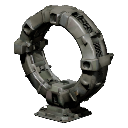 Warp Gate | Utility | 5 | −60 | 6,000 Min · 4,000 He-3 · 100 AM | 1h |
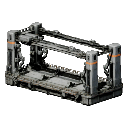 Shipyard | Utility | 1 | −40 | 3,000 Min · 600 He-3 | 30m |
| Academy | Utility | 1 | −60 | 400,000 Min · 200,000 He-3 · 20,000 AM | 24h |
Turrets, shield generators, screen projectors, combat arrays and barricades defend your base when another commander attacks it (see Defending your base). Together they make your base's Defense Rating, which a commander sees on the target card when they pick your outpost.
The build queue
Every build and every upgrade goes through the build queue. Only the first item counts down; the rest wait their turn. The queue keeps running while you are offline. The Bridge gives two queue slots, and your base level adds more:
| Base level | Queue slots |
|---|---|
| Base level 1+ | 2 |
| Base level 3+ | 3 |
| Base level 5+ | 4 |
| Base level 7+ | 5 |
| Base level 9+ | 6 |
| Base level 12+ | 7 |
| Base level 16+ | 8 |
| Base level 21+ | 9 |
| Base level 27+ | 10 |
| Base level 34+ | 11 |
| Base level 42+ | 12 |
The queue is the bar along the bottom of the Base View. The build that is running has a Speed Up button showing its price in Coins; a build still waiting its turn can't be sped up. Every item has Cancel (Coins and refunds).
Upgrading buildings
Every building has five Marks. Upgrading raises its health, its output (production, storage, reactor power, shield energy, a Repair Bay's repair slots and discount) and its power draw. A building that is upgrading can't be fitted or moved.
Click a building in the Base View to open its panel on the right. The panel lists what the next Mark changes and what it costs, with the UPGRADE button under that. If the button is greyed out, the line beside it says why.
The building panel scrolls. On a building with a lot to show, such as a mine, UPGRADE is at the bottom: scroll the panel down to reach it.
| Mark | Health | Output | Power draw | Upgrade cost (Mineral Mine) | Time |
|---|---|---|---|---|---|
| Mk1 | ×1 | ×1 | ×1 | — | — |
| Mk2 | ×1.35 | ×1.25 | ×1.1 | 750 Min · 150 He-3 | 5m |
| Mk3 | ×1.8 | ×1.55 | ×1.2 | 1,500 Min · 300 He-3 | 10m |
| Mk4 | ×2.4 | ×1.95 | ×1.35 | 3,000 Min · 600 He-3 | 20m |
| Mk5 | ×3.2 | ×2.45 | ×1.5 | 6,000 Min · 1,200 He-3 | 40m |
The multipliers are the same for every building; costs and times differ. Each building's page lists its own.
Fitting modules to buildings
Turrets, shield generators and the other defensive buildings have module slots. Build a Base-scope module in the Forge, select the building and press OUTFIT in its panel. Unfitting a module returns it to your inventory.
The OUTFIT button only appears on a building that has slots, and it is greyed out while the building is under construction or upgrading.
Special modules fit a Screen Projector (one slot) or a Combat Array (two), and grow stronger with their Mark as a ship's do. A building cannot move or carry cargo, so some work differently there: speed modules push the building's field farther out (at most twice as far), a Charger makes the shields inside its field refill faster in a raid, and cargo modules let every mine, extractor and condenser on your base bank more hours before it stops (at most three times as long). Repair modules add armour and resistance modules add resistance, as on a ship. Timed modules (Cloak, Countermeasure, Booster, Dampener, Scrambler, Interdictor, Overdrive) work in a raid: the building switches them on by itself, and an Overdrive makes its field stronger while it runs. Each module's page in the Stat Reference says exactly what it does.
Base level
Your base level comes from what is standing in your base: each building's XP, plus XP for every Mark above 1, plus the Mark XP of fitted modules. It goes up as you build and upgrade, and down if you demolish. The starter kit puts you at level 2.
| Base level | 1 | 2 | 3 | 4 | 5 | 6 | 7 | 8 | 9 | 10 | 11 | 12 | 13 | 14 | 15 | 16 | 17 | 18 | 19 | 20 | 21 | 22 | 23 | 24 | 25 | 26 | 27 | 28 | 29 | 30 | 31 | 32 | 33 | 34 | 35 | 36 | 37 | 38 | 39 | 40 | 41 | 42 | 43 | 44 | 45 | 46 | 47 | 48 | 49 | 50 |
|---|---|---|---|---|---|---|---|---|---|---|---|---|---|---|---|---|---|---|---|---|---|---|---|---|---|---|---|---|---|---|---|---|---|---|---|---|---|---|---|---|---|---|---|---|---|---|---|---|---|---|
| Total base XP | 0 | 500 | 1,500 | 3,500 | 7,000 | 12,000 | 20,000 | 32,000 | 50,000 | 75,000 | 100,000 | 127,000 | 163,000 | 204,000 | 251,000 | 305,000 | 366,000 | 435,000 | 511,000 | 595,000 | 687,000 | 789,000 | 899,000 | 1,020,000 | 1,150,000 | 1,290,000 | 1,440,000 | 1,600,000 | 1,770,000 | 1,960,000 | 2,160,000 | 2,370,000 | 2,590,000 | 2,820,000 | 3,070,000 | 3,330,000 | 3,610,000 | 3,900,000 | 4,200,000 | 4,520,000 | 4,850,000 | 5,200,000 | 5,570,000 | 5,950,000 | 6,350,000 | 6,760,000 | 7,200,000 | 7,650,000 | 8,120,000 | 8,600,000 |
Base level adds build-queue slots and raises the Mineral cost of re-typing tiles. The Bridge level, not the base level, is what unlocks buildings and tiles.
Repairing buildings
Damaged buildings are repaired from the Base View. Repairs need a Repair Bay, are paid up front and run on their own timer, outside the build queue.
Each Repair Bay adds repair slots (2 at Mark 1, 3 at Marks 2 and 3, 4 at Mark 4, 5 at Mark 5), makes repairs 25% faster at every Mark, and takes some of the bill off (15% at Mark 1, rising to about 37% at Mark 5). Several bays add up, but the discount stops at 60%: a repair always costs at least 40% of its price. Repair Bays repair buildings; ships are repaired at the Shipyard.
After a raid on your base the repairs start by themselves. See Defending your base.
Moving your base
You can move your whole base to another planet of the sector, for example next to your alliance mates. Open the planet you want and press MOVE BASE HERE. The panel names the planet, the alliance mates who live there and the price, or says why the base cannot move yet.
A move costs 10,000 coins, and after it your base cannot move again for 7 days, the same as switching factions. Your first move below commander level 10 is free. The move is instant and the base keeps everything on it.
A move is refused while any of your fleets is out, while a raid on your base is on its way or under way, and on a planet that is full. Some places, such as stations, take no bases.