
“Welcome to the Frontier, Commander. Nobody out here is coming to save you. That is why we trained you.”
— Fleet Admiral Selene Voss
Your commander
Massive Frontier signs you in with your Steam account. There is no separate login: the first time you play, the game creates your commander automatically and names it after your Steam name.
Your home base is placed in orbit of a planet with room for it. That base is your outpost on the map. Your fleets launch from it, and a fleet that is wiped out returns to it.
Your first minutes. Fleet Admiral Voss meets you at your first login. She gives you an armed Fighter, already in your first fleet and out beside your outpost, and puts a drill target next to it: a single weak Tide ship that is yours alone. Her first card briefs that fight. BEGIN takes you to your planet, where the Fighter and the target are: click your Fighter, then right-click the target. It is the first mission of the Commander's Licence.
The other commanders and the developers talk on Discord: questions, bug reports and news about each update all land there first. Join at massivefrontier.com/discord. To link your Discord account, press LINK YOUR DISCORD on the game's main menu or go to massivefrontier.com/discord/link: sign in with Steam and allow Discord, and you are added to the server with the Pre-Alpha Testers role.
Discord reminders. With Discord linked, your account page on the website has a Discord reminders box. Tick it and, while you are away, Voss sends you one direct message when something waits for you in the game: a Licence reward to claim after most of a day away, or her welcome-back supplies after three days. One message per absence, never in a channel, and nothing after two weeks away. Untick it any time.
What you start with
Every new commander gets a free starter base:
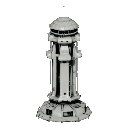
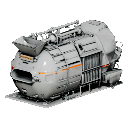
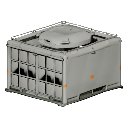
Your wallet starts full: 80,000 Minerals, 40,000 Helium-3 and 2,000 Antimatter, which is what one Warehouse holds.
You start with one armed Fighter from Frontier Command, in the first of your two fleet slots. Every ship after it you build yourself. Once the drill fight is won, your first job is to get your economy running and your own hulls out of the Shipyard.
Your storage starts full. Spend some of it early: a mine that finds its buffer full stops producing until you collect.
Your faction
Every commander belongs to one of the powers of the Frontier. Your faction's multipliers apply to your equipment: weapon damage, armor, shields and build costs. See Factions for each power's doctrine and multipliers, and the Stat Scaling guide for exactly what each multiplier affects.
Choose your faction with the FACTION button in the top right of the HUD. It opens the faction registry, where you can read each of the eleven powers' dossier and stats before you commit. Your first choice is free. Below commander level 10 you also have one free change, with no coins and no wait, in case the first choice was not for you. After that, switching costs 10,000 Coins and you must wait 7 days between switches. Your ships, modules and base use the new faction's multipliers straight away, and your base buildings and outpost take on its look.
You cannot join a faction, your first one included, while a ship is being built or refitted or a ship research is running in the Shipyard: what they would give back is priced by faction, so let them finish or cancel them first. After your first choice two more things stand in the way: one of your ships being damaged, or one of your fleets being out. Your first choice ignores both, so the scratches from the drill fight never hold it up. Your base's construction queue never stands in the way. The faction screen tells you what does, on the line at its foot as soon as it opens and in a message when you press JOIN FACTION. Module research in the Lab and module builds in the Forge do not matter.
Three powers are marked GOOD FOR NEW COMMANDERS on the faction screen: the Miner Rebellion (the cheapest ships to build, on thick armor), the Freelancers (no weak side, and cheaper ships than most) and the Iron Vanguard (the toughest hulls in the Frontier, at a higher price).
The Alien Hive (the Tide) can't be joined.