Alpha build 126 is on Steam. It is an optional update: build 125 can still join, and the server did not restart. Restart Steam if 126 doesn't appear.
It fixes what commanders ran into on the first night of co-op raids. Thank you to everyone who posted pictures in #tester-chat!
The panels on the right stack instead of piling up
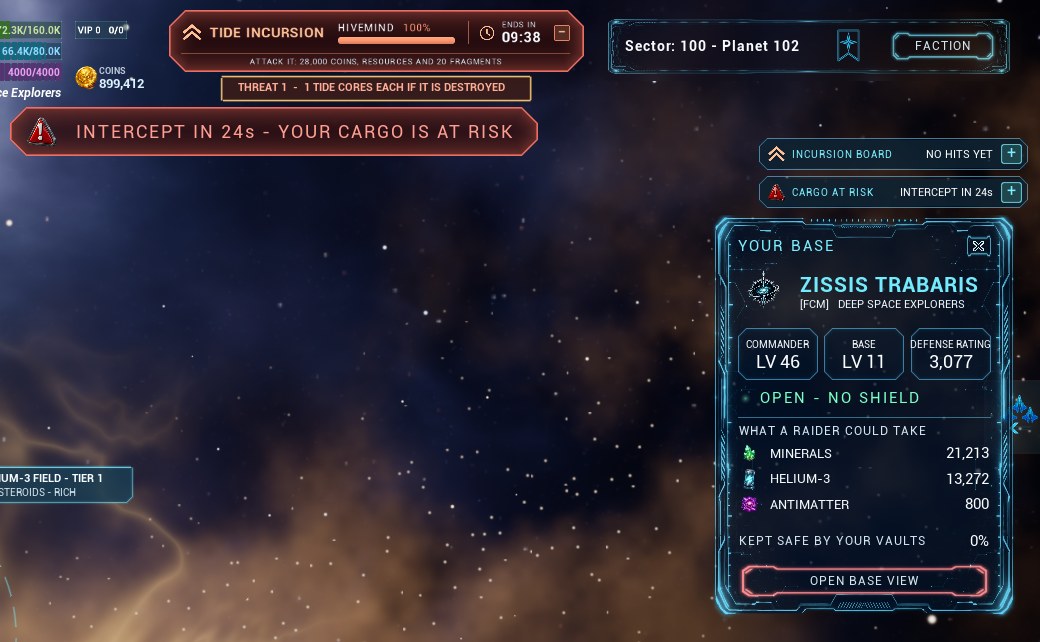
- CARGO AT RISK, the card of a base you select and the RAID PARTY card now stand in the same column as the incursion board, one under another, under the buttons at the top right.
- When they don't all fit, the older ones fold to a one-line strip and the newest stays open. Press + on a strip to open it; another one folds to make room.
- CARGO AT RISK and the RAID PARTY card have the - button to fold them yourself. The game remembers your choice on this PC.
- The incursion board no longer touches the GALAXY MAP and HOME buttons, and the INTERCEPT warning and the CO-OP RAID FORMING strip at the top now stand under the incursion bar instead of over it.
The RAID PARTY card
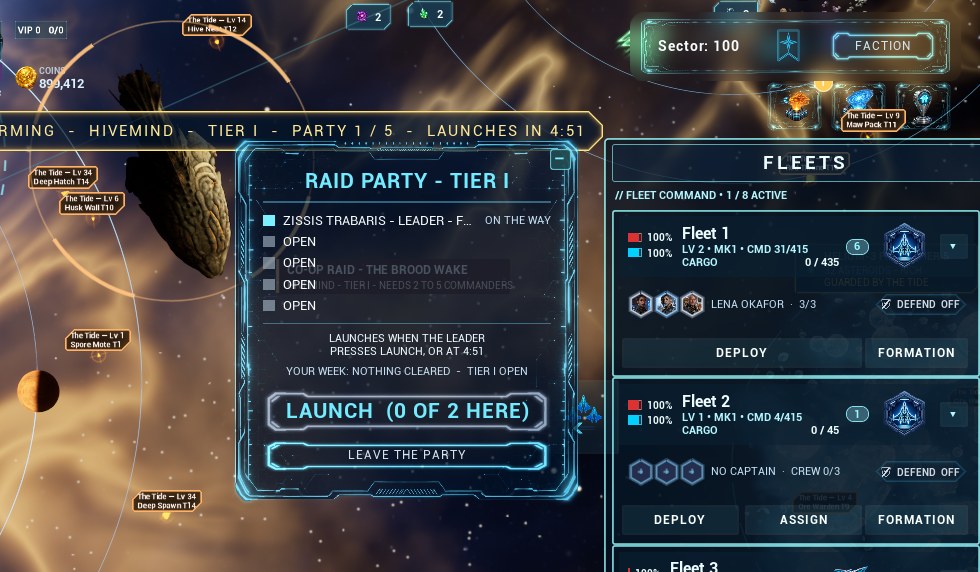
- LEAVE THE PARTY showed for commanders who were not in the party. It now shows only to the party's members.
- The card offered parties you could not join, such as a Tier III party below level 30, and JOIN did nothing. It now shows only a party you can join, or your own. Tier I opens at level 15, Tier II at 20, Tier III at 30.
- The card moves aside while FLEETS is open instead of lying over your fleet list.
- A long name in the party list ends in "..." instead of running into ON THE WAY.
An arrow to the muster ring
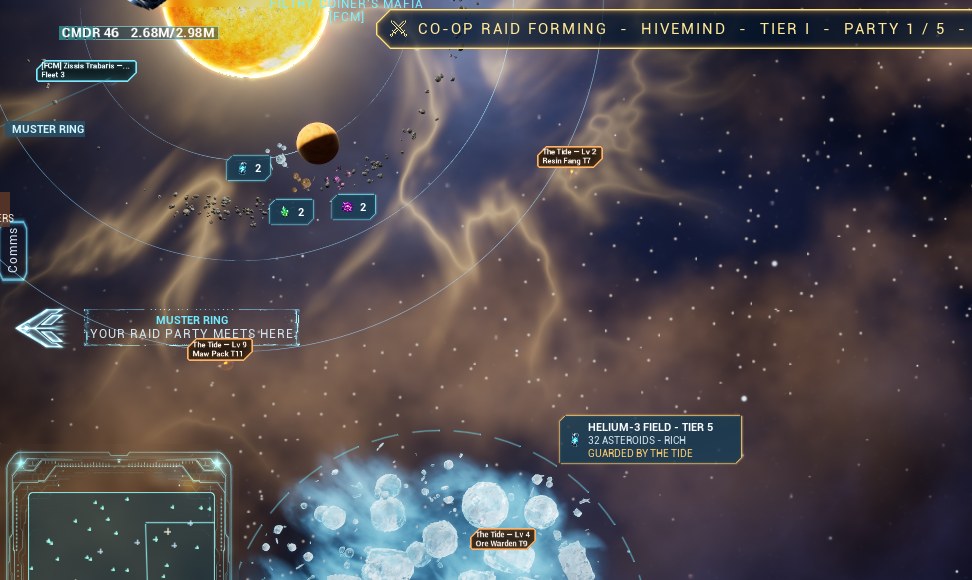
While a raid party is forming, or you are in one, a cyan arrow at the edge of the screen points to the muster ring when it is out of view, like the arrow that points to your home planet. Click it and the camera goes to the ring.
Voss and the chat
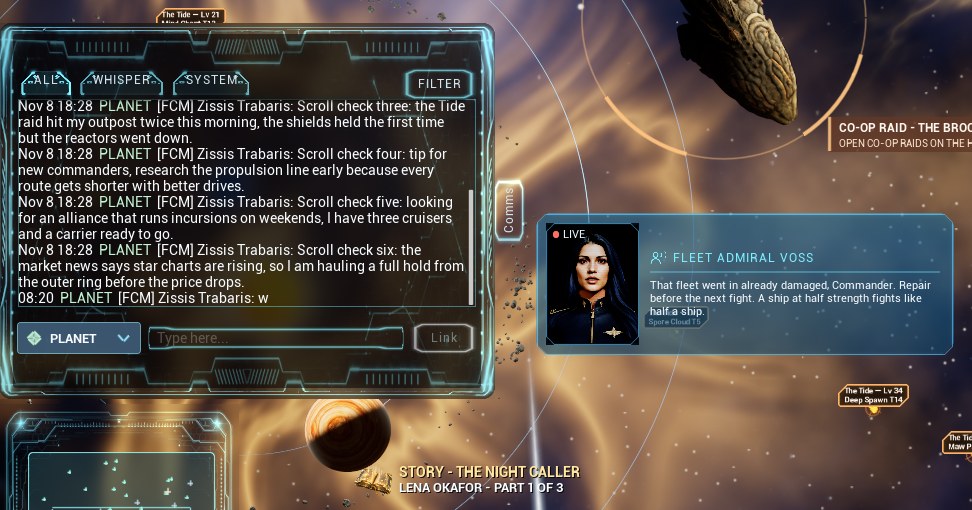
Fleet Admiral Voss's window covered the chat's Comms tab, so you could not open the chat while she spoke. It now stands to the right of the tab, and to the right of the chat when it is open.
Good to know
- Optional update: 125 keeps working; Steam brings 126 in.
- The changelog and the Co-op Raids chapter of the Player's Guide have the details.
Questions or bugs: #tester-chat and #bug-reports on Discord. Ideas: #feedback.