
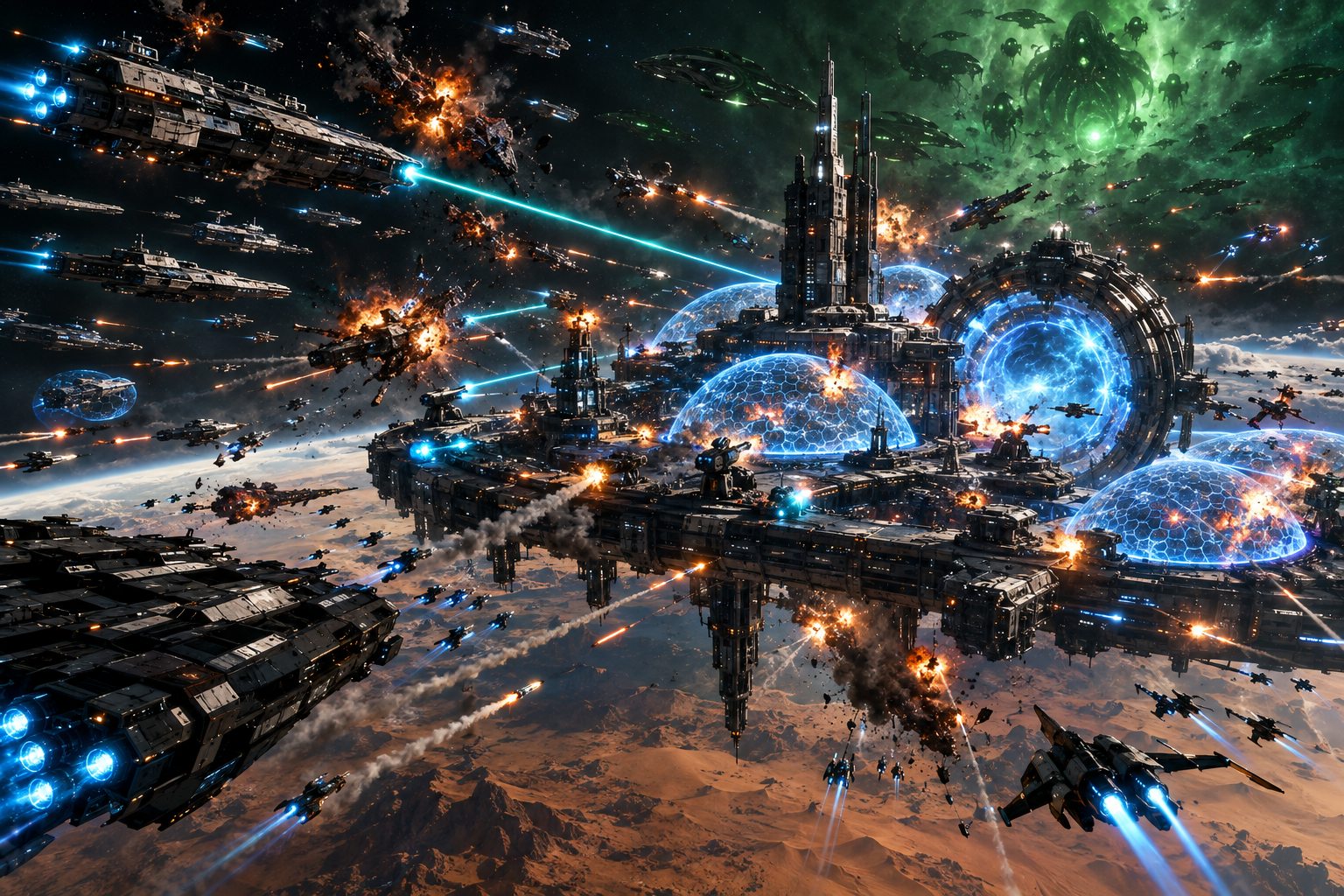
Development
Changelog
- Link
Alpha build 108
LatestA fix for PCs with built-in Intel graphics: the game runs on DirectX 12 there again, as before build 107.
October 31, 2026 · Steam build 26340949
Fixed
- On some PCs with built-in Intel graphics, build 107 started the game on DirectX 11, and it froze a few seconds after the start screen. Those PCs run on DirectX 12 again, as they did before build 107. Everything else from build 107 stays.
Good to know
- Not a required update: build 107 can still join. Steam brings 108 in; restart Steam if it does not appear.
- No server restart.
- Link
Alpha build 107
Move your base to another planet, defend your alliance mates' bases, and older PCs now start on DirectX 11 at LOW by themselves.
October 31, 2026 · Steam build 26340554
New
- Move your base to another planet: open the planet you want and press MOVE BASE HERE. It costs 10,000 coins and then waits 7 days before the next move, like switching factions. Your first move below commander level 10 is free. Everything on the base moves with it.
- A move is refused while any of your fleets is out, while a raid on your base is on its way or under way, and on a planet that is full. The panel says why before you pay anything.
- Defend your alliance mates: a fleet's DEFEND chip now has three settings, OFF, HOME and ALLIES. On ALLIES the fleet also defends alliance mates' bases on the planet it is at, docked at a base there or waiting in that planet's view, while you are online.
- When an alliance mate's base nearby is raided, you get an amber ALLY UNDER ATTACK prompt and your fleet joins the defence. A raid has up to three defending fleets in all, the base owner's first.
- The game now picks DirectX 11 by itself on graphics chips that cannot run its DirectX 12 well, such as older built-in Intel graphics. No launch options needed.
- The system requirements are now on the Steam store page.
Changed
- The first start now picks the right graphics quality for your PC, and older PCs start on LOW. On a PC where the game picked too high a setting before, it is set right once, by itself, unless you chose your own settings.
- Every richer asteroid field now has its Tide guards. Some fields had none.
Fixed
- Some players could not sign in when another program on their PC was using a network port the game wanted. The game no longer needs it.
- An away team's notice named its whole reward even when your full stores could not take it. It now says so: "Your stores were full, so it was lost.", or how much they had room for.
- The base repair bar was drawn over menu screens such as the Academy. (#192)
Good to know
- A required update: build 106 can no longer join. Steam brings 107 in; restart Steam if it does not appear.
- The server restarted once, after a five-minute notice. A restart brings every deployed fleet home to its bay.
- Link
Alpha build 106
Fixes from your reports: alliance mates always count as allies, one Shipyard per base, signal pay you can read again.
October 30, 2026 · Steam build 26316787
Changed
- A base has one Shipyard. A second one never added anything, so it can no longer be built; the build list says "One per base: upgrade it instead". Shipyards you already have stay where they are.
- The pay for a worked signal comes in one message: what the crates held and what your officers earned, together. Both lines also go into the chat's SYSTEM tab, so you can read them again, and a long message stays up longer. (#186)
- The resource readout at the top left now reads Minerals, Helium-3, Antimatter, the order every cost list uses. (#67)
- Special modules show their boost the same way in the Forge and in Outfit, and at each Mark it is the boost your ships get in battle (the Dreadnought Overdrive: +125% at Mark I, +219% at Mark V).
Fixed
- After a server restart, an alliance mate who had not been online since could count as hostile: their base read HOSTILE BASE in red and could be scouted and attacked by their own alliance. Alliance mates now always count as allies, and their base reads ALLIED BASE.
- Officer stories on the Signals screen showed an empty POSSIBLE FINDS line. It now lists what the story can give.
- With another commander's or a Tide fleet selected, a right-click on the map did nothing and said nothing. It now tells you "That fleet is not yours."
- The Forge and the Lab offered INSTANT on a build waiting in the queue, then refused it. Only the running one can be finished with coins, and the button says why.
- The Forge list opens at the top when you change category, instead of keeping the last list's scroll.
- FULL SPECS listed a LAB LEVEL requirement that does not exist. It is gone.
- The Resolution setting did nothing in Windowed Fullscreen, which always uses your monitor's size. It is now greyed out there and says how to change it.
- Training chapter II sent you to the Shipyard to put a ship in a fleet. It now points to FLEETS, where ASSIGN is.
- The Relic Forge's top rank label ran past its plate. (#189)
- The officer screen's numbers spilled out of their boxes in a small window. The screen now shrinks to fit. (#190)
- Discord's in-game overlay could leave every gun's firing arcs showing, in the Base View and in battle.
Good to know
- Not a required update: build 105 can still join. Steam brings 106 in; restart Steam if it does not appear.
- The server restarted once, after a five-minute notice. A restart brings every deployed fleet home to its bay.
- Link
Server update 104.2
Fleets hold more: command points now rise to 450 at level 50, so five Dreadnoughts or six Carriers fit in one fleet.
October 30, 2026
Changed
- Fleet command points rise evenly from 100 at level 10 to 450 at level 50 (they stopped at 300). Every level from 11 up gets more: 187 at level 20, 275 at 30, 362 at 40.
- At level 50 a fleet can hold five Dreadnoughts, or six Carriers. Six Dreadnoughts (540) still never fit.
Good to know
- Nothing to download: this is a server update, and build 105 is still the game.
- The server restarted once, after a five-minute notice. A restart brings every deployed fleet home to its bay.
- Link
Alpha build 105
Elite Tide fleets of tiers 16 to 18, long-range guns on every Tide fleet, and three fixes: the DEFEND BASE chip, space backdrops and the base camera.
October 29, 2026 · Steam build 26308975
New
- Elite Tide fleets roam the sector: tiers 16, 17 and 18, two of each. They are two, three and four times as tough as a tier 15 fleet, and beating one pays two, three and four times as much in resources and XP.
Changed
- Tide fleets now carry the long-range guns of their tier, the same ones commanders fit. Their armour and shields are their own.
- Tide fleets of tiers 13 to 15 now fly their hulls and modules at Mark 5.
- Tide fleets waiting at deep-space signals are fitted the same way as the patrols of their tier.
Fixed
- Opening your base from a signal's deep-space view now shows the base with its own camera, without the signal's banner and buttons over it, and the base camera comes back at the right zoom after a trip to the sector (#191).
- The DEFEND BASE chip on a fleet card can be clicked again.
- Gas clouds, asteroid belts and planet clouds show as soon as you switch between the sector and a planet, instead of a second later.
Good to know
- Not a required update: build 104 still connects. Steam brings in build 105 on its own; if it does not appear, restart Steam.
- The server restarted once, after a five-minute notice. A restart brings every deployed fleet home to its bay.
- Link
Alpha build 104
A new look for space: ships up close, stars that light their planets, a mood for every kind of system, and a DEFEND BASE switch for every fleet.
October 29, 2026 · Steam build 26303082
New
- Zoom in on a fleet on the sector map and you see its ships, flying in formation with engine trails behind them. A fleet that warps in arrives with a flash.
- Every star now lights its own planets: a day side facing it, a night side away from it, and a glow around the sun. Black holes, dead systems and asteroid fields give no light, so their planets stay dark.
- Each kind of system has its own mood: drifting gas in its own colours, and a gentle colour shift as you zoom in on it. Binary systems burn amber, dead systems are cold grey-blue.
- DEFEND BASE: a chip at the right end of each fleet card's crew line. Only fleets with DEFEND BASE on join the fight when your base is raided while you are online; your base's guns fire either way.
- The planet view comes alive: clouds, a glowing atmosphere and city lights on the night side, and a blinking beacon on every base.
- Depth behind the map: distant starfields and dust that drift as you pan, asteroid belts between the orbits, and now and then a comet far below.
- Fleet names sit on glass plates in their colours (yours cyan, the Tide orange), and step aside so they never cover a star.
- The black hole, pulsar, nebula and anomaly systems have been redone.
Changed
- Orbit rings are thinner and brighten behind their planet.
- Planets and suns turn at half their old speed.
- The crew line on a fleet card is shorter: the captain's name and the crew count, like LENA OKAFOR · 3/3.
- The game takes up to five times more from the server each second, so a fully built base shows a collection much faster.
Fixed
- Buildings no longer come out of a raid damaged when they were not hit, and you are no longer charged to repair them (#188).
- The Bridge Crew screen's Below Deck cards no longer cover the line that says the fleet is out (#184).
- The Tide commander's card no longer stays on screen over a battle (#187).
Good to know
- Every fleet starts with DEFEND BASE off after this update, including fleets that used to defend. Switch on the ones you want at home.
- The new looks are off on the LOW graphics preset, so slower PCs keep the old look.
- A required update: build 103 cannot connect. Steam brings in build 104 on its own; if it does not appear, restart Steam.
- The server restarted once, after a five-minute notice. A restart brings every deployed fleet home to its bay.
- Link
Server update 103.3
Fully built bases answer at once again, and the Leviathan and the Overmind come on schedule. Nothing to download.
October 29, 2026
Fixed
- In a fully built base, an upgrade or a build took around 3 seconds to show up in the build bar. It now shows up at once, and the server does a fraction of the work for each click.
- Scheduled incursions brought the Hivemind every time. The Hivemind, the Leviathan and the Overmind now take turns, and the Tide Threat screen shows when each one comes next.
Good to know
- A server update: there is nothing to download, and build 103 stays the game build.
- Collecting resources in a fully built base still takes a moment to show: it changes every production building at once. The next game build makes that faster too.
- The server restarted once, after a five-minute notice. A restart brings every deployed fleet home to its bay.
- Link
Server update 103.2
The Tide's raids on bases were far rarer than intended. Fixed. Nothing to download.
October 29, 2026
Fixed
- The Tide's raids on bases were far rarer than intended. They now come as often as planned.
Good to know
- A server update: there is nothing to download, and build 103 stays the game build.
- The server restarted once, after a five-minute notice. A restart brings every deployed fleet home to its bay.
- Link
Server update 103.1
A security fix, a rare double module fixed, and room for many more commanders online at once. Nothing to download.
October 28, 2026
Fixed
- Security: the server now refuses developer commands sent from a game and closes that connection. We found no sign that this was ever used.
- A module build that finished in the same moment you pressed FINISH could be handed out twice. It now arrives once.
Changed
- The server lets far more commanders be online at once. The old limit was 16; nobody was ever turned away.
- Module research and module builds are checked only when one is due to finish, not every second for every commander. They finish at the same times as before.
Good to know
- A server update: there is nothing to download, and build 103 stays the game build.
- The server restarted once, after a five-minute notice. A restart brings every deployed fleet home to its bay.
- Link
Alpha build 103
Rankings: ten boards of commanders, factions and alliances, all-time and this week, in the game and on the website.
October 28, 2026 · Steam build 26259577
New
- RANKINGS: press the trophy beside the battle reports button. Ten boards: Infamy, Level, PvP Wins, Tide Hunters, Destroyers, Raiders, Defenders, Miners, Factions and Alliances.
- Every board is kept ALL-TIME and THIS WEEK. The week starts on Monday at 00:00 UTC.
- GLOBAL, MY FACTION and FRIENDS (you and your Steam friends) on every commander board. The first three wear gold, silver and bronze, and the arrow beside each line compares its place with yesterday's.
- Your own line is pinned under the list wherever you stand, and the trophy's badge shows your place on the Infamy board.
- Click a line to see that commander's career, with WHISPER, ADD FRIEND (Steam's own page) and VIEW PROFILE.
- A faction's or an alliance's score is the Infamy of its ten best commanders. Alliances wear their own emblem, and VIEW COMMANDERS shows only that group's commanders.
- After a battle that moves your Infamy, a banner says by how much and your place before and after.
- The leaderboard is also on the website at massivefrontier.com/leaderboard, with this week's top three commanders on the home page.
Good to know
- Rankings give no rewards. They are for glory.
- The boards are worked out after every battle and every five minutes. The website is updated every five minutes.
- A required update: build 102 cannot connect. Steam brings in build 103 on its own; if it does not appear, restart Steam.
- Link
Alpha build 102
Tester fixes: modules go in the slot you pick, Shipyard tiles stay up to date, and notices show over every screen.
October 27, 2026 · Steam build 26254644
Fixed
- Fitting puts a module in the slot you picked (#179). On Siege hulls a weapon put in a front slot went into a rear slot and fired backwards in battle. Weapons already in a Siege hull's rear slots stay there: unfit them and fit them again to move them.
- Shipyard tiles stay up to date (#178). After you closed and reopened the Shipyard, a tile could keep IN REPAIR, DAMAGED or DESTROYED while the ship was whole.
- Finishing a repair with coins says why when it cannot (#174), and a fleet repair left with no ships in it is cleared from the queue at no cost when you press finish.
- When a fleet you are chasing goes into its commander's signal, your fleet stops where the chase ended (#173). A fleet already inside another commander's signal cannot be attacked.
Changed
- Messages that say why something cannot be done now show over the Shipyard, Outfit, Laboratory and other full screens, and while you watch a battle. They used to be hidden behind them.
- When a Tide incursion begins, TIDE INCURSION shows on screen over full screens and battles too, and stays up long enough to read (#180).
Good to know
- A required update: build 101 cannot connect. Steam brings in build 102 on its own; if it does not appear, restart Steam.
- Link
Alpha build 101
Your fleets defend your base, allies raid a base together, and the Tide raids commanders' bases.
October 27, 2026 · Steam build 26250107
New
- Your fleets defend your base. While you are online, up to three of your fleets at the raided base fight beside it: docked there, or out on its planet and doing nothing else. BASE UNDER ATTACK lists them under DEFEND WITH YOUR FLEETS; switch one OFF before the first shot to keep it out. They start in front of the base, between it and the raiders, and you order them as in any battle.
- Raid with your allies. A base is raided by at most three fleets in all, from one commander or several. The first fleet to arrive opens a two-minute window, and members of the same alliance join by flying a fleet there: click the base to see RAID GATHERING and JOIN RAID. Each commander orders only their own ships, and RETREAT takes only your own fleets home.
- In a raid with allies the loot is shared evenly between the fleets still in it at the end, the breach XP is split between the commanders, and every raider gets their own report.
- The Tide raids bases. From commander level 15 the Tide may raid your base while you are online, at most once a day and never in your first week. TIDE RAID INBOUND gives you two minutes' warning, and GO TO BASE takes you home. If it breaches your base, its raiders stay on the planet for ten minutes with your loot aboard: beat them before they warp out and the cargo is yours.
- LINK YOUR DISCORD on the main menu links your Discord account to your commander and adds you to our Discord server with the Pre-Alpha Testers role.
Changed
- The ON/OFF switches on BASE UNDER ATTACK and in Settings are easier to read: ON is lit with dark words, OFF is dark with light words, and both are the same size.
Fixed
- On your base's bar during a raid, pressing a group of guns such as HEAVY picks the whole group, not one gun.
- A raid waiting for your second or third fleet no longer gives up after 30 seconds.
- The Daily Orders board could freeze after an officer screen was closed.
Good to know
- A required update: build 100 cannot connect. Steam brings in build 101 on its own; if it does not appear, restart Steam.
- Three fleets per raid, the two-minute window and how often the Tide raids are starting values and may change as raids are played.
- Link
Alpha build 100
The opening film fills the screen again, and the officer screen's specialist line shows its badge. Not a required update.
October 27, 2026 · Steam build 26242857
Fixed
- On some machines the opening film played as a small picture in the top-left corner of the screen. It happened when the game window grew while the film was playing, for example on the switch to full screen. The film now fills the window whatever its size.
- On an officer's screen, the SPECIALIST line among the crew bonuses had no picture. It now shows the gold specialist badge.
Good to know
- This is not a required update: Alpha build 99 still connects, and the server did not restart. Exit Steam completely and start it again to get Alpha build 100.
- Link
Alpha build 99
Officers get more to do: away teams, a base commander, hull specialists, the Tide's commanders, and the end of every officer's story.
October 27, 2026 · Steam build 26235164
New
- Away teams. On the Academy's new AWAY TEAMS tab, send officers who are not in a seat on one of the day's five missions. A team that suits the mission brings back more; a weaker one never fails, it brings back less. Your Academy's Mark sets how many teams can be out at once.
- A base commander. From Academy Mark 2, one officer commands your base when it is raided: their ability works for the base, and half their ratings go to its guns, shields and buildings. Raiders see them when they scout your base.
- Hull specialists. The two Rare officers of every faction know one hull class, and make every ship of that class in their fleet stronger.
- The Tide's commanders. Each incursion flagship has a commander with a maneuver of their own. Select the flagship's fleet to see who rides it and your record against them. Beat one in a week for a Trophy and 300 Commendations.
- Parts 2 and 3 of every officer's story, told by Fleet Admiral Voss. Finish all three for the officer's title and dossiers; Epic and Legendary officers also earn a dress uniform.
Changed
-
- SAVE on the crew presets now asks for the preset's name.
Good to know
- A required update: build 98 cannot connect. Steam brings in build 99 on its own; if it does not appear, restart Steam.
- Every number is a starting value and may change as officers are played.
- Link
Alpha build 98
Assigning officers is clearer: seats say why, officers swap seats, and the battle result's crew lines fit.
October 26, 2026 · Steam build 26229983
Changed
- Picking an officer who already has a seat now makes the two swap seats, in the same fleet or between two docked fleets. Before, the officer in the chosen seat lost their seat and the other seat was left empty. (#182)
- Choosing an officer for a seat always starts on ALL: a class tab, rarity or faction picked earlier no longer hides officers. (#182)
- Officers training in the Academy are in the list, dimmed, after the ones who can take the seat. Clicking one says why it cannot. (#182)
- The bridge crew screen and the officer list now say why a change cannot be made on their own message line. (#182)
- In the battle result's crew lines, XP of 1,000 or more is written short (+6.4K XP).
Fixed
- The seats of a fleet that is out in space opened the officer list, and the choice was then refused. They now say at once that crews change at your base. Thanks to the tester who sent a video. (#182)
- In the battle result, an officer at the level cap wrote a long sentence that ran over the next officer's line and out of the panel. The line now says LEVEL CAP. (#183)
- After a win, the crew section now always says what the battle dropped: the dossiers and whose, or NO DOSSIERS FROM THIS WIN. Thanks to the tester who reported it. (#183)
Good to know
- Not a required update: build 97 still connects. Steam brings in build 98 on its own; if it does not appear, restart Steam.
- Link
Alpha build 97
Bridge officers are here: recruit 96 officers, crew your fleets, promote them at the new Academy and hear each one's story from Fleet Admiral Voss.
October 26, 2026 · Steam build 26227159
New
- Bridge officers. From commander level 10 each fleet takes a bridge crew: a Captain and two Officers, and three Below Deck seats that open at commander levels 25, 35 and 45. Open them from the new Officers button on the HUD.
- 96 officers at launch: eight for each of the eleven factions and eight unaligned, from Common to Legendary, each with a portrait, a class, two traits (a third at level 20), a Captain's Maneuver, an Officer Ability and a Below Deck job.
- Recruiting: a free recruit every day, Standard recruits with Recruit Tokens and Elite recruits with Elite Tokens, with the odds on the screen. Each week the Elite recruit features one Epic or Legendary officer. Duplicates become that officer's dossiers.
- Fleet Admiral Voss tells each new officer's story as they join you, live, with the words under her. HEAR THE STORY on an officer's screen tells it again.
- Officers in battle: the captain's maneuver opens the fighting and officer abilities last the whole battle, in every battle, against the Tide and between commanders. Crews earn XP from battles, raids and mining, and the battle result shows each officer's XP and level ups. A raid result shows the raider's crew in its own column.
- Below Deck jobs work for the fleet the officer serves in: faster mining, a bigger mining hold, cheaper and faster repairs, faster travel, more resources from a won battle's wrecks, more crew XP, faster work at signals, fewer ambushes at signals and more dossiers from battles.
- The Academy, a new base building with a look for every faction: one per base, from commander level 15. Its Mark sets the highest rank your officers can reach and raises every officer's ratings, and its queue promotes officers and trains the ones not in a seat. Your officers keep serving while they are promoted.
- Officer stories: every officer has a story. Its first part opens at rank 2 as a gold marker on the map; send a fleet, choose, and Voss narrates it live. Stories pay the officer XP, dossiers and Training Data, which levels an officer at once.
- Signals, faction contracts, incursions, alliance operations, daily orders, weekly bounties and medals now pay officer rewards too: tokens, Commendations, dossiers and Training Data, each its own mix (the Player's Guide lists them). The first time you reach Exalted with a faction, its Legendary officer joins you.
- The collection: lasting bonuses to every officer's ratings as you recruit more, the title Master of the Academy at 40 officers, and a title and a portrait frame in the faction's colour for each faction's full set of eight. WEAR puts a title on your profile.
- Crew presets: save a fleet's crew as TIDE HUNT, MINING or PVP and put it on any docked fleet in one press. Each fleet's row in the fleet panel shows its crew's faces; click them to open the bridge.
Changed
- The round buttons at the bottom right of the HUD now stand in two rows instead of one long line, and the FLEETS panel ends a little higher to make room.
- Watching a battle or a raid: hold Alt to see the firing arcs of every ship on the field, and in a raid of every gun the base has left. Commanding your own ships, Alt still keeps the nose on the target with Alt + click.
- The building panel shortens prices of a million or more so they fit their row.
Fixed
- In the Base View the Uncollected Resources bar covered your coin count. It now stands clear of it, and moves under the top bar when a narrow window leaves no room beside it. Thanks to the tester who reported it. (#181)
Good to know
- A required update: build 96 cannot connect to the new server. Restart Steam if the update does not appear.
- Every officer number is a starting value and may change as we see how it plays.
- Voss's officer recordings are fetched the first time each one plays, so the first story can take a moment to start.
- Link
Alpha build 96
Repairs say why when a ship's fleet is out in space, and the Shipyard's buttons and Mark selector stay inside their frames.
October 25, 2026 · Steam build 26192800
Fixed
- The Shipyard offered REPAIR and INSTANT for a damaged ship whose fleet was out in space, and nothing happened when you pressed them. Ships are only repaired at your base: for such a ship the Shipyard now says which fleet it is out with and to recall that fleet, and REPAIR comes back once the fleet has docked. Thanks to the tester who reported it. (#176)
- When a repair cannot start, you are now told why: the ship's fleet is away, it is already in the repair queue, the queue is full, or you are short of resources or coins.
- With a damaged ship selected in the Shipyard, REPAIR, INSTANT and the repair's price pushed OUTFIT and SCRAP below the panel's frame. The ship's picture now gets smaller to make room, so every button stays inside the panel. Thanks to the tester who sent the picture.
- On another faction's hull in the Shipyard's BLUEPRINTS tab, the long status pushed the Mark selector's right arrow out of the panel. The status now fits beside the selector.
Good to know
- To repair a whole fleet in one queue slot, recall it to your base and press REPAIR on the fleet's row.
- Not a required update: build 95 still connects. Steam brings 96 in on its own; restart Steam if it does not appear.
- Link
Alpha build 95
The faction lock: you research and build your own faction's designs, and open another faction's through standing.
October 25, 2026 · Steam build 26191483
New
- The faction lock. You research and build your own faction's hulls and modules, and the generic designs. Another faction's designs show as LOCKED in the Shipyard, the Forge and the Lab, and each one says what opens it.
- Standing opens another faction's designs. Reach Honoured with a faction and press OPEN MODULES on its standing screen to open its modules for 50 blueprint fragments; reach Exalted and press OPEN HULLS to open its hulls for 100. What you open stays open.
- A faction you leave stays open to you: its designs remain yours to research and build after you switch.
- A module of another faction that you hold, from a fight's loot, can be researched and built. That opens the one module, not the other modules of its research node.
Fixed
- The "Server restarting" countdown at the top of the screen was hidden behind the weekend event banner. While the countdown shows, the event banner and the incursion bar now sit below it.
- On a hull's FULL SPECS at a higher Mark, the weapon slots of its firing arcs did not add up to WEAPON SLOTS: the extra slots a Mark gives were missing from the arcs. Each arc now counts them, in the list and on the diagram. Thanks to the tester who reported it.
Good to know
- Research you did before the lock came on stays yours, and so does everything it lets you build. The ships and modules you have stay yours, and fitting is never locked.
- If you have not chosen a faction yet, you research and build the generic designs. Your first choice of faction is free.
- A required update: build 94 can no longer connect. Steam brings 95 in on its own; restart Steam if it does not appear.
- Link
Alpha build 94
The fitting screen gets a row of filter chips, a faction filter, and the ship's stats back, with an icon on every row.
October 24, 2026 · Steam build 26188552
New
- A FACTION filter on the fitting screen. It lists the eleven factions, each with how many of your module stacks are of it. Pick one and the module cards and every count show that faction only, together with the kind you chose. ALL FACTIONS shows everything again.
- The filters are one row of chips over the module cards: ALL MODULES, WEAPONS, ARMOR, SHIELDS and SPECIAL, with their counts. The FACTION filter sits in the same row, above the ship card.
Changed
- The ship card runs down the left side of the fitting screen, and every stat on its DEFENSE, MOBILITY and CHASSIS pages has its own icon. On a 16:9 screen the DEFENSE page shows its rows from HULL INTEGRITY to ARMOR BYPASS without scrolling.
Fixed
- On the fitting screen the ship's stats had shrunk to a single row since build 93. Thanks to the tester who reported it.
Good to know
- Not a required update: build 93 can still play. Steam brings 94 in on its own; restart Steam if it does not appear.
- A building's fitting screen in your base has the same filter chips and FACTION filter.
- Link
Alpha build 93
Fleets now have command points that grow with your level, Siege ships carry two guns facing aft, and the fitting screen shows which arc each weapon fires through.
October 24, 2026 · Steam build 26186547
New
- Command points. Each ship costs points by its class: Fighter 4, Cutter 7, Corvette 8, Frigate 10, Destroyer 14, Cruiser 19, Battlecruiser 38, Battleship 50, Carrier 62, Dreadnought 90. Your fleets have 100 points up to level 10, 5 more for every level after that, and 300 from level 50, so at the top you can fly six Battleships, but not six Carriers or six Dreadnoughts. A fleet still holds at most six ships. Each fleet's row shows its points (CMD 64/100), the ship picker shows the fleet's points and what the selected ship costs, and the Shipyard's FULL SPECS show every hull's COMMAND COST. This is a first round of balancing: tell us how it plays.
- The fitting screen groups your weapon slots by the firing arc they fire through (FORE ARC, AFT ARC and so on), with a small diagram of the ship's arcs beside them. Point at a slot and its arc lights up on the diagram.
- The Esc menu has a MAIN MENU button that takes you back to the main menu, with the next incursion and everything waiting for you.
- RELIC FORGE and TIDE THREAT are labelled buttons under BANKED on the Weekly Tide Bounties panel, instead of two small icons.
Changed
- Siege ships keep every gun, but two of them (one on Fighters and Cutters) now fire through a narrow arc over the stern, and a Siege hull has the armor slots of its class's Interceptor (two fewer on most classes).
- Buying a Mark for a module now upgrades every copy already fitted to your ships. No more taking them off and putting them back.
Fixed
- On the Shipyard's FULL SPECS, RESURGENCE, RESURGE EVERY and the squadron rows were cut off.
Good to know
- A required update: the server restarted, and older builds cannot join. Restart Steam if 93 does not appear.
- Fleets over their commander's command points were emptied at the update: their ships are back in your hangar, none lost. Assign them again within your points.
- Armor fitted to a Siege ship in a slot that no longer exists was moved to your module inventory, with its Mark.
- Link
Alpha build 92
Tuck the Base View's construct list away with its new tab, and the weekend banner and incursion bar stay clear of your coins.
October 23, 2026 · Steam build 26171095
New
- The construct list in the Base View has a Construct tab on its right edge, like the chat and fleet panels. Click it and the list slides away to the left, leaving more of your base in view; click it again to bring the list back. Your game remembers which way you left it.
Fixed
- The weekend event banner lay over your coins and VIP bar. The banner and the incursion bar now sit centred at the top of the screen, clear of your commander card and the sector panel, and on a narrower screen they shrink a little rather than cover anything.
- With an incursion up, the weekend event banner lay across the incursion bar's THREAT button. It now sits under the bar.
Good to know
- Not a required update: builds 88 to 91 can still join, and the server did not restart. Steam brings 92 in; restart Steam if it does not appear.
- Link
Alpha build 91
After a server restart your keys, menu and HUD buttons work again, and the weekend event banner no longer covers COLLECT ALL.
October 23, 2026 · Steam build 26169361
Fixed
- After the server restarted and your game reconnected by itself, every key was ignored (Esc too), the main menu did not open and the round HUD buttons at the lower right were missing. They all work after a reconnect now.
- In the Base View the weekend event banner lay over the base's top bar and took the clicks meant for COLLECT ALL. The banner now stays out of the Base View and is back as soon as you leave it.
Good to know
- Not a required update: builds 88 to 90 can still join, and the server did not restart. Steam brings 91 in; restart Steam if it does not appear.
- Until your game is on 91, a game that gets stuck after a server restart is fixed by restarting it (Alt+F4 closes it when Esc does nothing).
- Link
Alpha build 90
The main menu and the connection screens now show your game's real build number.
October 23, 2026 · Steam build 26166201
Fixed
- The main menu, the start-up screen and the connection screens show your game's own build number. After an update that was not required they kept showing the build before it (build 89 said 88), so it looked as if Steam had not updated the game.
Good to know
- Not a required update: builds 88 and 89 can still join. Steam brings 90 in; restart Steam if it does not appear.
- The server restarted once, after a five-minute notice. A restart brings every deployed fleet home to its bay.
- Link
Server update 89.1
Fleet repairs no longer lose their ships when the server updates, and the repairs that lost them have their ships back.
October 23, 2026
Fixed
- A fleet repair no longer loses its ships when the server restarts for an update. After the last update some fleet repairs ran on with 0 ships: they could not be finished with coins and held up the repair queue. (#175)
- The fleet repairs that were still running have their ships back. A fleet repair that had already ended or was cancelled is not changed.
Good to know
- A server update: there is nothing to download, and build 89 stays the game build.
- The server restarted once, after a five-minute notice. A restart brings every deployed fleet home to its bay.
- Link
Alpha build 89
Contract patrols count while you are offline, less smoke in base raids, incursion damage counts again, and eight fixes from your reports in #tester-chat.
October 23, 2026 · Steam build 26148698
Changed
- A contract patrol counts while you are offline: keep a fleet in the named planet's view and the time counts, online or not.
- Signal work that is paid when you sign in now ticks its step of the Commander's Licence.
- Less smoke rises from a base under attack, so ships flying through it are easier to see.
- In battle, a ship's weapon line shows its REACH.
- From this build on, when a newer build is out and your game is too old to join, the reconnect screen says UPDATE REQUIRED instead of trying again for ever.
Fixed
- Incursions: the damage plate counts up and the flagship's health goes down after each battle. (#172)
- A second fleet sent at your own raid joins it while the raid is gathering (up to 3 fleets). Once the raid has begun you are told so, instead of "Another commander is attacking that base". (#167)
- Speeding up a build twice quickly no longer shows an internal message; build refusals say why in plain words. (#165)
- Your own base's card stays your own card after you close and open it again. (#166)
- A large RAID CARGO figure fits its panel. (#168)
- A defence rating past a million fits the base card. (#169)
- Signing in while the server is busy no longer greets an existing commander as a new player. (#170)
- The red TEXTURE STREAMING POOL OVER BUDGET line no longer shows on screen. (#171)
Good to know
- Not a required update: build 88 can still join. Steam brings 89 in; restart Steam if it does not appear.
- The server restarted once, after a five-minute notice. A restart brings every deployed fleet home to its bay.
- Link
Alpha build 88
Repair a whole fleet in one queue place, MARK UP ALL for your walls, a card for your own base, a fuller daily briefing, more top Tide fleets and 25 fixes from your reports.
October 22, 2026 · Steam build 26140382
New
- REPAIR on a fleet row now repairs the whole fleet as ONE item in the repair queue, at the ships' prices and times added up. Short of resources, it repairs the cheapest ships you can pay for and tells you how many were left out; press REPAIR again later for the rest. REPAIR FLEET on a battle result works the same way.
- MARK UP ALL: a building you have two or more of shows an ALL section in its panel. MARK UP ALL puts every one of them that can go up a Mark into one build-queue item at the total price, and cancelling it gives the whole price back. COPY THIS FIT TO ALL fits this building's modules to the others from your stores.
- The construct list says what each building does and how many you have. Click the count to outline every one of them on the deck. (#118)
- Select your own base to see its card: your levels, defence rating and shield, what a raider could take of each resource, the share your vaults keep safe, and OPEN BASE VIEW.
- Fleet Admiral Voss's daily briefing now covers all the day's news, one line for each kind (incursions, battles, the top commander, the operation, signals, alliances, mining), and she reads the whole list.
- Four more Tide fleets patrol the sector at the top: two more at Lv 34 and two more at Lv 50.
Fixed
- A refusal always says why, in every view; about fifteen actions that did nothing now tell you the reason. (#53)
- Steam names with accented letters are stored and shown correctly, and long names are cut so labels no longer overlap. (#133)
- The Lab's Weapons list shows one row of five per faction. (#92)
- Clicking the running research in the Lab's bottom bar opens its node, with CANCEL and COMPLETE. (#117)
- VIEW LOADOUT in the fleet ship picker opens the ship in outfitting. (#8)
- Bookmarks: the go-to button shows its icon, and the delete cross is larger. (#45)
- The open Shipyard covers the HUD, so tooltips no longer show through. (#124)
- FULL SPECS fits a normal hull without scrolling. (#135)
- A full health bar ends on a whole pill. (#163)
- The next-Mark preview in ship details includes your faction's and modules' bonuses. (#164)
- After the chat, Esc brings up the Leave prompt again. (#95)
- Removing the first ship from a fleet shows the right ships left. (#160)
- The Base View keeps its zoom when you come back to it. (#161)
- Opening the last fleet row scrolls its ships into view. (#122)
- The build queue's scroll bar no longer covers the first build's time, and the round HUD buttons are put away in the Base View. (#96)
- Sharing a battle report: the report waits beside the chat box, and its card no longer opens by itself. (#129)
- Another commander's report has an X, a CLOSE button, and closes with Esc. (#140)
- After a defeat the result says your fleet was destroyed and its wrecks are back in its bay; once they are queued it reads IN REPAIR.
- Chat lines name their room in a word: PLANET, FACTION, TRADE. (#155)
- Uncollected resources: each building counts from its own clock, so the amount no longer drops after a build finishes. (#134)
- At first start the game retries the connection quietly, then says it keeps trying, and to restart Steam when Steam is not connected. (#162, #125)
- A delivery contract's button reads DELIVER, and its line says what your stores hold.
- A signal marker over a Tide flagship no longer takes the click meant for the flagship.
- A module crate names the module you got.
- In a raid, the Command Bridge carries a COMMAND BRIDGE tag.
- The fleet commands no longer run under the bottom-right buttons on a small screen when the chat is open.
Good to know
- A required update: Steam brings it in, and build 87 can no longer join.
- The server restarted once, after a five-minute notice. A restart brings every deployed fleet home to its bay.
- Link
Alpha build 87
A new main menu with Fleet Admiral Voss, a start-up screen where she reads you a field note, and a game that reconnects by itself when the server restarts.
October 22, 2026 · Steam build 26133384
New: the main menu
- The game now opens on the bridge, with Fleet Admiral Voss there in person. At your first launch of the day she greets you, then tells you the first thing that is waiting for you. On a later launch she skips the greeting and just tells you what is waiting.
- WAITING FOR YOU lists what needs you: daily orders to claim, the day's report, ships finished in the bay, a contract done, your base breached or a raid held off, an incursion on or coming. Click a line to go straight there.
- ENTER THE FRONTIER takes you into the game. DAILY BRIEFING, SETTINGS, PATCH NOTES, DISCORD and QUIT are on the left.
- A new commander sees YOUR FIRST STEPS instead: a first fight, building up the base, choosing a faction. BEGIN starts the first one.
New: the start-up screen
- While the game connects you see one of 40 field notes, each a rule of the game in Voss's words with its own picture, and the three steps of the start.
- Once she is in, Voss reads the note aloud. Press Space, or click NEXT NOTE, for the next one, and she reads that too. When the start is done, ENTER goes on at once; otherwise the menu opens when she has finished.
New: when the server restarts
- If the server restarts or your connection drops, you get a screen that shows how long you have been waiting and what is new in the next build, and the game reconnects by itself as soon as the server is back. RETRY NOW tries at once.
- If the server needs a newer game than yours, the screen names the new build and yours. QUIT AND UPDATE closes the game so Steam can update it, and FULL PATCH NOTES opens the notes.
Changed
- Voss looks sharper while she talks, and her face eases into and out of each line instead of jumping.
Good to know
- A required update: Steam brings it in, and build 86 can no longer join.
- The server restarted once, after a five-minute notice. A restart brings every deployed fleet home to its bay.
- Link
Alpha build 86
This morning's server freeze is fixed, and Fleet Admiral Voss steps in: the faction screen, your firsts, advice after a lost battle, the away summary and a daily briefing.
October 22, 2026 · Steam build 26126994
Fixed
- On 22 October the server froze from 05:17 to 06:03 UTC. In a base raid, a shot that missed a defended building could keep missing that same building over and over, and the server never finished the shot. A shot that misses now always flies on.
- If the server ever gets stuck again, it now notices after a minute and restarts itself, back in about two minutes, instead of standing frozen.
New: Voss in the game
- The faction screen: pick a faction and Fleet Admiral Voss briefs you on it. Pick another and she moves on to that one.
- Your firsts: she marks your first defeat, the first ship you lose, and your first win and first defeat against another commander. They are your account's real firsts, so a commander who already has them behind them will not hear them again.
- After a lost battle she may give one piece of advice, picked from what went wrong: repair before you fight, fit modules, you were outnumbered, Mark up your ships, take on a lower tier of the Tide, or read the battle report. At most one every half hour, and the same one not twice in a day. None after a base raid or an incursion flagship fight.
- WHILE YOU WERE AWAY: she tells you the biggest thing that happened: your base breached, a raid held off, ships lost, or your fleets holding.
- The daily briefing opens by itself at your first sign-in of the day if you have not heard that day's report yet, once a day, from level 5. It waits until the other cards on screen are done.
- Fourteen new lines in her voice.
Good to know
- A required update: Steam brings it in, and build 85 can no longer join.
- The server restarted once, after a five-minute notice. A restart brings every deployed fleet home to its bay.
- Link
Alpha build 85
The moving paints now move in the Shipyard, and faster everywhere: Ember Wake's molten veins, Gunmetal's pulse of light, Void Black's nebula and Event Horizon's ring.
October 22, 2026 · Steam build 26121895
Fixed
- Ember Wake, Gunmetal, Void Black and Event Horizon stood still on the Shipyard's ship: it was drawn once and then kept as a picture. While one of these paints is on show, the ship is now redrawn so you can watch it move.
Changed
- The moving paints move faster, so you can see it. Ember Wake's molten veins creep aft, with a wave of heat running down the hull every few seconds. Gunmetal's pulse of light runs from bow to stern every five seconds, brighter than before. Void Black's nebula drifts and churns inside the panels. Event Horizon's ring turns about once every 18 seconds.
Good to know
- Not a required update: Steam brings it in, and build 84 can still join. The server did not restart.
- Link
Alpha build 84
Hull mastery and paints: every hull you fly earns stars from the battles its fleet wins, and stars unlock paints. The eleven faction paints arrive for everyone at Trusted standing.
October 22, 2026 · Steam build 26120966
New: hull mastery
- Every hull design you fly (its faction, class and role, such as the Crimson Fleet Cruiser Tank) earns its own mastery stars. A hull earns a win each time a fleet it flies in wins a battle: against the Tide, against another commander's fleet as attacker or defender, or a base raid as the attacker. One win per hull per battle; losses and mining count nothing.
- Stars at 25, 75, 150, 300 and 600 wins. Stars never go away.
- Battles fought since 7 October already count, so your stars are there from the start.
- The Shipyard shows a HULL MASTERY strip above the ship (its stars, its wins and the next step), and the hull row shows each hull's stars. From MY SHIPS, a ship shows its hull's strip too.
- A hull with all five stars is mastered. Your commander profile shows how many hulls you have mastered, on the level line.
New: paints
- A PAINT row under the Shipyard's ship. Each star unlocks a paint on that hull: Arctic (1 star), Sandstorm (2), Ember Wake (3: scorched metal with molten veins), Gunmetal (4: brushed metal with a pulsing blue circuit) and Void Black (5: black with a drifting nebula inside the panels). Factory is always there.
- Click a locked paint to see it on the ship; the row says how many wins it still needs.
- Faction paints: each of the eleven contract factions has its own livery, earned at Trusted standing (10,000) with that faction and worn on that faction's hulls, with no stars needed. Iron Parade, Blood Banner, Sunforged, Event Horizon, Clean Room, Hazard Pay, Ivory Halo, Brass Ledger, Pathfinder, Clan Colours and Salvage Ace. Everyone who has already reached Trusted has theirs.
- A paint is chosen per hull: every ship of that hull, in every fleet, wears it. Changing it is free and immediate.
- Paints show on the Shipyard's ship, on the pictures of your ships across the game (the Shipyard, the Outfit screen, battle rosters and results), in battles, where your opponent and anyone watching see them, and in replays. Fleets on the sector map stay icons. The Tide never wears paint.
- Paints are looks only: no paint changes any number.
- Fleet Admiral Voss marks your first star, a hull's third star, a hull mastered and each faction paint you earn.
Changed
- The fleet list slides shut while the Faction Contracts board or the Signals panel is open, and back out when it closes (only if the board shut it). It used to show through the see-through board.
- The fleet command bar keeps clear of the bottom corners: when the minimap or the HUD buttons at the bottom right would cover it, it sits between them, a little smaller if it must. The buttons had covered its right end and taken WATCH's clicks.
- The open fleet list no longer covers the HOME button.
Good to know
- A required update: Steam brings it in, and build 83 can no longer join.
- The server restarted once, after a five-minute notice. A restart brings every deployed fleet home to its bay.
- Link
Server update 83.1
THE ROAD TO TWENTY's research mission counts a tier 4 research you already have, for commanders who had all their research done before it came. Nothing to download.
October 21, 2026
Fixed
- Chapter VI of the Commander's Licence asks you to research a tier 4 module. Commanders who had finished all their research before the chapter came in build 82 had nothing left to start, so they could not finish it. A tier 4 or tier 5 research you already have now counts: the mission shows as done the next time you sign in, ready to claim.
Good to know
- Nothing to download: only the server changed.
- The server restarted once, after a five-minute notice. A restart brings every deployed fleet home to its bay.
- Link
Alpha build 83
Two fixes: the Research Laboratory no longer opens empty after a slow start, and commanders who had finished the old first chapter get their fleet out for the drill fight.
October 21, 2026 · Steam build 26098603
Fixed
- When the game could not reach the server at its first try (the box "Couldn't reach the Massive Frontier game server ... Try again now?") and got in after a try again, the Research Laboratory opened empty for the rest of that session: no category tabs, no research tiles, 0 / 0 COMPLETED. It now fills in however many tries the game took to get in. The same fix covers the other screens that find their information the same way.
- Commanders who had finished the first chapter of the Commander's Licence before build 82 were sent to the drill fight, which is now chapter I's first mission, with nothing launched to fight it. At their next sign-in, their first fleet with ships (or else a ship from their bay, put in a fleet) is launched beside their outpost, next to the drill target.
Good to know
- Not a required update: Steam updates the game, and build 82 can still join.
- The server restarted once, after a five-minute notice. A restart brings every deployed fleet home to its bay.
- Link
Alpha build 82
A new start for new commanders: a fight in the first minute, a sixth chapter of the Licence up to level 20, a first-week board with a ship at the end, and shorter waits while you learn.
October 21, 2026 · Steam build 26097370
New
- Your first minutes: at a new commander's first login Fleet Admiral Voss gives them an armed Fighter, already out beside their outpost, with a drill target next to it. Destroying it is now the first mission of the Commander's Licence, and BEGIN on her card takes you to your planet where the fight is.
- The Commander's Licence has a sixth chapter, THE ROAD TO TWENTY, opening at level 12: work a signal, take a faction contract, research a tier 4 module, beat a tier 4 Tide fleet and reach level 20. 27 missions in all, every one in Voss's voice.
- YOUR FIRST WEEK: seven days of three goals each for commanders below level 10, one day opening at each 00:00 UTC, with resources every day and a Corvette of your faction on day 7. The FIRST WEEK button is at the bottom right of the HUD.
- A card from Voss at every new level, saying what just opened and at which level the next thing opens. At levels 3, 5, 10, 15, 20 and every fifth level after, she says it aloud.
- Welcome back: come back after three days or more away and Voss meets you with supplies of minerals, helium-3 and antimatter that grow with your level.
- A battle to watch: below level 12, until you have watched one, Voss offers you a battle as it starts. WATCH takes you there.
- Recruits and mentors: a commander who joins an alliance below level 10 is its recruit, and when they reach level 10 every other member is paid 25 fragments, and 50 more at level 20. FIND ALLIANCE shows new commanders the alliances they can walk straight into first.
- The sector chat greets a new commander when they arrive, so the commanders around them can say hello.
- Discord reminders: with Discord linked, tick the box on your account page on the website and Voss sends you one direct message while you are away if a Licence reward or her welcome-back supplies wait for you.
Changed
- Shorter waits for new commanders: the free end of every timer is the last 30 minutes below level 10, the last 15 minutes from level 10 to 19, and the last 5 minutes from level 20, as before. The Coin price counts only the time past that.
- Choosing a faction: your base's construction queue no longer stands in the way of a faction choice. Your first choice also ignores a damaged ship or a fleet that is out. Below level 10 you have one free change, with no coins and no wait. Three powers are marked GOOD FOR NEW COMMANDERS on the faction screen.
- Faction contracts: you can take your own faction's contracts from level 10. Every faction's still opens at level 20.
- Chapter I of the Licence now starts with the drill fight, and chapter II has four missions. Your progress is kept.
- Graphics: the first start picks the quality for your graphics card, Low on built-in graphics, instead of running a test, and AUTO-DETECT picks it the same way.
- The resource readouts at the top left show your stores' size in short form (40.0K/40.0K), and your commander level reads CMDR.
- Armor modules no longer end in MK I to MK V: those numbers were the module's Tier and read like the Mark you buy afterwards. Ship Outfitting now names each module's Tier beside its kind, for example ARMOR · TIER 1, and the stars are its Mark.
- The first few times you place or move a building in the Base View, Voss tells you how: the mouse wheel turns it, left-click sets it down, right-click cancels.
Fixed
- AUTO-DETECT in Settings could crash the game on some graphics cards. It no longer runs a graphics test.
- The PRODUCTION figures on a building's panel showed helium-3 and antimatter in grey. Each resource now has its own colour there, the same as the resource bars at the top left.
Good to know
- A required update: Steam updates the game, and older builds cannot join.
- A commander below level 10 at their first login on this build begins their first week that day.
- The server restarted once, after a five-minute notice. A restart brings every deployed fleet home to its bay.
- Link
Alpha build 81
Beating the Tide now pays commander XP, and fixes for slower computers: the opening cinematic, blinking name tags and a red warning line.
October 20, 2026 · Steam build 26092767
New
- Beating a Tide fleet pays commander XP: a tenth of the Hull XP of the Tide ships you destroyed, the same rule as a win over another commander, and as much again every time you beat the Tide. Past about level 27, when the first builds and research run out, the Tide is now a road to the next level too.
Fixed
- On some graphics cards the opening cinematic crashed the game at every start. If a start ends while the film is playing, the next start skips the film on that computer, so the game always gets past it. A new graphics driver gets the film back.
- In the opening cinematic, Fleet Admiral Voss's hair, collar and badge had light smears. Her scene is recorded again at full detail.
- On slower computers (about 10 frames a second or less), every fleet's name tag blinked on and off at the same time. The tags stay on now.
- A red line such as TEXTURE STREAMING POOL OVER 420 KiB BUDGET, a warning meant for developers, showed over the game on some computers. It is hidden now.
Good to know
- Not a required update: Steam updates the game, and build 80 can still join.
- If you added -NoLoadingScreen to the game's launch options to get past the cinematic, you can take it out now.
- The server restarted once, after a five-minute notice. A restart brings every deployed fleet home to its bay.
- Link
Alpha build 80
An opening cinematic with Fleet Admiral Voss, and special modules on base buildings now do real work and grow stronger with their Mark.
October 20, 2026 · Steam build 26085615
New
- An opening cinematic plays when the game starts: 48 seconds of the Frontier, its war with the Tide, and Fleet Admiral Voss. The first time, it plays to the end. From then on a SKIP button appears once the game has loaded, and any key or click skips it too.
- Special modules on base buildings now do real work. They fit a Screen Projector (one slot) or a Combat Array (two slots), and each one does on the building what it does on a ship wherever a building can.
- Repair modules add armour to the building. Resistance modules add resistance to their own damage type, stacked with the building's own.
- Speed modules (Thrusters, Warp Drives) push the building's field farther out: a Screen Projector's screen, a Combat Array's reach. All of one building's speed modules together at most double it.
- A Charger makes the shields of the buildings inside its building's field refill faster in a raid.
- Cargo modules let every mine, extractor and condenser on your base bank more hours of output before it stops. All of a base's cargo modules together can at most triple those hours.
- Timed modules (Cloak, Countermeasure, Booster, Dampener, Scrambler, Interdictor, Overdrive) work in a raid: the building switches them on by itself. On a building, an Overdrive makes the building's field stronger while it runs.
Changed
- Special modules on base buildings grow stronger with their Mark, as they do on ships. Until now a building got the same from a module at every Mark.
- A resistance module on a building adds resistance to its own damage type, as on a ship. Until now it raised every resistance the building had by a little.
- A Repair module on a building adds armour, as on a ship. Until now it added health.
- When a mine's limit goes down (a cargo module removed, or its building destroyed in a raid), the mine keeps everything it already holds. It only stops filling until it is below the limit again.
- The next-Mark preview of a mine, extractor or condenser counts your mastery and your base's cargo modules, as the current limit beside it does.
Fixed
- On the YOUR BASE WAS BREACHED panel, the YOUR VAULT PROTECTED line ran into the panel's frame. It now wraps inside the panel.
Good to know
- Not a required update: Steam updates the game, and build 79 can still join.
- The numbers of building modules (the caps above) are starting values and may change after the first raids.
- The wiki's special module pages say exactly what each module does on a ship and on a building.
- The server restarted once, after a five-minute notice. A restart brings every deployed fleet home to its bay.
- Link
Alpha build 79
Alliance operations: every week your alliance gets an operation, with steps that pay everyone who took part and banners to earn. The ship bay holds up to 70 ships. A required update.
October 20, 2026 · Steam build 26070346
New
- Alliance operations: every week your alliance gets an operation, on the new OPERATIONS tab of the Alliance screen. Every alliance has the same one the same week, five in turn: Iron Harvest (mine minerals), Tidebreaker (win battles against Tide fleets), Deep Draw (mine helium-3 and antimatter), Far Signal (work deep-space signals) and Supply Convoy (hand over minerals from your stores). Each has a main goal and a secondary goal.
- The goals are sized by how many members your alliance had when the week began (an alliance of one or two is sized as three). Everything counts wherever it happens: mining, battles won against Tide fleets, signals worked to the end, modules built.
- The main goal has three steps. 50% pays 10 blueprint fragments, 75% pays 25 fragments and 3 Tide cores, 100% pays 5 Tide cores and a mark on the operation's banner. The secondary goal pays 25 fragments when it is full. Operations never pay coins.
- Everyone who took part is paid the same, the moment a step is reached; a member who is away is paid at their next sign-in. Taking part means adding a quarter of one member's share to either goal; the page says how much that is this week. One operation pays you per week: if you change alliance, the first one you took part with.
- Banners: every week your alliance finishes an operation at 100% adds a mark to its banner. A banner turns bronze at 1, silver at 4 and gold at 8. They hang on the OPERATIONS page and the alliance's OVERVIEW, and show when the alliance is picked in FIND ALLIANCE.
- Supply Convoy weeks have a HAND OVER button: each press gives 50,000 minerals from your stores to the convoy.
- Fleet Admiral Voss introduces operations, announces each week's operation, and marks every step and every banner that turns silver or gold.
- The first operation, Iron Harvest, begins on Monday 26 October at 00:00 UTC.
Changed
- The ship bay holds more ships at every shipyard level: 5, 10, 18, 30, 48 and 70 ships for shipyard levels 0 to 5 (it was 5, 8, 12, 18, 25 and 35).
- A Deliver contract never asks for more of a resource than your stores can hold.
Fixed
- A Deliver contract's bar, the amount your stores hold and its CLAIM button did not follow your stores as resources came in, until you signed in again. They do now.
- After a reconnect, the alliance badge could be missing from your commander card, and the Alliance screen did not open.
- Progress on the weekly alliance orders made in the last half minute before a server restart was lost. It is now kept.
Good to know
- A required update: Steam updates the game, and older builds can no longer join.
- The numbers of alliance operations are starting values and may change after the first weeks.
- The server restarted once, after a five-minute notice. A restart brings every deployed fleet home to its bay.
- Link
Alpha build 78
Faction contracts: work for the eleven factions, earn their standing and blueprint fragments, and climb from Neutral to Exalted. Fleet Admiral Voss briefs you on every faction. A required update.
October 19, 2026 · Steam build 26057776
New
- Faction contracts: from commander level 20, each of the eleven factions posts three contracts every day. Open them with the new handshake button on the HUD. Each faction has its own tab, and you can hold three contracts at a time, from any factions.
- Contracts ask for work you already do: destroy Tide patrols of a tier or higher, destroy Tide ships, win a battle against a commander's fleet or base, hold your base in a raid, mine or deliver resources, work deep-space signals, keep a fleet at a planet, fight an incursion flagship, or build modules. Each faction favours its own kinds of work.
- A contract pays standing with its faction and blueprint fragments. It never pays coins. A contract runs until the end of the day after it was posted; claim it when it is done.
- Rivals: the factions come in five pairs of rivals (Iron Vanguard and Crimson Fleet, Solar Empire and Void Syndicate, Technocrat Union and Miner Rebellion, Celestial Order and Shadow Brokerage, Deep Space Explorers and Nomad Clans). Some contracts cost you standing with the rival, and pay 50% more standing for it. The Freelancers have no rival.
- Standing climbs through five tiers: Neutral, Recognised, Trusted, Honoured and Exalted. It is kept forever. Recognised gives you the faction's title to wear (Iron Brother, Crimson Blade, Sunsworn and so on), and Exalted a second one. Below zero a faction is Wary of you; below -10,000 it is Hostile and offers you only work that costs its rival nothing. Your own faction starts you at Recognised.
- The standing screen, opened from a faction's standing card, shows the five tiers, what each one gives, and where you stand with the rival.
- Field report: once a day for each faction, hand it 10 blueprint fragments for 250 standing.
- Contract Weekend: a new weekend event. Standing from every contract counts double.
- Fleet Admiral Voss introduces contracts, briefs you on each faction the first time you open its tab, marks every tier you reach, warns you when a faction turns wary or hostile, tells you when a contract is done, and announces a Contract Weekend.
Fixed
- Weekly bounty progress and medal counts made in the last half minute before a server restart were lost. They are now kept.
- A mining field's label could show through an open panel at the right of the screen. It is no longer drawn under the panel.
Good to know
- A required update: Steam updates the game, and older builds can no longer join.
- Trusted's reward, hull paint, arrives with hull mastery, a later update. Honoured and Exalted open a faction's modules and hulls to you once each faction researches and builds only its own, as announced.
- The server restarted once, after a five-minute notice. A restart brings every deployed fleet home to its bay.
- Link
Server update 77.1
After a fight at a signal you come back to the signal's scene wherever your camera was, not to an empty view. Nothing to download.
October 19, 2026
Fixed
- Coming back from a fight at a signal could still leave you in an empty view. The fight brings you back to where your camera stood when it began, often out by your fleet, and the signal's scene was only shown near its middle. The scene now shows wherever you are in the signal's view. This finishes the fix in Alpha build 76.
Good to know
- A server update: there is nothing to download, and Alpha builds 75, 76 and 77 all still connect.
- The server restarted once, after a five-minute notice. A restart brings every deployed fleet home to its bay.
- Link
Alpha build 77
Fixes a crash on the sector map after you scanned a signal or sent a fleet to one. Not a required update.
October 19, 2026 · Steam build 26041255
Fixed
- The game could close with a crash on the sector map after you scanned a signal, or when a fleet set off for an unknown one. A signal's marker could lose its icon pictures in the background and crashed the next time it changed picture. It had nothing to do with your PC or graphics card. Thank you to the tester whose crash report found it.
Good to know
- Not a required update: Alpha builds 75 and 76 still connect, and the server did not restart. Exit Steam completely and start it again to get Alpha build 77.
- A fleet that was out at a signal when the game crashed carried on with its work by itself.
- Link
Alpha build 76
Signal fixes: a signal's view that fills the screen and tells you what to do, a Signals panel that leaves the map free, and a mouse wheel that counts every notch. Not a required update.
October 19, 2026 · Steam build 26040635
Fixed
- The Signals panel no longer stops the map: while it is open you can still click, drag and zoom the map beside it.
- The Signals panel opens on a signal you can still work. Buttons you cannot use now are dimmed, and a line under them says why: lost to the Tide, already worked, a fleet of yours is already on it, or deploy a fleet first.
- A signal's view: the nebula fills the whole screen whatever its shape, ultra-wide included, and stays still while you pan. The camera starts closer and your fleet's icon is drawn four times larger there. A line at the top says what to do next at every step, the text at the top is larger, and the plate and its buttons sit below an incursion's bar or a weekend's banner instead of under them.
- While your fleet works a signal, a beam shows it working.
- After a fight at a signal you come back to the signal as the fight left it, not to an empty patch of space, and BACK TO SECTOR takes you home from there.
- A battle at a signal could only be zoomed in a short way; it now has the full battle zoom. The Signals panel closes when a battle comes on screen, and the nebula fills the battle's screen too.
- The mouse wheel counts every notch: a fast scroll used to move the zoom by one step only. After a pan with the middle mouse button the wheel works again straight away.
- Coming back from a signal's view puts the camera where it was in the sector, at the zoom you had.
- A fleet left standing in a signal's view after its commander logs off is sent home, and double-clicking a fleet that is in a signal's view takes you there.
- The licence button no longer covers the Signals button, the SEND FLEET and CHOOSE labels no longer lie over each other, and BACK TO SECTOR fits its frame.
- A signal's progress could fail to be saved when a fleet was sent from one signal straight on to another. Fixed on the server.
Good to know
- Not a required update: Alpha build 75 keeps working. Exit Steam completely and start it again to get the update.
- Link
Alpha build 75
Deep-space signals to send your fleets to, fights among turning asteroids that anybody can watch, and a weekend event every weekend from this Friday. A required update.
October 19, 2026 · Steam build 26037746
New
- Deep-space signals: from commander level 10, three new signals reach you every three hours, and each one lasts six hours. Open them with the new dish button on the HUD, or click a signal's marker on the sector map. A signal is a derelict warship, a freighter under attack, a Tide cache or, rarely, an ancient relay, and each has its own deep-space view.
- Send a fleet to a signal and choose how to work it when it arrives: carefully and slowly, fast with a chance of a Tide ambush, or in a fight. Signals pay module crates, coins, resources, blueprint fragments and relic fragments, more for a higher tier.
- Some signals arrive unknown. Your scanner has three charges to reveal what one is before you commit a fleet.
- A fight at a signal happens among that signal's own ring of asteroids and wrecks, turning slowly. Ships steer round them and a shot that crosses one stops on it. Anybody can watch the battle from its red WATCH marker on the sector map; the signal itself is yours alone.
- Weekend events: every weekend from Friday 18:00 to Monday 00:00 UTC one event runs for everybody. The first is this Friday, 23 October: Tide Surge, where a beaten Tide patrol comes back in 1 minute instead of 5, its wrecks pay twice the resources, and Tide battles count 1.5 times toward the weekly bounties. Rich Fields (mining holds fill 1.5 times as fast) and Salvage Weekend (signals pay twice the module crates, and twice the chance of salvaging a module from a beaten commander's ship) follow in turn. A banner at the top of the screen says what is on; click it for the calendar of the coming weekends. Incursions are not changed.
- Fleet Admiral Voss calls it all: she is live on a signal's choice, and she speaks from a window at the left of the screen when you scan, when you are ambushed, when a signal is worked or a fleet is lost, when your first signals arrive and when a weekend event begins.
Good to know
- This is a required update: Alpha build 74 can no longer connect. Exit Steam completely and start it again to get Alpha build 75.
- A commander without a faction has no faction modules to find, so a module crate pays coins instead.
- Link
Alpha build 74
New battle sounds for every weapon, hit and explosion, a new deep-space background in the sector, and the Shipyard preview no longer cuts long ships off. Not a required update.
October 18, 2026 · Steam build 26029653
Changed
- Battles sound new: the firing sounds of all 12 weapons, shield hits, hull hits and the small, large and splash explosions have all been replaced with heavier, cleaner sounds. The flak cannon, which could barely be heard, and the gauss turret, which was very quiet, now sit at the same level as the other guns. The Battle sounds volume in the AUDIO settings still controls them all.
- The background sound in the sector is new: a slow, dark deep-space ambience in place of the old loop, which also clicked every 30 seconds where it started over. The new one repeats without a seam.
Fixed
- In the Shipyard, long and wide ships, among them the new Deep Space Explorers hulls, were cut off at the edges of the preview when turned side-on. The preview now keeps the whole ship in view at every angle.
Good to know
- This is not a required update: Alpha build 73 still connects, and the server did not restart. Exit Steam completely and start it again to get Alpha build 74.
- Link
Alpha build 73
Commander mastery past level 50, rebuilt Deep Space Explorers ships, BUILD ANOTHER, and a warning for old graphics drivers. A required update.
October 18, 2026 · Steam build 26026407
New
- Commander mastery: level 50 is still the last player level, but past it every 150,000 XP now earns a mastery point, and XP you earned past level 50 before today counts too. Open your own profile and press MASTERY to spend points on three tracks of five steps: Prospector (mining), Raider (raids) and Warden (base defence). Step n of a track costs n points. The bonuses are small, and none makes a ship stronger in a battle between fleets. RESET gives every point back for 50,000 coins.
- Your profile shows your mastery level next to your player level, for example LEVEL 50 - MASTERY 12.
- BUILD ANOTHER: while a hull is building in the Shipyard, or a module in the Forge, press BUILD ANOTHER to queue one more of the same, as long as the queue has room (#126).
- If your NVIDIA graphics driver is too old to run the game (older than version 580), the game now warns you at start-up and offers to open NVIDIA's download page. Older drivers could leave the game on a black screen and close it.
Changed
- All 70 Deep Space Explorers ships have new, far more detailed models with crisp panel lines in place of the soft, melted-looking hulls, and new icons to match (#159).
- Inside an incursion's ring, other fleets' name tags turn see-through, so the flagship's name and its attack icon are no longer hidden under the fleets gathered on it (#157).
Fixed
- The commander XP readout on the HUD shows two decimal places (#158).
- On the raid result screen, the third reward card is wider, so RAIDS ON THIS COMMANDER TODAY fits.
- Ships in a fleet's list show MK 1, not MK 0, for a hull that was never upgraded.
Good to know
- This is a required update: the server restarts with it and Alpha build 72 can no longer connect. Exit Steam completely and start it again to get Alpha build 73.
- Link
Alpha build 72
The raid result screen's section titles are smaller and stay inside their panels. Not a required update.
October 18, 2026 · Steam build 26018884
Fixed
- The blue section titles on the raid result screen (YOUR FLEET, LOOT IN YOUR HOLD, BASE DAMAGE and REWARDS) were too large and ran past their panels' borders. They are smaller now, and a commander's name too long for the fleet panel ends with ... inside it.
Good to know
- This is not a required update: Alpha build 71 still connects, and the server did not restart. Exit Steam completely and start it again to get Alpha build 72.
- Link
Alpha build 71
The Tide escalates: every incursion flagship now has a threat level, and the Relic Forge turns your best Mark 5 modules into Relics.
October 17, 2026 · Steam build 26011749
New
- The Tide escalates. The Hivemind, the Leviathan and the Overmind each have their own threat level, from 1 to 10; all three start at 3. Destroy a flagship and its threat rises by one. Let it leave with more than a quarter of its health and it falls by one. Leave it at 25% or less and its threat stays where it is.
- A higher threat makes the flagship tougher (health x1.2 and damage x1.1 for every level above 3) and its pot bigger (+15% a level). Every incursion pot now holds fragments too, and when a flagship is destroyed every commander who did at least 5% of the damage gets Tide cores: more for a higher threat and a bigger flagship.
- From threat 4, brood waves join the battle against an incursion: fresh Tide ships arrive at set times, marked WAVE on the battle screen and INCOMING until they arrive. From threat 7 the flagship takes its Ascendant form, with a new look, and surges: +40% damage for 15 seconds, with a 5-second warning. Threat 10 is the apex.
- Weekly twists, from threat 4: one of seven each week. Brood Surge, Rich Veins, Shield Eaters, Long Night, Mirror Chitin, Frenzy and Carapace Bloom. This week's twist is on the chip under the incursion's bar, and in the new Tide Threat panel.
- The Tide Threat panel: the three flagships, their threat, what their last visit did, when they come next, what each level does, and this week's and next week's twist. Open it by clicking the threat chip under an incursion's bar, or with the chevron button on the Weekly Bounties panel, which every commander has at any level.
- The Relic Forge. A ship module of Tier 4 or 5 that you own at Mark 5 can be forged into Relic I, II and III: +5%, +10% and +15% to its main stat over Mark 5, and a trait that works in battles against the Tide only. Weapons: Tidebane (more damage to Tide ships) or Carapace Breaker (ignore part of their resistances). Armour: Chitin Weave or Living Plate. Shields: Resonant Ward or Spore Filter. Specials: Hive Echo or Brood Bane.
- A Relic belongs to the blueprint, like a Mark: every copy you fit at Mark 5 becomes that Relic. Relic I costs 20 Tide cores, 100 fragments, 200,000 minerals, 200,000 helium-3, 5,000 antimatter and 4 hours; each rank after doubles it. One forging at a time; CANCEL gives back what it cost (minerals, helium-3 and antimatter as far as your stores have room, as with any cancel). Changing a Relic's trait costs 5 cores and 50 fragments. Open the forge with the anvil button on the Weekly Bounties panel, or from the new RELIC tab of a module in the Outfit screen, where a Relic is shown in gold.
- A new medal: Threatbreaker, for destroying an incursion flagship at threat 7 or more with at least 5% of the damage (grades at 1, 10 and 50). It is the fifteenth tile on your profile.
- New models for the three flagships, in their normal and Ascendant forms. In an incursion the flagship is now one great ship in its fleet, and counts as two ships of health.
Changed
- A chip under the incursion bar shows the flagship's threat, its form and the Tide cores each if it is destroyed, and this week's twist; the bar's line now names the fragments in the pot. The battle screen shows your share of the incursion's damage live while you fight it.
Good to know
- A required update: Alpha build 70 and earlier no longer connect. Steam offers the update by itself; restart Steam if it has not appeared.
- The full rules are in the Player's Guide, under Tide incursions and the Relic Forge.
- Link
Server update 70.1
The Tide's three top tiers are much harder: they are now tuned against the strongest fleets in the sector.
October 16, 2026
Changed
- Tiers 13 to 15 of the Tide (Mind Choir and Mind Chant, Deep Brood and Deep Spawn, High Court and Dark Court) are much stronger. Their ships and modules are now Mark 3, and they are tuned against an even fleet with Tier 5 modules at Mark 5 in every slot and a special module in every special slot. Such a fleet should usually win, but come home damaged. A fleet fitted at Mark 3 will rarely beat them.
- They pay a little more: a Tier 15 win now pays about 261,800 minerals, 94,000 helium-3 and 28,700 antimatter.
- Tiers 1 to 12 are unchanged.
Good to know
- A server update: there is nothing to download.
- The server restarted once, after a five-minute notice. A restart brings every deployed fleet home to its bay, and every Tide fleet starts whole.
- The Tiers of the Tide table in the Player's Guide shows the new fleets.
- Link
Alpha build 70
In a raid you now see a base throw your own damage back at you, and every destroyed building smokes.
October 16, 2026 · Steam build 25987159
New
- When a Combat Array or a Shield Generator's dome throws part of your damage back, a short beam now runs from it to the ship it hurts, with a flash on that ship's hull: amber from an array, blue from a dome. A ship can lose health this way with no gun firing at it. Replays show it too.
Fixed
- Every destroyed building in a raid now smokes. Past the first 60 ruins the older ones had no smoke and looked like standing buildings, so ships seemed to fly over Barricades that had in fact been destroyed. A standing Barricade still stops every ship.
Good to know
- Not a required update: Alpha builds 68 and 69 still connect. Steam offers the update by itself; restart Steam if it has not appeared.
- How damage thrown back works is in the Player's Guide, under Attacking a base.
- Link
Alpha build 69
Commander profiles show each commander's own Steam picture instead of a question mark.
October 16, 2026 · Steam build 25982021
Fixed
- A commander profile now shows that commander's own Steam picture. It showed a question mark for most commanders.
Good to know
- Not a required update: Alpha build 68 still connects. Steam offers the update by itself; restart Steam if it has not appeared.
- No server restart.
- Link
Alpha build 68
Weekly Tide bounties from level 40, and a commander profile for everyone with fourteen medals, titles and your career in numbers.
October 16, 2026 · Steam build 25981482
New
- Weekly Tide bounties: from level 40, five bounties a week, the same for every commander: one to hunt the Tide, one for the incursions, one against other commanders, one for mining and one of command. Open them with the new reticle button at the bottom right; a number on it means a bounty is waiting to be claimed.
- Combat bounties pay 3 or 4 Tide cores, mining and command bounties pay 25 fragments, and every bounty also pays 10,000 coins. Claim all five in a week for a bonus of 3 Tide cores, 25 fragments and 25,000 coins.
- The week turns over on Monday at 00:00 UTC. A bounty you finished but did not claim is paid to you then. Below level 40 the panel still shows the week's five, so you can see what is coming.
- Commander profiles: your medals, the title you wear, your alliance, your level, when you became a commander, and your career in numbers (battles, victories, wins over commanders, Tide ships destroyed, incursion flagships brought down, units mined). Any commander can open anyone's.
- Open your own profile with a click on your portrait at the top left. Open anyone else's from their name in chat (Profile is the first choice), a profile somebody shared in chat, VIEW PROFILE on a member of your alliance's roster, or the other commander's name on a battle report, a raid's result or YOUR BASE WAS BREACHED.
- Fourteen medals with three grades each, from Tidebreaker and Duelist to Flagship Slayer, Deep Miner and Held the Line. Each grade pays fragments once: 10, 25 and 50. Hover a medal to see what each grade takes, and on your own profile how far along you are.
- Titles: every medal you hold unlocks a title. Press CHANGE TITLE on your profile and click a medal to wear its title; it shows after your name in chat. SHOW IN CHAT posts a link to your profile, and WHISPER on someone else's starts a whisper to them.
- Tide cores and fragments are new, banked resources with no storage cap. What you have shows at the foot of the bounty panel. They are kept for the Relic Forge to come.
Changed
- The training button (the gold wings) now stands one place further left, beside the new Weekly Bounties button.
- Clicking a name in chat now offers Profile first, then Whisper, Block and Report.
Good to know
- Your play from before medals existed counts: battles and kills since 7 October, every incursion, mining since 13 October, your Commander's Licence and your level. It is counted the first time you log in after this update, and the medals it earns are given and paid then.
- A profile never shows resources, fleets, where a base is or whether its commander is online.
- A required update: Alpha build 67 cannot connect to the new server. If Steam has not offered the update yet, exit Steam completely and start it again.
- A short server restart goes with it.
- These are starting values: the bounties, the medals and what they pay may all change.
- Link
Alpha build 67
Tide incursion flagships hit far harder, Repair Bays grow with their Mark (repairs never free), THEIR BASE on a breached base, and a round of fixes.
October 16, 2026 · Steam build 25975926
New
- YOUR BASE WAS BREACHED now says where the raider's own base is, planet and sector, under their name: press it to go to that planet.
Changed
- The Tide's incursion flagships hit far harder: Mark 5 guns on bigger, Marked hulls. Their health is about what it was (the Leviathan a little more). Expect to lose ships to them, even in your best fleet.
- Repair Bays grow with their Mark: 2 repair slots at Mark 1 up to 5 at Mark 5, and 15% off a repair at Mark 1 up to about 37% at Mark 5. Repair speed stays +25% a bay at every Mark.
- Repair Bays still add up, but their discount stops at 60%: a building repair always costs at least 40% of its price.
- In the Base View the Commander's Licence card steps aside, so it no longer covers the building list or the chat. The training button opens the Licence there (#153).
- Every fleet's mining rate is shown per minute, so two fleets side by side compare (#144).
- The Aegis, Bastion and Resonance field modules now say what they do: they protect the ship they are fitted to (#147).
Fixed
- Finishing a Lab research with coins in its last five minutes is free, as the Lab shows (#141). Cancelling a running research now refunds what is left of it, as the Forge does, instead of all of it.
- The upgrade arrow on a fitted ship's card shows the health and shield it will have at the next Mark, not less than it has now (#114).
- Esc puts down a building you are placing in the Base View (#113).
- Forge times of an hour or more show their hours, for example 1:20:10 (#152).
Good to know
- A required update: Alpha build 66 cannot connect to the new server. If Steam has not offered the update yet, exit Steam completely and start it again.
- A short server restart goes with it.
- Link
Alpha build 66
Replays: watch battles between commanders and base attacks again, from the result, your reports or a link in chat. Plus darker raid decks, loot pop-ups and Alt for every gun's arcs.
October 15, 2026 · Steam build 25973109
New
- Replays. Battles between commanders and attacks on bases are recorded, and anyone can watch them: press WATCH REPLAY on the result screen, on the raid result, or in Battle Reports with the report picked.
- When a battle between commanders or a raid on a commander's base ends, the sector's chat says how it ended, with Watch the replay for anyone to click.
- The replay bar: play and pause, a timeline you can drag to any moment, a mark for every ship destroyed (and in a raid, every building and the breach) that you can click to see it happen, and 1x, 2x and 4x.
- A replay is kept for 7 days. One you share in chat is kept for good, so anyone who opens the report from the link can watch it too.
- Raids are announced in the sector's chat: who is raiding whose base and on which planet, with Watch the raid to watch it.
- Hold Alt to see the firing arcs of every armed building at once, in the Base View and in a raid.
Changed
- In a raid the base stands on a darker deck, set for each faction, so ships and buildings stand out against it. The Base View and a scout's look at a base use the same deck.
- When a mine, extractor or condenser falls in a raid, what you take from it rises over it, for example +2,175 MINERALS.
- Every shield generator in a raid shows its shield left, for example SHIELD 6,404 / 8,000.
- When a reactor falls in a raid, an amber REACTOR DOWN tag gives the base's power left against what its buildings need.
- The incursion chip steps aside when a base building's inspector is open, as it does for the fleet list.
Fixed
- Fitting a module to a base turret or platform, or taking one off, now changes the count you have at once instead of at your next login (#94, #154, #156).
Good to know
- A required update: Alpha build 65 cannot connect to the new server. If Steam has not offered the update yet, exit Steam completely and start it again.
- A short server restart goes with it.
- Link
Server update 64.3
Twice as many Tide fleets patrol the sector, they are stronger, and three new tiers of Battleships, Carriers and Dreadnoughts sit at the top.
October 15, 2026
New
- Twice as many Tide fleets patrol the sector: two fleets of every tier.
- Three new tiers at the top: Mind Choir and Mind Chant (Tier 13, six Battleships), Deep Brood and Deep Spawn (Tier 14, six Carriers), and High Court and Dark Court (Tier 15, six Dreadnoughts). A Tier 15 win pays about 254,800 minerals, 92,900 helium-3 and 28,400 antimatter.
Changed
- The Tide's fleets are stronger. From Tier 2 up their ships and modules carry Marks, and every tier is now tuned against a fleet fitted the way commanders fit theirs: a Mark 3 weapon, plate and shield in every slot and a special module in every special slot. Such a fleet, with as many ships of the same class, should usually win and come home damaged. A fleet with Mark 1 modules or empty slots should start a tier or two lower.
- Tier 1 is as it was, so a new commander can still win a first battle.
Good to know
- A server update: there is nothing to download.
- The server restarted once, after a five-minute notice. A restart brings every deployed fleet home to its bay, and every Tide fleet starts whole.
- Link
Alpha build 65
The commander's licence card on battles between commanders now says 10 levels, and Admiral Voss says it too.
October 15, 2026 · Steam build 25953694
Fixed
- The commander's licence card about battles between commanders said you may attack within 5 levels. It says 10 levels now, as the game has done since Server update 64.1.
- Admiral Voss's briefing on that card was recorded again, so she says ten levels as well.
Good to know
- Not a required update: Alpha build 64 still connects. If Steam has not offered the update yet, exit Steam completely and start it again.
- No server restart: the server did not change.
- Link
Server update 64.2
Raid results and scouting show the base owner's name, where a long number stood.
October 15, 2026
Fixed
- The owner of a base whose commander was away showed as a long number - their player id - under BASE BREACHED, in the scout's view and on the raid's top bar. Their name is shown now.
Good to know
- A server update: there is nothing to download.
- The server restarted once, after a five-minute notice. A restart brings every deployed fleet home to its bay.
- Link
Server update 64.1
Bases can be raided again: commanders who were away no longer show as level 1, and the planet-view level band is now 10 levels.
October 15, 2026
Fixed
- A commander who had not signed in since the server last started showed as level 1 on their base's target card, so their base counted as a new commander's and could not be attacked. The card now shows their real level, and their base can be raided under the usual rules.
- Leaving a scout's view, or a battle you were watching, could put the camera in the corner of the planet's view, far from the planet, on what looked like an empty screen. It now comes back to where you were.
Changed
- In a planet's view you may attack commanders within 10 levels of your own, up or down (it was 5). This goes for fleet battles and base raids alike. A commander below level 10 who has never attacked anyone is still protected, and for 24 hours anyone who attacked you can be hit back whatever their level.
Good to know
- A server update: there is nothing to download.
- The commander's licence card about battles between commanders still says 5 levels until the next client build.
- The server restarted once, after a five-minute notice. A restart brings every deployed fleet home to its bay.
- Link
Alpha build 64
Base battles: scout another commander's base, raid it with up to three fleets and carry off its resources, and defend your own with your guns.
October 15, 2026 · Steam build 25951620
New
- Base battles. Click another commander's outpost to open its target card: whose base it is, its level and defense rating, whether it is shielded, exactly how much a raid could carry off, and how much your fleet can bring home.
- SCOUT shows a base as a raid would meet it, free and at once: its defences by kind, the reach of its guns, its shield domes and the loot. LAUNCH ATTACK sends your fleet from there.
- ATTACK BASE sits beside MOVE on a fleet's command bar (key 2). Select up to three of your fleets and they raid together: the first to arrive waits up to a minute for the others. Your fleets start on the side of the base they came from.
- In a raid the base fights back: its guns fire, Shield Generators throw domes over the buildings near them, and Barricades are walls that shots hit and ships cannot fly over. Destroy the Command Bridge to breach the base. If the five-minute clock runs out with the Bridge standing, the base has held.
- Loot: each mine, extractor and condenser you destroy drops half of what was waiting in it, and a breach takes 20% of the owner's resources after what their best Shielded Vault protects. It is capped at five times what your fleets carry, goes into their holds as cargo, and is yours when they dock at home.
- RETREAT, under LEAVE in a raid: press it twice to end the raid and send your fleets home with what they have taken.
- The raid result: breached, held or retreated, your fleets, the loot in your holds, the damage done to the base, and your XP and Infamy. SET COURSE HOME sends every fleet of the raid home.
- Defending: when your base is attacked you are told, and while you watch you command its guns. Pick a box of guns at the bottom (all guns, heavy, light, platforms), right-click an attacker or press FOCUS FIRE to have them focus their fire on it, and GUNS AUTO to give them back.
- A breached base is shielded for 6 hours: nobody can attack it, and a shield bubble shows round its outpost. Attacking another commander ends your own shield early.
- Repairs after a raid start by themselves: every destroyed building at once, then the damaged ones through your Repair Bays. The Command Bridge rebuilds free in 10 minutes and keeps its level. A repair you cannot pay for waits (NEEDS RESOURCES) and starts by itself when you can, even while you are offline. REPAIR NOW and REPAIR ALL finish them for coins.
- Coming back to a breached base: WHILE YOU WERE AWAY lists the raid, and the Base View shows YOUR BASE WAS BREACHED with who it was, what you lost, the repairs, your shield, and STRIKE BACK, which takes you to the raider's base for 24 hours.
- Shields in battle are drawn round each ship's hull, cyan for yours and red for the enemy's, and a base's Shield Generator throws a hexagon dome.
Changed
- Base and outpost weapons reach 10% further than the same weapons on ships.
- Command bar names that are too long for their slot, such as ATTACK BASE, are written smaller instead of running over the slot's edges.
Good to know
- A required update: Alpha build 63 can no longer connect. Exit Steam completely and start it again to get Alpha build 64.
- Who may attack a base follows the planet-view rules of battles between commanders: within 5 levels, never a commander below level 10 who has never attacked anyone, and for 24 hours anyone who attacked you. Raiding the same commander again on the same day pays less each time.
- The server restarted once, after a five-minute notice. A restart brings every deployed fleet home to its bay.
- Link
Alpha build 63
The Formation screen opens as a panel from the command bar, where it used to fill the whole view.
October 14, 2026 · Steam build 25922079
Fixed
- FORMATION on the command bar at the bottom of the screen opened the Formation screen over the whole view. It now opens as the same panel, in the middle of the screen, that the FORMATION button on a fleet's row opens.
Good to know
- Not a required update: Alpha build 62 keeps working. Exit Steam completely and start it again to get Alpha build 63.
- The server restarted once, after a five-minute notice. A restart brings every deployed fleet home to its bay.
- Link
Server update 62.1
The daily sector report names the day's top farmer, and XP that is meant to be paid once is paid once. Nothing to download.
October 13, 2026
New
- The daily sector report calls out the top farmer of the day: the commander who mined the most, all three resources added together. Fleet Admiral Voss names them after the commander with the best record of the day, and says roughly how much they mined.
- Only what your fleets mine counts, as it comes out of the asteroids. Cargo taken from a beaten fleet does not.
- It takes at least 100 units in a day. On a day when nobody mined that much she names no top farmer.
Fixed
- XP that is paid once was being paid again after every server restart. The first build of a ship design, the first module of a module group and the first research of a research group each pay XP one time. The server forgot that they were paid when it restarted, so finished research and owned modules paid again at the next login, and a ship design paid again at its next build. They now pay once, for good.
Good to know
- Nothing to download: this is a server update, and Alpha build 62 keeps working.
- The server restarted once, after a five-minute notice. A restart brings every deployed fleet home to its bay.
- XP you already have stays, including what the fault paid more than once.
- Nothing you have is paid again: the research you finished, the modules you own and the ship designs in your bay count as paid. A design that is not in your bay pays its XP the next time you build it, once.
- The top farmer is counted from this update on, so the first report that can name one is the next one, written a little after 00:00 UTC.
- The 100 units are a starting value and may change.
- Link
Alpha build 62
Overdrive and active modules in battle. Every ship has an Overdrive to press, and the timed special modules you can research and fit now switch on.
October 13, 2026 · Steam build 25908009
New
- Overdrive. Every ship has it. It charges by itself during a fight, in about 17 to 25 seconds on a Fighter and 13 to 17 on a Dreadnought. Press it when the dial is full: for 8 seconds the ship's weapons do 20% or 25% more damage, it is 25% or 30% faster, and its shield takes 15% or 20% less from every hit.
- Active modules. The timed special modules you can research, build and fit now work (#147). Each one fitted to a ship is a tile: press it, it runs, then it counts down until it is ready again. Booster, weapon surge, Cloak, Countermeasure, Dampener, Scrambler and Interdictor.
- A new panel in the bottom right of the battle screen: the OVERDRIVE dial, the tiles of the ship you have picked, and FREE CAMERA, FLEET AUTO and LEAVE along its foot. A ship with more than three active modules gets a second row of tiles.
- Keys: Space for Overdrive, and Z, X and C for the first three tiles.
- With several ships picked, one press serves every picked ship that is ready. The dial counts how many have Overdrive full, and each tile is one kind of module with a count.
- Ships on AUTO use their Overdrive and their modules by themselves, yours and the Tide's alike. A ship you fly by hand uses them only when you press. Pressing Overdrive or a tile does not take a ship off AUTO.
- On the field: a ship in Overdrive burns brighter, a running module is named under its ship with the seconds it has left, a Scrambler or an Interdictor draws its reach as a dashed ring, and an enemy inside reads SCRAMBLED or SLOWED. A small bolt beside one of your ships means its Overdrive is full. Anybody watching a battle sees all of it.
- Abilities have their own sounds: Overdrive lighting, a chime when one of your ships has its Overdrive full, and one sound for each kind of module.
- A volume for battle sounds. Settings has a new AUDIO tab with one slider, Battle sounds, from 0 (silent) to 100%. Move it and you hear a shot at that level. It is kept on your machine.
Changed
- The faction screen tells you what stands in the way. You cannot join a faction, your first one included, while something is in your base's construction queue, a ship is being built or refitted, a ship research is running, a ship is damaged or a fleet is out. The screen now says which, on the line at its foot as soon as it opens and in a message when you press JOIN FACTION, and the line clears by itself once the way is free.
- On screens narrower than 16:9 (16:10, 4:3, 5:4) the bottom row of the battle screen is drawn a little smaller so that the picked ship's panel, the roster bar and the ability panel stand side by side. At 4:3 and 5:4 the top row is drawn a little smaller too, so the top bar no longer runs into the radar or the enemy list.
Fixed
- Cargo modules now make a ship's hold bigger (#145). They did nothing before. Each one adds its percentage of the hull's own cargo bay, a Mark makes it add more, and a ship's hold can be at most three times its hull's: three modules of +45% on a hold of 165 make it 388. You do not need to refit; modules you have fitted count from your first login after the update. A bigger hold also mines faster.
- Training that was put away can be brought back. PUT TRAINING AWAY took the training card off your screen, and that card was the only way to the Licence, where BRING TRAINING BACK is. Whenever the card is not on your screen there is now a training button at the bottom right, the gold wings left of the Sector Briefing button. If you put training away, a press brings it back with the mission you were on. If no mission is waiting (the next chapter opens at a higher commander level, or your Licence is complete), it opens the Licence.
- Training's Add to a weekly order can be done in a week your alliance has already finished its orders. A Tide ship destroyed, cargo brought home or damage to an incursion fleet counts for the mission whether or not the order still has room.
- Joining a faction that the server refused looked like nothing happened: from the second time the faction screen was opened in a session it stayed at "Contacting Frontier Command..." with JOIN FACTION dark.
- At 16:10 the picked ship's panel covered the left end of the roster bar in a battle.
- A settings screen closed on GRAPHICS opened again with DISPLAY lit over the GRAPHICS rows, and a click on DISPLAY did nothing.
Good to know
- A required update: the server refuses older copies. Exit Steam completely and start it again to get Alpha build 62.
- The numbers on a module's card are for an unmarked module. A module's Mark makes it do more, run longer and come back sooner.
- Harder to hit means a shot that would have hit has that chance to miss. Nothing makes a ship more than 75% harder to hit, and no Interdictor slows a ship by more than 95%.
- Two modules of the same kind on one ship do not add up. While both run the stronger one counts, so run them one after the other.
- Timed modules exist today for Crimson Fleet, Nomad Clans, Shadow Brokerage, Technocrat Union and Void Syndicate (five each), Freelancer and Solar Empire (two each) and Miner Rebellion (one). Celestial Order, Deep Space Explorers, Iron Vanguard and Unaligned have none yet: their ships have Overdrive and no tiles.
- The Tide's ships use Overdrive. The Tide fits no active modules.
- Hold the pointer on the dial or on a tile to read what it does on that ship.
- Not changed in this build: an always-on field module (Aegis Field, Bastion Field) still protects only the ship that carries it, not the rest of the fleet (the open half of #147).
- Not in this build: carrier squadrons, and the largest hulls coming back into a fight once.
- The Player's Guide has a new section, Overdrive and active modules, in Combat.
- Link
Alpha build 61
Commander training. Fleet Admiral Voss takes you through the game in 22 missions over five chapters, in her own voice, and every one of them pays.
October 12, 2026 · Steam build 25894011
New
- Commander training: the Commander's Licence. Fleet Admiral Voss takes you through the game in 22 missions over five chapters. Each mission is one real thing done in the game, each one pays coins and some pay resources, and each finished chapter pays more and raises your licence grade.
- She speaks every line. A comm card briefs each mission in her own voice, a gold banner marks a mission done, and a card with your new licence grade closes each chapter. Everything she says is also written on the card.
- A tracker under your commander card shows the mission in hand and what it pays, and a gold ring points at the button to press next. Click the tracker to open the Licence.
- The Licence screen shows all five chapters, every mission and its reward. Claim rewards there, TRACK any open mission, press REPLAY BRIEFING to hear a mission's card again, or PUT TRAINING AWAY. Training is optional, and you can bring it back at any time.
- Your first ship is on Frontier Command. A commander who owns no ship is issued one armed Fighter when chapter II opens.
- A drill target of your own: a single weak Tide ship beside your outpost for your first fight. In that battle Voss talks you through picking a ship and sending it at the target.
- The rules of engagement on one card: who may attack whom, what protects you and what a win pays. Press READ THE RULES and she reads them to you.
- The five chapters: I Welcome to the Frontier (your base and your faction), II Guns of the Frontier (your first fleet and your first kill), III The Perfect Fit (research, Marks, the Forge and outfitting), IV Command the Sector (mining, daily orders and the Tide; opens at commander level 3), V Bonds of Steel (the rules of engagement, alliances and incursions; opens at commander level 10).
- If you have been out here a while, what you have done counts. A mission the server can see you have already done is complete at once and pays when you press CLAIM.
Fixed
- The first click after another part of the screen had been used was sometimes lost. In a battle the first click did nothing and a Shift-drag would not start a selection box.
- In the base, pressing UPGRADE could leave the building in the middle of the view selected instead of the one you had picked.
Good to know
- A required update: the server refuses older copies. Exit Steam completely and start it again to get Alpha build 61.
- The server restarted once, after a five-minute notice. A restart brings every deployed fleet home to its bay. Nothing was wiped.
- Every commander sees the first card, COLLECT FROM YOUR MINES, a few seconds after signing in: collecting leaves nothing behind for the server to count. BEGIN answers it, LATER brings it back the next time you play.
- You may see another commander's drill target near their outpost. Only its own commander can attack it.
- Coins always pay. A resource reward goes into your stores and stops at their size, as every payment does.
- The rewards, and the levels at which chapters IV and V open, are starting values and may change.
- This update is about 40 MB larger than the last one: her recorded lines travel with the game.
- The Player's Guide has a new section on training, in Levels and Progression, with every mission and what it pays.
- Link
Alpha build 60
Fleet Admiral Voss reports. Once a day she tells you what happened in the sector the day before, in her own voice, on a comm card you open from the HUD.
October 12, 2026 · Steam build 25885559
New
- The daily sector briefing. Once a day Fleet Admiral Selene Voss of Frontier Command reports on the day that has just ended. Her report is written from what really happened on the server and is the same for every commander.
- A new comm button at the bottom right of the screen, two buttons left of Battle Reports. A dot on it means there is a report you have not heard.
- She speaks the report on a comm card, and her words are written on the card so it can be read as well as heard. She begins by herself when you open it. STOP stops her, PLAY starts her from the top, and once she has finished the button offers REPLAY.
- What she reports: how many battles were fought, how many Tide fleets and ships were destroyed and how many of our fleets the Tide broke, how many fights were commander against commander, the commander with the best record of the day, a Tide incursion and how it ended, and new alliances.
- Her face is worked out on your own computer from the recording, once per report. That takes a few seconds the first time you open a report.
Good to know
- A required update: the server refuses older copies. Exit Steam completely and start it again to get Alpha build 60.
- The server restarted once, after a five-minute notice. A restart brings every deployed fleet home to its bay. Nothing was wiped.
- This update is about 360 MB larger than the last one: Fleet Admiral Voss is in the game for the first time.
- A new report is written a little after 00:00 UTC. If her recording is not there yet, the card shows VOICE CHANNEL DOWN // TEXT ONLY and the report is words alone until it arrives.
- She names a commander or an alliance only when she can say the name. Otherwise it is counted but not named.
- A report counts as heard when she has reached its end. That is remembered on the computer you play on.
- Not in the game yet: commander training with Voss.
- The Player's Guide has a new section on the briefing, in Levels and Progression.
- Link
Alpha build 59
Alliances: found one or join one, build its emblem, fly its tag, fill three weekly orders together and earn more at Tide incursions. Planet and sector chat is now kept while you are away.
October 12, 2026 · Steam build 25875271
New
- Alliances. Up to 30 commanders of any faction under one name, a tag of three or four characters and an emblem. Open them from the new badge on your commander card at the top left of the screen: it reads TAP TO JOIN until you are in one.
- Found an alliance or join one. Founding takes commander level 10 and 50,000 coins. FIND ALLIANCE lists every alliance: one that is open takes you at once, one that works by application waits for its leader or an officer, and a leader or an officer can invite you by name while you are in the game. Names and tags can use keyboard symbols as well as letters and digits.
- The emblem builder. Twelve plates and twenty symbols, each in twelve colours, or RANDOM. The emblem is on your alliance's pages, on your badge and beside your fleets on the map.
- Three weekly orders for every alliance: destroy Tide ships, bring home cargo, and take health off an incursion fleet. Everything a member does counts. An order pays every member who added to it the moment it is full, and filling all three pays a bonus of 25,000 coins each. The week turns over on Monday at 00:00 UTC.
- Allies and rivals on the map. Your fleets fly your alliance's [TAG] before your name. To a commander in an alliance, allies' fleets are green and other alliances' are red, on the map and on the minimap, and their labels stand on a plate with the alliance's emblem. Fleets of one alliance cannot attack each other.
- Alliance chat, a room only your alliance reads. ALLIANCE CHAT on the overview opens it.
- Tide incursions have an ALLIANCES side on the board. When three or more members of one alliance have each hurt the fleet, every one of them is paid a tenth on top of their share.
- Three ranks. Officers accept applications and invite commanders. The leader also promotes and demotes, removes a member, hands the alliance on, and changes its emblem and settings.
Changed
- Planet and sector chat is kept while you are away. When you sign in, chat shows the last 50 lines of your planet and of your sector, as it already did for your faction and for Trade. (#105)
- A chat line from another day carries its date, for example Oct 11 21:41. A line said today shows the time alone.
- The chat FILTER is remembered: what you switch off stays off the next time you play on that computer.
Good to know
- A required update: the server refuses older copies. Exit Steam completely and start it again to get Alpha build 59.
- The server restarted once, after a five-minute notice. A restart brings every deployed fleet home to its bay. Nothing was wiped.
- Planet and sector chat from before this update was never stored, so those two rooms start empty.
- After leaving an alliance you wait 24 hours before you can join or found another. A commander who was removed does not wait.
- Every alliance number is a starting value and may change: level 10 and the 50,000 coins, the 30 members, the orders' targets and pay, the 25,000 bonus and the tenth at an incursion.
- Not in the game: alliance levels, a shared treasury and wars between alliances.
- Test round 13 is open, for alliances. The Player's Guide has a new chapter on them.
- Link
Alpha build 58
The incursion bar can be minimized, a battle shows armor and hull apart for every ship, and four Miner Rebellion modules can be unlocked at last.
October 11, 2026 · Steam build 25866191
New
- A minimize button on the Tide incursion bar. Press the small button at the right end of the bar and it shrinks to a chip at the right of the screen, with the fleet, its health and the time left. The TOP COMMANDERS board is put away with it. The + on the chip brings both back, and a new incursion always comes up whole.
- Armor and hull apart in a battle. Every ship in the two lists of the battle screen now has an armor bar over its hull bar, and both figures under them, for example ARMOR 97% HULL 100%. Armor goes first, so you can see at a glance which enemy ship has already been hit. (#148)
Fixed
- In the base view the incursion bar lay over the base's top bar and its COLLECT ALL button. Minimize the bar to clear it. A click on the bar itself now always goes through to what is under it.
- The TOP COMMANDERS board lay over the FLEETS panel. While the panel is open the board, or the minimized bar, now stands beside it.
- Standard Thruster, Afterburner, Cargo Expander and Mobile Refinery (Miner Rebellion) stayed LOCKED after their research was finished. They unlock now. If you had already finished the research, they are available at once. (#146)
Good to know
- Not a required update: Alpha build 57 keeps working. Exit Steam completely and start it again to get Alpha build 58.
- The server restarted once, after a five-minute notice. A restart brings every deployed fleet home to its bay.
- Still open: cargo modules and refinery rigs have no effect yet (#145), and modules that run on a duration and a cooldown never switch on (#147).
- Link
Server update 57.1
The Tide's incursion fleets are far stronger: an incursion now takes many battles from several commanders. Nothing to download.
October 11, 2026
Changed
- The Tide's three incursion fleets are far stronger. The first incursion ended in a single battle, when one fleet destroyed the Overmind by itself. Each fleet is now six heavy capital ships with many times the health it had.
- No single fleet is meant to win. Expect a strong fleet to lose ships in a battle against an incursion fleet, and a weaker fleet to be destroyed. What counts is the damage you do before that.
- The Hivemind is the weakest of the three, the Leviathan is in the middle and the Overmind is the strongest.
- The rest is as it was: an incursion fleet keeps the damage each battle leaves on it, the pot is shared by damage done, and if the fleet leaves before it is destroyed the pot is paid in proportion to how far it was worn down.
Good to know
- Nothing to download: this is a server update, and Alpha build 57 keeps working.
- The server restarted once, after a five-minute notice. A restart brings every deployed fleet home to its bay.
- The new strength is a starting value and may change as incursions are played.
- Link
Alpha build 57
Fleet mining, daily orders with a login reward, and Tide incursions: send a fleet to mine an asteroid field, claim three orders a day, and share a pot for breaking a Tide flagship fleet.
October 11, 2026 · Steam build 25860295
New
- Fleet mining. Asteroid fields now stand round some planets and out on the sector map. Order a deployed fleet onto a field (right-click inside its ring) and it starts mining, up to three asteroids at a time.
- Cargo is yours only once the fleet is back in its bay. Press RECALL: the fleet flies home, docks and unloads into your stores. What your stores cannot take stays in the hold.
- Daily orders. Three orders a day, the same for every commander: one for your base, one for battle and one for mining. Open them with the new button at the bottom right of the screen, and press CLAIM on a finished order for 1,500 to 2,500 coins, some with resources on top. Claim all three for a 5,000 coin bonus. New orders arrive at 00:00 UTC.
- Tide incursions. One of the Tide's three flagship fleets breaks into the sector for 45 minutes and every commander is told. Fight it one battle at a time: it keeps the damage. A pot of up to 80,000 coins plus minerals, helium-3 and antimatter is shared by damage done.
- A login reward on the daily orders screen. Press CLAIM once a day for seven days: coins or resources each day, and 10,000 coins on day 7. Miss a day and it starts again at day 1.
- A fleet fills its hold in about 15 minutes with minerals, 30 minutes with helium-3 and 3 hours 45 minutes with antimatter, whatever its size. One unit takes one space in the hold, so a bigger hold brings home more.
- A fleet beaten in battle loses its cargo. Beaten by another commander, the cargo goes into the winner's hold, as much as fits, and the battle result says so. Beaten by the Tide, it is gone.
- Richer fields, tier 2 and up, are guarded by the Tide. Beat the guards to mine there. They are back 30 minutes later.
- A mined-out asteroid turns to a husk with a countdown and comes back when it runs out. Point at an asteroid to see what it has left.
- A field shows its edge and a plate with its resource, tier and how rich it still is. A planet with fields has a marker beside it on the sector map.
- An incursion shows a tracker and a board on the screen: the flagship fleet's health, the time left, the pot, and the commanders who have done the most damage. The whole pot is paid if the fleet is destroyed, and part of it, by how far it was worn down, if it gets away. A commander who is offline when it ends is paid at their next login.
Changed
- RECALL is now a flight home for every fleet, not an instant return, and a fleet on its way home can be attacked. A fleet destroyed in battle still comes straight home as wrecks.
- The bar of fitted modules on the Outfit screen scrolls sideways, so every module of a large ship can be reached.
- The MARK page of a module now says what the next Mark needs and everything that is still missing.
Good to know
- This is a required update: the server refuses Alpha build 56 and earlier. Exit Steam completely and start it again to get Alpha build 57. Nothing was wiped.
- To start with there are six fields: three on the sector map and three round planet 102. More will follow.
- The rules for battles between commanders have not changed, and sector space is still free for all: a fleet mining out in the sector can be attacked by anyone. A field round a planet follows that planet's rules.
- You still never lose a ship. A beaten mining fleet comes home as wrecks to repair; what it loses is its cargo.
- A fleet that has fought does not go back to mining by itself. Order it onto the field again.
- During the alpha we start incursions ourselves, so there is no timetable yet.
- Every number here is a starting value and may change as it is played.
- The server restarted for this update, after a five-minute notice. A restart brings every deployed fleet home to its bay.
- Link
Server update 56.2
A server update. Nothing to download.
October 10, 2026
Good to know
- Nothing to download: this is a server update, and Alpha build 56 keeps working.
- The server restarted once, after a five-minute notice. A restart brings every deployed fleet home to its bay.
- Link
Server update 56.1
Winning now pays more: XP for beating another commander, and resources for destroying a Tide fleet.
October 9, 2026
New
- Beating another commander now pays XP: a tenth of the hull XP of every enemy ship you destroyed. A hull's XP is what building that design for the first time pays, from 50 for a Fighter to 28,800 for a Dreadnought, so bigger ships are worth more.
- Destroying a Tide fleet now pays resources: minerals, helium-3 and antimatter equal to what its destroyed ships would cost to repair. A higher tier pays more: about 110 minerals for Tier 1, about 5,800 minerals and 1,700 helium-3 for Tier 9, about 18,700 minerals, 6,000 helium-3 and 1,700 antimatter for Tier 11.
- Both show in the REWARDS strip of the battle result.
Good to know
- Nothing to download: this is a server update, and Alpha build 56 keeps working. The server restarted once, after a five-minute notice. A restart brings every deployed fleet home to its bay.
- Only a victory pays. A battle the clock ends is a draw, and a draw pays nothing.
- XP from beating the same commander again on the same day shrinks like the other rewards: all, half, a quarter, then nothing.
- The Tide pays resources only: no XP, no Infamy and no salvage. Resources go into your storage, and what does not fit is lost.
- A fleet you left deployed that wins while you are away earns its rewards for you all the same.
- The tenth of hull XP is a starting value and may change.
- Link
Alpha build 56
Fleet battles between commanders are on: attack another player's fleet, defend your own, and the winner takes Infamy, resources and sometimes a module off the wrecks.
October 9, 2026 · Steam build 25838668
New
- Fleet battles between commanders. Select your fleet and right-click another commander's fleet to attack it. Yours can be attacked too. If an attack is not allowed, the command bar tells you why.
- In a planet's view you can only attack a commander within 5 levels of your own, and a commander below level 10 who has never attacked another commander cannot be attacked there. In sector space anyone can attack anyone.
- The winner gains Infamy, a ladder for battles between commanders, and the loser loses the same, never below zero. Beating a commander with more Infamy than you pays more.
- The winner is paid minerals, helium-3 and antimatter equal to what it will cost the loser to repair the ships that were destroyed. The game pays it; nothing is taken from the loser's stores.
- Salvage: each enemy ship the winner destroyed gives a 5% chance of taking one of the modules fitted to it. It comes off that ship for good and goes into the winner's inventory at the Mark it had.
- After you beat a commander, none of their fleets can be attacked by you for 5 minutes, so they can get away. Whoever attacks you can be attacked back for 24 hours, whatever the difference in level.
- Beating the same commander again on the same day pays less each time: all, half, a quarter, then nothing.
- The battle result shows what a battle between commanders paid: the resources in the REWARDS strip, and Infamy and any salvaged module in the line under the battle time.
Changed
- A fleet you leave deployed when you log out can now be attacked by other commanders. It fights on autopilot and the report is waiting when you come back. Recall your fleets before you leave if you do not want that.
- A commander who defends their own fleet in a battle now sees their own ships on the left in blue and the attacker's on the right in red, in the top bar, the ship lists and the mini map.
Fixed
- A fleet left deployed by a commander who had logged out fought without its faction's bonuses. It fights as its faction's now.
Good to know
- This is a required update: the server refuses Alpha build 55 and earlier. Exit Steam completely and start it again to get Alpha build 56.
- You never lose a ship to another commander. Destroyed ships come home as wrecks to repair, as after any battle. What you can lose is Infamy and, to salvage, a fitted module.
- Only a fleet in its bay cannot be attacked. A battle with the Tide still pays no Infamy, no resources and no salvage.
- The numbers are starting values and may change as these battles are played: the 5 levels, level 10, the 5 minutes and the 5%. There is no Infamy leaderboard yet.
- The server restarted for this update, after a five-minute notice. A restart brings every deployed fleet home to its bay.
- Link
Alpha build 55
Zoom a battle with the mouse wheel and pull back twice as far, see any ship's firing arcs while you watch, and shields now stop at most 90% of a hit.
October 9, 2026 · Steam build 25829173
New
- Watching a battle, hold the pointer on any ship of either fleet to see its firing arcs, how far its guns reach and how close they can fire. The attacker's ships show in blue and the defender's in red.
- The view of a battle pulls back twice as far as before, for a commander and for anyone watching, so much more of the battlefield fits on the screen at once.
Changed
- Shields stop at most 90% of a hit. At least a tenth of every hit now goes past the shield to the armor and the hull, however strong the shield is. Until now a ship took no other damage at all while its shield stood.
- A weapon with a shield bypass of its own still uses it when it is more than that tenth; the two are not added together.
- Expect battles to end a little sooner and ships to come home with more to repair: a shielded ship now loses armor and hull from the first hit.
Fixed
- The mouse wheel did nothing in a battle. It zooms the view again, for a commander (it had not worked for one since Alpha build 53) and for anyone watching (it stopped for them in Alpha build 54).
Good to know
- This is not a required update: Alpha build 54 still connects. Exit Steam completely and start it again to get Alpha build 55.
- The server restarted once for the shield change, after a five-minute notice. A restart brings every deployed fleet home to its bay, and a battle that was running when it stopped is called off: no damage, no report. Deploy again and carry on.
- The Tide's fleets were not re-tuned for the shield change. Tell us how the fights against them feel now.
- Link
Alpha build 54
Drag the view of a battle: hold the left mouse button on the battlefield and drag, whether you command a fleet in it or only watch. Not a required update.
October 9, 2026 · Steam build 25823045
New
- In a battle you can drag the view: hold the left mouse button on the battlefield and drag, and the ground under the pointer goes with it. It works for a commander and for anyone watching.
- A commander's drag keeps the ships that are picked. Pick your ships, drag the view over to the enemy, and right click to send them.
Changed
- Once you drag the view the camera is yours, as it is when you move it with the keys or the mini map: the FREE CAMERA button lights, and pressing it hands the camera back to the fight.
- A click on empty space still lets go of the ships you have picked. It now does so as the button comes up, so a press that turns into a drag lets go of nothing.
- Left Shift + drag is still the box that picks your ships, and the middle mouse button and W A S D still move the camera.
Good to know
- This is not a required update: Alpha build 53 still connects, and the server did not restart. Exit Steam completely and start it again to get Alpha build 54.
- Tell us if a drag ever does nothing or the view jumps, and whether it was the first thing you did in that battle.
- Link
Alpha build 53
Command your fleet in battle: pick your ships, send them where you want, choose their targets and take them back from the auto pilot. Battles have sound. This is a required update.
October 9, 2026 · Steam build 25822424
New
- You can now command your fleet in a battle. Press WATCH on a battle one of your fleets is fighting and you are in command of it: every ship starts on AUTO, and an order to a ship takes that one ship in hand.
- Picking ships: left click a ship, click its box on the roster bar at the bottom of the screen, or press the box's number (1 to 9). Hold Left Shift and drag to pick every ship of yours in a box. F1 picks the whole fleet. Ctrl + click, or Shift + a number, adds to what is picked.
- Orders: right click empty space to send the picked ships there; each keeps its place beside the others. Right click an enemy ship to attack it: your ship holds its own range on that target and keeps firing. Alt + click moves a ship while its nose stays on its target.
- AUTO and MANUAL: a ship you have ordered shows MANUAL and does what you told it. Click the tag on its box to hand it back to the auto pilot, or press FLEET AUTO to hand back all of them. Leave the battle's view and your ships go back to the auto pilot by themselves.
- Battles have sound. Each of the twelve weapon types has its own, with hits on shields and on hulls, explosions, the countdown and the first shot.
- The battle screen has a new look, for a commander and for anyone watching. A bar across the top names both commanders, each beside their faction's emblem, their fleet's strength and the clock. There is a mini map, a list of the other fleet's ships with the number of people watching above it, and the camera button, FLEET AUTO and LEAVE together at the bottom right.
- Groups: the boxes left over on the roster bar. Pick some ships and press Ctrl + the box's number (or Ctrl + click the box) to save them; the number, or a click, picks them again.
- On the battlefield a commander sees brackets on every ship, a line from each picked ship to its target (green in range, amber out of range, red when the target is inside its guns' least range), the marker of a move order, and a red chevron over an enemy that is locked on to one of your ships. With one ship picked, or the pointer on a ship, its firing arcs and its reach are drawn.
- The picked ship's panel, bottom left: hull, armor and shield each as a bar and a figure, and its weapons with their reach.
Changed
- The top of the battle screen shows each fleet's owner by name where it said ATTACKER and DEFENDER. The attacker is still on the left in blue and the defender on the right in red. A Tide fleet's owner is The Tide.
- Watching a battle: FREE CAMERA has moved from the bottom centre to the bottom right, beside LEAVE. The number of people watching is on a tab above the right-hand list, and the two lists no longer say AUTO or MANUAL beside each ship.
- In a battle's view the number keys belong to the roster bar. The map's command bar no longer acts on them from behind the battle.
- For a commander the camera frames the fight a little higher, clear of the roster bar.
Fixed
- DEPLOY did nothing for a fleet that had fought a battle, been recalled, and whose owner had then logged out and back in. The fleet stayed in its bay until the next server restart. It launches now, and a fleet stuck this way was freed by the restart for this update.
Good to know
- This is a required update: Alpha build 52 cannot connect to the new server. Exit Steam completely and start it again to get Alpha build 53. Nothing was wiped.
- Only a fleet's own commander can order its ships, and only from the battle's own view. Anyone else watching cannot give an order.
- Not in yet: Overdrive and ship abilities, and a key to stop a ship where it is. A ship keeps its momentum, so one sent to a point swings round to it and takes a moment to settle.
- The server restarted once for this after a five-minute notice. A restart brings every deployed fleet home to its bay, and a battle that was running when it stopped is called off: no damage, no report. Deploy again and carry on.
- Tell us how commanding feels: whether ships answer quickly enough, whether you can pick the ship you mean in a crowd, and whether any sound is too loud, too quiet or simply wrong for its weapon.
- Link
Alpha build 52
Battles start ten seconds after the fleets meet, with a countdown and a WATCH prompt. A fleet sent to attack heads for where it will meet its target. This is a required update.
October 9, 2026 · Steam build 25817680
New
- A battle now begins ten seconds after the two fleets meet. Both fleets stop where they met and nothing fires until the ten seconds are up. The ten seconds are not part of the battle's five minutes.
- When a fleet of yours is about to fight, a prompt comes up wherever you are: which fleet, where it is, who it is facing and the seconds left. Press WATCH on it to go straight to the battle, or DISMISS to stay where you are. It goes away by itself a few seconds after the first shot.
- Anyone watching a battle before it starts sees a countdown in the middle of the screen: BATTLE BEGINS IN, the seconds left and a bar that runs down. The battle clock stands at 05:00 until the first shot.
Fixed
- A fleet you order to attack now heads for the point where it will meet its target. It used to steer at wherever the target was at that moment, so against a fleet of the same speed it trailed along behind it.
- When a shot hits a ship that was in its way, the explosion is now on that ship. Fast long-range shots used to blow up in empty space, well short of anything.
- The camera on a battle can pull back further. Late in a fight the ships at the edges were outside the picture, most noticeably if you left a battle and came back to it.
Changed
- The fitting screens no longer redraw everything when one thing changes. Fitting a module used to rebuild every ship tile, every module tile in the tray and the whole stats card; now only what changed is touched. On a full hangar and a large stock this is the difference you will feel most.
- The Shipyard keeps its ship tiles while the same ships are shown in the same order.
- Your base's build prices now reach your game the same way your ships, fleets and modules have since Alpha build 51.
Good to know
- This is a required update: Alpha build 51 cannot connect to the new server. Exit Steam completely and start it again to get Alpha build 52. Nothing was wiped.
- The server restarted once for this after a five-minute notice. A restart brings every deployed fleet home to its bay, and a battle that was running when it stopped is called off: no damage, no report. Deploy again and carry on.
- If a module count, a ship tile or the fitted total on a fitting screen ever looks out of date, tell us what you had just done. Those screens now update in place, and that is the kind of mistake they could make.
- Thank you for the notes on watching battles: every fix in this build came from one.
- Link
Alpha build 51
The game no longer freezes for a moment when you log in, and the server does far less work each time you fit a module or order a fleet. This is a required update.
October 8, 2026 · Steam build 25810667
Fixed
- The game froze for a moment every time you logged in. It was building the Forge's whole list of modules in the background, whether or not you ever opened the Forge. That list is now built in one quick pass.
Changed
- Module pictures in the Forge and on the fitting screens load when you look at them, where they were all loaded at once at login.
- Fitting or removing a module, upgrading a ship's Mark and repairing a ship are lighter on the server. It used to work every one of your ships out again each time one of them changed; it now keeps what has not changed. On a full hangar that is about seven times less work.
- Deploying, recalling and re-forming a fleet are lighter on the server in the same way.
- A large base is gone over about five times faster whenever anything in it changes, and when you open it.
- Your ships, fleets, repairs, research and module stock now reach your game the way your base has since Alpha build 50: the server checks what really changed, sends nothing when nothing did, and tells your game which ship or stack it was. You will not see a difference today. It is the groundwork for screens that redraw only what changed.
Good to know
- This is a required update: Alpha build 50 cannot connect to the new server. Exit Steam completely and start it again to get Alpha build 51. Nothing was wiped.
- The server restarted once for this after a five-minute notice. A restart brings every deployed fleet home to its bay, and a battle that was running when it stopped is called off: no damage, no report. Deploy again and carry on.
- Nothing about your ships, modules or base changed in what they are worth or what they do. These are speed changes only.
- If the game freezes for you, at login or anywhere else, tell us the time it happened.
- Link
Alpha build 50
A game that died no longer locks you out for a minute, and your base now sends only what changed.
October 8, 2026 · Steam build 25803399
Fixed
- If your game crashed or lost its connection, starting it again could be refused for up to a minute with "Steam did not accept your sign-in". The server now sees that the old connection has gone quiet, closes it, and lets you back in a second or two later.
- If your account really is playing on another computer, the second sign-in is still refused, and the message now says so.
Changed
- Your base is sent to your game piece by piece. When one building changes, the server sends that building, not the whole base again. The bigger your base, the more this saves: on the largest base in the game, one upgrade used to send every building and all 625 pads.
- One action in your base is one update. Upgrading, building, cancelling and collecting each made the server put your base together twice; it now does it once.
- The base screen redraws only what changed. The construct list, the pads and the buildings on the deck are no longer rebuilt every time anything in the base moves.
Good to know
- This update is required. The game and the server changed together, so Alpha build 49 can no longer connect: exit Steam completely and start it again to get Alpha build 50. Nothing was wiped.
- The server restarted once for this, at 12:40 UTC, after a five-minute notice. A restart brings every deployed fleet home to its bay, and a battle that was running when it stopped is called off: no damage, no report. Deploy again and carry on.
- If you are ever refused at sign-in, the message on screen tells you why. Send it to us with the time it happened.
- Link
Alpha build 49
Shields get a bar of their own on the battle screen, a health percentage now always means hull and armor, and the server looks things up instead of searching for them.
October 8, 2026 · Steam build 25796042
New
- Shields have a bar of their own when you watch a battle. Every ship's line, and each fleet beside the clock, now shows two bars: a thin pale one for the shield and the health bar under it. You can watch a shield drain and come back without taking it for damage.
Changed
- A health percentage never counts the shield. On the battle screen the percentage beside each fleet and every ship's health bar are hull and armor only: the damage that lasts, the damage you repair. It is the same number the result screen and the battle report show.
- The game server goes straight to what it needs. Finding your ships, fleets, modules and research used to mean looking through everybody's, several times for each thing you did. It now looks them up directly, however many commanders are online.
- A change in your base is worked out once before it and once after it, where the server went over the whole base about six times for one click. On the largest base in the game that is now a few thousandths of a second.
- When many battles run at once, or the server has fallen behind, battles are worked out side by side on several processor cores, so one busy moment does not hold every battle back.
Fixed
- The battle screen showed a ship as damaged when only its shield had been hit, and the battle report then said the same ship was at 100%. The two now agree, because neither counts the shield.
Good to know
- There is no forced update this time. The server works with Alpha build 48 as well, so nobody is locked out: exit Steam completely and start it again to get Alpha build 49 and its shield bars. Until you do, the battle screen still shows the one combined bar. Nothing was wiped.
- The server restarted once for this, at 09:58 UTC, after a five-minute notice. A restart brings every deployed fleet home to its bay, and a battle that was running when it stopped is called off: no damage, no report. Deploy again and carry on.
- A ship with no shield module has no shield bar. An empty shield bar means the shield is down and will come back when the ship is left alone for a few seconds.
- The Player's Guide explains shield and health under Watching a battle, in its Combat chapter.
- If the game freezes for you, in a battle or in your base, tell us the time it happened. That is enough for us to find it.
- Link
Server update 48.1
The game server no longer stands still when a commander logs in or builds in a large base, so a watched battle plays through without freezing.
October 8, 2026
Fixed
- A watched battle froze for seconds and then caught up. The game server was standing still every time a commander logged in, for 7 to 26 seconds for a commander with many ships, and for a few seconds at the end of a battle. Everyone online was held up while it lasted, and anyone watching a battle saw it stop.
- Building in a large base was slow. An upgrade took about four seconds to show in the queue bar, a coin finish took as long to answer, and the building detail panel lagged behind a click. Each of those held the whole server for about a second, and it took three of the restarts below to find all of the cause.
- Mines, extractors and condensers produced less than their rate while you were busy in your base, and could produce nothing at all. Every action in the base threw away the time since the one before. They now bank exactly what their rate makes.
- The game server went down once, at 00:50 UTC, ten minutes after Alpha build 48 went live: it crashed when a commander was still in a finished battle's view twenty seconds after the battle ended. It was back in thirty seconds, and the cause is fixed.
- The game server went down a second time, at 03:21 UTC, and this one was caused by the update itself: a shortcut added that night for finding a ship's or a building's details went wrong when the server tidied its memory. It was back in thirty seconds, and the restart at 03:39 fixed it.
- A fleet in a battle no longer takes a move or dock order. The server was carrying out any such order that reached it, so a fleet could be sent away from its own battle while the battle went on. Reported in Alpha Round 10.
Good to know
- There is nothing to download. This is a server-side update and your game client is unchanged: Alpha build 48 is still the current version.
- The server restarted six times for this, at 01:02, 01:40, 02:18, 02:49, 03:28 and 03:39 UTC, each after a notice in the game. That is a lot for one night; thank you for bearing with it. If you were online, log back in and carry on.
- A restart of the server brings every deployed fleet home to its bay, and a battle that was running when it stopped is called off: no damage, no report. Deploy again and carry on.
- The stalls were not new in Alpha build 48. The server had been stopping like this since before Alpha build 47; watching a battle is what made it visible.
- If the game still freezes for you, in a battle or in your base, tell us the time it happened. That is enough for us to find it.
- Link
Alpha build 48
Watch the fight: any battle can now be watched live, by anyone, and ships on autopilot fly their fights instead of sitting still.
October 8, 2026 · Steam build 25791408
New
- Watch a battle. Select a fleet that is fighting and press WATCH on the command bar. Your view goes to the battle and you see it as it happens: every ship flying and firing, with its shots, hits and explosions.
- Anyone can watch any battle. WATCH is there for your own fleet and for anyone else's, so you can watch another commander take on the Tide.
- The battle screen shows both fleets by name with the health each has left, the time left on the clock, how many commanders are watching, and a list of every ship on each side. Click a ship in a list to go to it.
- A battle radar at the bottom left shows the whole fight from above. A ship that flies off your screen is pointed to by an arrow on the radar's rim, and a click on the radar takes your view there.
- Ships fly their fights. On autopilot a ship now circles its target and keeps turning where it used to stop and sit, a ship with longer guns stays outside its target's reach, and a ship whose shield is gone takes cover behind a healthy ship of its fleet until the shield is back.
- The camera follows the fight for you and lets go the moment you move or zoom it yourself. FREE CAMERA, at the bottom of the screen, switches between the two.
Changed
- No two ships ever overlap in a battle. Ships start further apart, spaced to the size of their hulls, and keep clear of one another as they move.
- Weapon range is measured from hull to hull, so a large ship is in range sooner than it was.
- Battles take longer now that ships move and take cover, and more of them can run out the five-minute clock. A battle the clock ends is still a draw.
- Tide fleet names are shorter: Chitin Pack T6, where it was Chitin Patrol (Tier 6). The tier is still the end of the name.
- Fleet names are limited to 25 characters. A longer name is cut to fit.
- After a battle you watched to its end, the result screen follows a moment after the verdict, and CONTINUE takes you back to where you were.
Fixed
- A long fleet name no longer runs over the heading beside it on the battle result screen.
Good to know
- This is a client and server update and the two must match. Exit Steam completely and start it again to get Alpha build 48; an older copy is told it is out of date. Nothing was wiped.
- You cannot give fleet orders while you are watching a battle. Press LEAVE first; the battle goes on without you.
- The Tide's tiers were tuned under the old rules and have not been re-tuned for the new ones. A tier may feel easier or harder than it did. Tell us which ones.
- You still cannot steer your ships in a battle, and battles still pay no XP and no loot. WATCH REPLAY is on the screens, switched off.
- The Player's Guide has a new section, Watching a battle, in its Combat chapter.
- Link
Server update 47.1
The Tide now comes in twelve tiers, from a lone Fighter to a pack of Battlecruisers, so there is a real fight for every fleet.
October 7, 2026
New
- The Tide comes in tiers. Every Tide fleet has a tier from 1 to 12, and it is in the fleet's name on the map, for example Chitin Patrol (Tier 6). The higher the tier, the harder the fight.
- There are fifteen Tide fleets in the sector instead of eight. Tier 1 is a single Fighter, Tier 5 is six Fighters, Tier 8 six Corvettes, Tier 10 six Destroyers, and Tier 12, the Hive Nest, six Battlecruisers.
- Each tier is tuned against an even fleet: the same number of ships of the same class, with a weapon, a plate and a shield in every slot. An even fleet usually wins, and comes home damaged.
- The Player's Guide lists every tier in its Combat chapter.
Changed
- The eight Tide fleets of Alpha build 47 are gone. In its first hours commanders won 51 battles of 60 without losing a single ship, and a full fleet was winning in about five seconds.
- There is no Lone Harvester any more, and the Hive Nest is now the strongest fleet in the sector, not a starter target.
Good to know
- There is nothing to download. This is a server-side update and your game client is unchanged - Alpha build 47 is still the current version.
- If you were online during the restart, log back in and carry on. Nothing in your base, fleets or inventory is affected.
- Start at Tier 1 and climb. A lost battle costs you repairs, not ships, so the quickest way to find your tier is to try the next one up.
- Your faction matters: each faction's weapons and plating suit some enemies better than others, so the same tier can be easier for one commander than for another.
- Battles still pay no XP and no loot, and you still cannot watch or steer one.
- Link
Alpha build 47
Fleet combat is in: attack the fleets of the Tide, read the result, and keep a report of every battle.
October 7, 2026 · Steam build 25778306
New
- Fleet battles. Deploy a fleet, select it and right-click a fleet of the Tide to attack it. Your fleet gives chase, and when it catches its target the battle is fought for you on the server, for up to five minutes: victory, defeat, or a draw if the clock runs out.
- The battle result. When a battle ends a result screen opens by itself: the verdict, the battle time, every ship of both fleets with the health it came out with, a repair estimate for your fleet, and REPAIR FLEET to start the repairs from there.
- Battle reports. Every battle is kept. The crossed-swords button at the bottom right of the HUD opens the list of your last 50, with tabs to narrow it, a ship-by-ship preview of each report, and OPEN REPORT to read one again in full.
- While you were away. If a battle ends while you are offline, your next login tells you: which battles, how many ships you lost and destroyed, and the repairs waiting for you. The reports button counts the ones you have not read.
- Share a battle in chat. SHARE TO CHAT puts the report in your message. It arrives as a chip showing the result, with a summary when you hold the pointer on it, and anyone can open it to read the whole report.
- Damage is real. Ships keep the damage a battle did until you repair them. A destroyed ship is not lost: it comes home as a wreck and can be repaired like any other.
- A fleet's row now says what the fleet is doing: MOVING, IN BATTLE, or FLEET DESTROYED. Its state icons are larger and change as it happens.
Changed
- DEPLOY no longer pulls your view to the fleet. You stay where you were looking.
- An attack order works from another view. A fleet at your planet ordered onto a target out in the sector crosses over already giving chase; it used to have to be in the same view first.
- The fleet row's buttons and the command bar now always agree on what a fleet may do, and an order that is refused says why. A fleet with a ship still in repair cannot be deployed from either until the repair is done.
- Formations: every ship has a station of its own, destroyed ships included, and a ship added to a fleet is given a free one. Fleets whose ships had been stacked on one station are put right the next time you log in.
- REPAIR on a fleet tells you the true count and the reason when it could not start every ship: the repair queue is full, or you cannot afford the rest yet.
Fixed
- REPAIR on a fleet's row did nothing when pressed again after a place in the repair queue came free. It now puts the next damaged ships in.
- The first click on the HUD after closing any screen was swallowed by the map. It now lands on the button you clicked.
- A fleet that had lost every ship could not be deployed again even after its ships were repaired.
- The MOVING icon on a fleet's row never lit while the fleet was under way.
Good to know
- This is a client and server update, and the two must match: an older copy of the game is refused by the new server with a message that it is out of date. Exit Steam completely and start it again to get the update. The server restarted at 13:29 UTC with a five-minute warning in game, and nothing was wiped.
- Only fleets of the Tide can be attacked. Battles between commanders come later, so nobody can attack your fleets or your base.
- Battles pay no XP and no loot yet. The REWARDS strip on the result screen reads zero until the reward rules are in. You cannot watch or steer a battle yet either, and WATCH REPLAY is shown switched off.
- Fit weapons before you fight. A fleet without weapons cannot win; it can only draw or lose.
- The server now keeps your commander's record: battles, wins and losses, ships destroyed and lost, play time and login streak, counted from this build. Nothing in the game shows it yet.
- The Player's Guide on the wiki has a rewritten Combat chapter, and Alpha Round 10 on the playtest page walks through all of it.
- Link
Alpha build 46
The Shipyard's close button can no longer be pushed off the screen, and every module now takes one fitting slot whatever its size.
October 6, 2026 · Steam build 25759252
Fixed
- The Shipyard could become impossible to close. With a ship being built and a hull being researched at the same time, the time left on each made the top bar wider than a 1920x1080 screen and pushed the X off the right edge, so the only way out was to restart the game. The bar now shrinks to fit the screen whatever it has to show. Thank you to the tester who sent the screenshot.
Changed
- Every module takes one fitting slot. A big weapon no longer needs several free slots: any weapon fits in any free weapon slot. Until now a tier 2 or 3 weapon needed two free slots and a tier 4 or 5 weapon three, even though each then took only one. Ships keep the slot counts they have, including the extra slots a hull gains at Mark 3 and above.
- In the Shipyard's top bar the time left on a build, research or repair is now on a second line under its count, and the resource names are shortened to MIN, HEL and ANT.
- The Tide's corvettes now carry a weapon in every weapon slot. Fleet battles are still switched off, so this changes nothing you can do today.
Good to know
- This is a client and server update. The server restarted at 18:40 UTC, with a five-minute warning in game, and nothing was wiped. If Steam does not offer the update, exit Steam completely and start it again.
- Alpha build 45 keeps working until your copy updates, so nobody is locked out while Steam catches up. The Shipyard fix needs the new copy; the fitting change comes from the server, so it applies either way.
- The wiki's weapon pages no longer list a slot size.
- Link
Alpha build 45
Resistances now stack with diminishing returns and have a ceiling, several ship numbers that were shown wrong are corrected, and The Tide's fleets are armed at last.
October 6, 2026 · Steam build 25752620
Changed
- Resistances no longer simply add up. Every armor plate, shield or special module that resists a damage type takes its share of the damage that still gets through, so each extra one is worth a little less: two 10% modules give 19%, not 20%. A ship never resists more than 75% of any one damage type, and a base building never more than 95%. Ships and buildings that stack several modules against the same damage type will show lower resistance than before; nobody can be immune any more.
- A hull ability or special module that grants resistance now counts as a resistance source of its own, like a plate. A Tank's +12% kinetic used to be worth barely a point. A standard Tank hull now shows 22.6% kinetic resistance where it showed 12%.
- The strongest resistance special modules were toned down to fit the new rule. Tier 3, 4 and 5 passive ones are now 24%, 30% and 36% (they were 28%, 40% and 55%), and the active ones 32%, 36% and 40% (they were 35%, 42% and 50%). Tiers 1 and 2 are unchanged.
- The Tide's fleets are now fully fitted with weapons, armor, shields and special modules. Until now they were flying empty hulls. Fleet battles are still switched off, so this changes nothing you can do today; it is groundwork for them.
Fixed
- Ship cards and the fleet list showed much less damage than Assault and Command hulls really do once weapons were fitted. A hull's own ability, the +10% damage or +12% speed shown in the Shipyard, was being applied the wrong way round.
- Ship cards now count the hull's own ability and any passive special modules fitted, in the ship's health, shield, speed, turning and resistance figures. They were left out before.
- The damage shown on ship cards and in the fleet list now includes the rate-of-fire bonus a weapon gets from its Mark. Mark 2 to 5 weapons read 5 to 20% too low.
Good to know
- This is a client and server update. The server restarted at 13:32 UTC, with a five-minute warning in game, and nothing was wiped. If Steam does not offer the update, exit Steam completely and start it again.
- Alpha build 44 keeps working until your copy updates, so nobody is locked out while Steam catches up. The ship and base numbers come from the server, so you see the corrected figures either way.
- The wiki's Stat Scaling page explains the new resistance rule with a table, and the Special Modules pages show the new values.
- Link
Alpha build 44
Every hull in the game now has its own ship model, and two reported bugs are fixed: the map no longer reacts behind an open screen, and SPEED UP no longer hides when you are short of coins.
October 6, 2026 · Steam build 25742382
New
- All 70 Nomad Clans, Shadow Brokerage, Technocrat Union and Unaligned ships now have their own 3D models, in the Shipyard and in space, with icons made from those models. Those were the last 280: every one of the 910 hulls across all thirteen factions now has a model.
- The Player's Guide on the wiki has been brought up to date with the new Shipyard, and now covers how commander XP is really earned, where to find UPGRADE and OUTFIT on a building, how bookmarks work and how to change a tile's type.
Changed
- The SPEED UP button on a running base build now stays on screen when you cannot afford it, greyed out with its price. It used to disappear, which made it look as if base builds could not be sped up at all. Thanks to Skyper. (#111)
Fixed
- Arranging a fleet's formation no longer lights up the planets, outposts and fleets behind the screen as your pointer passes over them. The same goes for every other panel: the map only reacts to your pointer when nothing is in front of it. Thanks to Mah. (#103)
Good to know
- This is a client and server update. The server restarted at 03:00 UTC, with a five-minute warning in game, and nothing was wiped. If Steam does not offer the update, exit Steam completely and start it again.
- Alpha build 43 keeps working until your copy updates, so nobody is locked out while Steam catches up. You will not see the new ships or the two fixes until it does.
- The download is larger than usual because of the 280 new ship models.
- To select several fleets with a box, hold Left Shift while you drag. The test plan and the wiki used to say just drag; both are corrected.
- Link
Server update 43.1
Cancelling a ship build or a hull research no longer leaves the next one in the queue stuck waiting.
October 5, 2026
Fixed
- Cancelling the ship build that was running left the build behind it stuck: it moved up to the front of the queue and never started. The next build now starts the moment you cancel the one ahead of it. The same applied to hull research, and is fixed the same way. Thanks to Peter_Johanzen, who found it within two hours of the new Shipyard going live. (#115)
- If one of your builds or researches was already stuck this way, it starts by itself the next time you log in. You do not need to cancel it or start it again.
- Finishing a build or a research with coins did start the next one in the queue, but the Shipyard went on showing it as queued. It now shows the countdown straight away.
Good to know
- There is nothing to download. This is a server-side update and your game client is unchanged - Alpha build 43 is still the current version.
- If you were online during the restart, log back in and carry on. Nothing in your base, fleets or inventory is affected.
- Link
Alpha build 43
The Shipyard has been rebuilt: every ship you own on one screen, every hull with its full specs, and ships and fleets can be repaired and scrapped.
October 4, 2026 · Steam build 25712440
New
- A rebuilt Shipyard. MY SHIPS shows every ship you own in one grid, with filters for docked, in a fleet, damaged and being built, a faction rail and five sort orders. Pick a ship to see its status and health, turn it around in 3D, and repair, outfit or scrap it from the same panel.
- A BLUEPRINTS tab with every hull laid out by class and role. Each hull says whether you can build it, research it, or what it is still waiting for. FULL SPECS opens its whole stat sheet, and the Mark arrows show how its numbers grow.
- Ships can be scrapped. SCRAP on MY SHIPS returns half the ship's build cost, puts its fitted modules back in your inventory and frees a place in your ship bay.
- A damaged ship can be repaired on its own from MY SHIPS: REPAIR starts it, INSTANT finishes it on the spot. The panel shows the cost and the time before you commit.
- BUILD, RESEARCH and REPAIR counters at the top of the Shipyard show how many are running out of how many you are allowed. Click one to see that queue, finish the running item with coins, or cancel one.
- Hold your pointer over a resistance icon on the full specs sheet to see which kind of weapon damage it protects against.
Changed
- Cancelling a hull research now returns its full cost. It used to return nothing.
- Finishing a ship build or a hull research with coins no longer returns any of the resources you paid to start it. Coins buy time, not materials.
- An instant repair now costs the repair's materials as well as the coins, and needs both. It is an ordinary repair, started and finished in one click.
- Cancelling a build, a research or a repair, and scrapping a ship, now ask you to confirm first and say what you get back.
- A fleet is repaired at your base. The REPAIR button on a fleet's row only shows when the fleet is home and has a damaged ship; recall a deployed fleet first.
- A ship's 3D preview now waits for the detailed model to finish loading before it appears, so you no longer see a rough version of the ship first.
Fixed
- Repairs could take their cost and never restore the ship. They now finish properly, including repairs that complete while you are offline.
- The REPAIR button on a fleet's row did nothing, and a fleet repair could report no damaged ships when there were some.
- A ship under construction was missing from your ship list until the next login. It now shows straight away, and changes to READY the moment it is finished.
- A damaged ship's percent now reads the same in its status and on its health bar.
- The REPAIR and FORMATION buttons on a fleet's row overlapped. All the buttons on the row use smaller text and fit.
Good to know
- This is a client AND server update, and they only work with each other. If the game says it is out of date, restart Steam so it downloads the new build, then start the game again.
- Nothing was wiped. Your commander, base, ships and fleets are as you left them.
- Ships only take damage in combat, which is not in the game yet, so most of you will not have anything to repair.
- Link
Alpha build 42
Every Freelancer and Iron Vanguard ship now has its own 3D model, F1 to F8 select your fleets, and an out-of-date game now tells you so instead of dropping you.
October 3, 2026 · Steam build 25697853
New
- All 70 Freelancer ships and all 70 Iron Vanguard ships now have their own 3D models in the shipyard and in space, with icons made from those models. That brings the total to 630 of the 910 hulls in the game.
- F1 to F8 select your fleets. F1 is the first fleet in your fleet panel, F2 the second, and so on. It does the same thing as clicking the fleet, and it works on every keyboard layout.
- The game now checks that your copy matches the server before you join. If yours is out of date you get a message telling you to let Steam update it, instead of connecting and being dropped a few seconds later.
Changed
- The Warp Gate now needs Command Bridge level 5 instead of 7. The bridge only goes up to level 5, so the Warp Gate could never be unlocked. Thanks to the tester who spotted it.
Good to know
- This is a client AND server update, and they only work with each other. If the game says it is out of date, restart Steam so it downloads the new build, then start the game again.
- The download is larger than usual because of the 140 new ship models.
- Link
Alpha build 41
Base turrets draw a firing arc for every gun, the heavy turrets face the right way round, and mark upgrades work on base and outpost modules.
October 3, 2026 · Steam build 25690402
New
- Base turrets now show one firing arc per fitted weapon, each drawn from that weapon's own mount, instead of a single arc covering the whole building. A turret carrying two guns of different marks used to show only the longer one's reach, because the weaker gun's arc sat entirely inside it. On a heavy turret the two arcs are now visibly offset, one per barrel.
Changed
- Heavy turrets face the right way round. Twelve of the thirteen factions had their turret built nose-on, so the hull ran away from you and the two gun mounts sat one behind the other. They now present their wide side forward with the guns side by side, which is how the Deep Space Explorers turret was already built.
- A turret's firing arc follows the turret when you rotate it. It used to swing round for a moment and then snap back to a fixed direction, because the arc was only ever aimed when it was first drawn.
- Turrets that traverse a full circle now centre their arc on the turret's own forward rather than directly behind it. You could not see this while the ring was closed, but it was pointing the wrong way.
Fixed
- Mark upgrades work on base and outpost modules. Pressing UPGRADE on a base weapon did nothing at all - no message, no error - because the server only looked for the module in your ship inventory and a base module is not kept there. It now checks all three, and if an upgrade ever is refused it tells you instead of doing nothing.
- Base and outpost weapon ranges are back to their intended values. A range pass meant for ship weapons had been applied to base and outpost weapons as well, stretching their reach about five and a half times further than authored. Ship weapon ranges are unchanged.
Good to know
- This is a client AND server update, and the two are not compatible with each other's previous versions - they go live together. Restart Steam if the download does not appear.
- If your base weapons looked like they reached much further than they should have, that was the range bug above rather than anything you did.
- Link
Alpha build 40
The settings tabs stop breeding, and the command bar number keys now work on AZERTY keyboards.
October 2, 2026 · Steam build 25685489
Fixed
- The settings menu no longer gains two extra tabs every time you open it. The menu is reused rather than rebuilt when you reopen it, so it was being handed back with the previous visit's tabs still in place and then adding its own on top. It now clears them first. (#40)
- The command bar number keys work on AZERTY keyboards. The shortcuts were matched against the character your keyboard produces rather than the key's position, so on an AZERTY layout the top row never produced a plain digit and no slot could be triggered at all - holding Shift did not help either, because the shortcut required Shift to be up. Each slot now answers to the plain number, the shifted number and the number pad, which covers QWERTY, AZERTY and any other layout that shifts its digit row. (#80)
Good to know
- This is a client-only update. Restart Steam if the download does not appear.
- It runs with the server that is already live, so there is no downtime and nothing else to do.
- If you are on a non-QWERTY keyboard and something else refuses to respond to a key, please say so in the tester chat - the same cause could affect other shortcuts, and layouts are hard for us to spot from here.
- Link
Server update 39.1
Every queue in the game now works the same way - add up to your limit, and they finish one after another, even while you are logged off.
October 2, 2026
Changed
- Ship building and ship research now use a real queue. Before, the shipyard tried to run several at once up to your Shipyard level, and anything beyond that was refused outright - so you could not line work up and walk away. Now you add jobs up to the same limit, one runs at a time, and the next starts the moment the one ahead of it finishes. This is how the Forge, the Lab and your base queue already behaved, so all five queues now follow one rule. (#68, #69)
- When a queue is full, the game now tells you so instead of the button doing nothing. Ship research was silent about this; it now says the queue is full and that upgrading your Shipyard makes it longer.
Fixed
- Queued module builds in the Forge now carry on while you are logged off. Only the job that was already running would finish; everything behind it sat waiting until you came back, so a queue of half-hour builds could go untouched for hours. The whole queue now catches up when you log in, and each job is credited from the moment the one before it finished rather than from when you logged in. (#73)
- Your player level no longer climbs on its own every time you log in. (#101)
- The ship class tiles in the shipyard are back in size order - Fighter through Dreadnought - instead of the scrambled order they were showing. (#100)
Good to know
- This is a server-only update. There is nothing to download. If you were online during the restart, just start the game again.
- Time your queues spent waiting while you were logged off is credited properly now, so a job that came due while you were away completes as soon as you log in rather than starting over.
- Link
Alpha build 39
Seven of the thirteen factions now have real ship models and matching icons - 490 hulls in all.
October 2, 2026 · Steam build 25677589
New
- Crimson Fleet and Deep Space Explorers now have finished ship models for all 70 of their hulls, from Fighter up to Dreadnought. That brings the total to 490 hulls across seven factions - Alien Hive, Celestial Order, Crimson Fleet, Deep Space Explorers, Miner Rebellion, Solar Empire and Void Syndicate.
- Every one of those hulls has a new icon rendered from the model itself, so what you see in the shipyard list is the ship you will actually get. The old icons were concept art drawn before the models existed and often showed a different ship.
- Hull previews in the shipyard now show the real model for every finished faction, instead of an empty frame.
Changed
- Ship icons are lit neutrally now. The icon renderer was using a warm environment that laid a faint bronze tint over every hull - invisible on the orange and red factions, but obvious on the pale ones like Deep Space Explorers, whose ships looked brown instead of white. Icons for the seven finished factions are unaffected apart from Deep Space Explorers, which was re-rendered.
Fixed
- A Deep Space Explorers carrier had a gun pod floating off the side of the hull, detached from the ship. It is now part of the model.
- The Deep Space Explorers siege ships were built around a long spear that ran well past the nose. Because a ship is sized by its total length, the spear ate into the hull's size budget and made those ships look a class too small next to their siblings. They have been rebuilt without it and now read at their proper size.
Good to know
- This is a client and server update. Restart Steam if the download does not appear.
- The remaining six factions - Freelancer, Iron Vanguard, Nomad Clans, Shadow Brokerage, Technocrat Union and Unaligned - still use placeholder ships. They are being worked through a faction at a time.
- The download is larger than usual. Ship models and their textures are most of the game's size, and this build adds two full factions.
- Link
Server update 38.1
Modules you build now start at Mark 1, so you are no longer charged for a first upgrade that changed nothing.
September 30, 2026
Fixed
- A module you build now starts at Mark 1 instead of Mark 0. Armour, shield and special modules were offering a first upgrade that cost coins and changed none of your stats - 400 coins at Tier 1, more at higher tiers. That step is gone, and every module you already own has been moved up to Mark 1 for free. Weapons were never affected, because their first Mark was already free.
- Your existing modules keep every Mark you paid for. Nothing has been reset, and nothing has become weaker or stronger - Mark 0 and Mark 1 always had identical stats, which is exactly why paying for the step was wrong.
Changed
- The server log now says why it moved an outpost when it repairs one at startup, instead of reporting every move the same way. This only affects our own logs, not anything you see in game.
Good to know
- There is nothing to download. This is a server-side update and your game client is unchanged - Alpha build 38 is still the current version.
- If you were online during the restart, log back in and carry on. Nothing in your base, fleets or inventory is affected.
- Link
Alpha build 38
Base view numbers update live again, building icons render properly, and outposts no longer sit on top of each other.
September 30, 2026 · Steam build 25626615
Fixed
- The numbers along the top of base view update while you watch. Your stored resources, power, base level and bridge level were all being drawn once and then left alone, so they only moved when something else happened to refresh the screen.
- The resource buffer on a building's detail panel fills in real time instead of freezing at whatever it read when you selected the building.
- Base building icons show the actual building. They were being drawn before the model had finished loading, and nothing ever drew them a second time.
- Building icons refresh when you switch faction, so you see your own faction's architecture.
- Outposts no longer overlap each other. They are drawn wider than the space placement guaranteed between them, so two neighbours could visibly intersect. Existing overlapping outposts are moved apart automatically.
- Resources can no longer be collected without storage. Demolishing every warehouse used to make your storage effectively unlimited.
Changed
- Planets hold fewer outposts than before. Spacing them far enough apart to not overlap means less room on the ring - a large planet now holds 175 rather than 449. No existing outpost was removed, and no planet is over its new limit.
Good to know
- This one is client-only. The server did not change, so there is nothing to wait for beyond the Steam download.
- Link
Alpha build 37
Base building icons now show the actual building, and the game picks a graphics quality level for you on first launch.
September 30, 2026 · Steam build 25623906
Fixed
- Base building icons show the real building instead of a rough, faceted placeholder. They were being drawn once before the model had finished loading, and nothing ever drew them again.
- Building icons now refresh when you switch faction, so you see your own faction's architecture rather than the one you left.
- The construction panel fills in quickly again. A fix that went out yesterday morning made every icon wait almost a second, one after another, which made the whole panel crawl.
- Special module types in the Forge read as words. They were showing the internal code, so you would see ShieldRechargeRate where it should say Shield Recharge Rate.
New
- The game now measures your machine on first launch and picks a graphics quality level to match, instead of starting everyone on the same settings. You can still change it yourself in Settings, and once you do, the game will not override your choice.
- The game now sends us your graphics card, driver version, CPU, memory and screen resolution when you sign in. This is so we can see what people actually play on: one tester could not start the game at all and all we knew was "basic Intel graphics", which was not enough to help them. It is hardware information only - nothing about you, and nothing about what you do in game.
Good to know
- This build changes both the game and the server, so you do need to update. If Steam does not offer it, exit Steam completely and start it again.
- Link
Alpha build 35
The Solar Empire fleet arrives with real ship models, and the Alien Hive and Miner Rebellion fleets are now complete.
September 30, 2026 · Steam build 25620612
New
- The Solar Empire fleet now has real ship models. All 70 hulls, from the smallest fighter up to the dreadnought, with gold and white ceramic hulls, sunburst crowns and cathedral spires.
- Every Solar Empire ship has a new icon rendered from its actual model, so what you pick in the shipyard is what flies.
- You can tell a ship's job by looking at it. Siege hulls carry a spinal lance down the length of the ship, scouts bristle with dish arrays, command ships wear a tall spire, and support ships fold out service cranes.
Changed
- The Alien Hive and Miner Rebellion fleets are finished. Every hull in both factions now has its own model instead of placeholder art.
- Alien Hive and Miner Rebellion icons have been re-rendered from the models, so the picture on the card matches the ship you get.
- Solar Empire hulls have had their polish toned down. They read as burnished gold now rather than mirrors.
Fixed
- The ship detail preview in the shipyard is sharper and correctly lit. It used to wash out and lose surface detail the moment you opened it.
- The ship preview in the shipyard now sharpens on its own. It used to stay blurry until you rotated the ship, and only then load the full-resolution textures.
- Building icons in base view now show the real building. They were rendering a rough, faceted stand-in that never resolved.
- Link
Alpha build 31
The game now warns you on screen before the server restarts, and your fleets deploy right beside your base instead of halfway across the planet.
September 28, 2026 · Steam build 25572217
New
- You now get a warning before the server restarts. A banner appears at the top of the screen with a live countdown, so an update no longer arrives without notice. It shows up even if you log in partway through a countdown, and it counts down against the server's clock rather than your PC's, so the number is right regardless of how your machine is set.
- It does not need chat to be open. Chat was the obvious place to put this and the wrong one — the chat dock slides away, and the people most likely to lose progress to a restart are the ones deep in a build screen with it closed.
Changed
- Fleets now deploy right beside your base. Deploying used to drop a fleet at a random point in a wide ring around your outpost, which on a busy planet could land it closer to somebody else's base than your own. Fleets now take a berth just off your outpost, on the open side away from the planet, and several fleets line up beside each other instead of stacking. Reported by a tester, twice — the first fix put them in one spot but still too far out.
- The shipyard now tells you why it will not start another ship. Building a second ship with no Shipyard, or with a full ship bay, simply did nothing. It now says what is actually stopping you and what to do about it.
Fixed
- How many ships you can build at once follows your Shipyard again. Some accounts were carrying a stale value left over from an earlier update — a few had a build slot they had not earned, and a couple had fewer than they had. That corrects itself now the next time you open your base. For reference: no Shipyard lets you build one ship at a time, a Shipyard gives you two, and Mk3 and Mk5 give you three and four.
- A harmless error when closing the building inspector. Two paths in the base building panel could read a building that had already been cleared away, which showed up in logs during teardown.
Good to know
- You need this update. The server changed with it, so an older client cannot connect. Let Steam download it, and if it does not appear, exit Steam completely and start it again.
- The restart warning only reaches players who have this build. The next restart after this one is still worth watching Discord for.
- Link
Alpha build 30
The game now installs the Microsoft runtime it needs, so it starts on a PC that has never run a game like this before.
September 28, 2026 · Steam build 25570914
Fixed
- The game would not start at all on some PCs. If your computer had never run a game built the way this one is, launching stopped immediately with a message asking for the Microsoft Visual C++ 2015-2022 Redistributable. Steam now installs that automatically the first time you install the game, and the installer ships inside the game folder as a fallback. Reported by a tester who could not get past the launch.
- If you hit this, you do not need to do anything special. Let Steam update the game and it will sort itself out. If you already installed the Microsoft package by hand, that is fine too and nothing will be installed twice.
Good to know
- This build carries no gameplay changes. Everything else that changed today was on the server and is already running: instant-finishing a module no longer refunds its resources, and construction that finished while you were offline no longer gets stuck.
- You do need this update. It is a client build, so let Steam download it. If it does not appear, exit Steam completely and start it again.
- Link
Server update 29.3
Construction that finished while you were logged out could get stuck and never complete. It is fixed, and every stuck build will finish on its own.
September 27, 2026
Fixed
- Buildings that finished while you were offline could stay unfinished forever. When the server starts it looks for construction that came due while its owner was away, so the work is waiting for you when you get back. That check was reading the build queue before it had loaded the base the queue belonged to, so the queue was thrown away and the buildings were never completed. Reported by a tester, then confirmed against the live server.
- Once a base was affected, it stayed affected. The discarded read still counted as "already checked", so logging back in did not repair it either — the base was skipped for as long as the server stayed up. Some construction had been sitting unfinished since the 25th.
Good to know
- Every stuck building will finish by itself. Nothing was lost — the resources were spent and the construction was recorded, it simply was not being completed. The next time the server starts it settles all of them, and they will be standing and active when you log in.
- There is nothing to download. This is a server-side update, so your game client is unchanged and you do not need to restart Steam.
- Link
Server update 29.2
Paying coins to finish a module build no longer hands your resources back as well. Coins buy time, not materials.
September 27, 2026
Changed
- Instant-finishing a module build now costs its resources, like every other instant-finish in the game. Until now, paying coins to finish a module early also refunded most of the minerals, helium and antimatter you had spent on it — so you got the module and your materials back. Base buildings, ship hulls, research and repairs have never worked that way, and modules now match them.
- This was worth fixing because it made waiting the wrong move. The refund was largest when the most time was left, so the cheapest way to get a module was to queue it and instantly buy it out for a single coin. Odder still, letting a build run down to its final five minutes — where finishing is free — refunded nothing at all, which meant being patient cost you more than paying.
Good to know
- Cancelling a build still refunds you. That has not changed, and it shouldn't: when you cancel, you don't get the module. When you instant-finish, you do.
- Coins have never bought resources in Massive Frontier, and now they truly don't. They buy time. Minerals, helium and antimatter are earned, and they're meant to be something worth fighting over.
- There is nothing to download. This is a server-side update, so your game client is unchanged and you do not need to restart Steam.
- Link
Server update 29.1
Research and module experience were not being awarded. They are now, and everything you already earned has been credited.
September 27, 2026
Fixed
- Finishing research now awards commander experience. It never has — the award was wired to the wrong part of the game, so no player has ever been paid for a research node. Reported by a tester within a day of the update and confirmed against the database.
- Building a module with the instant-finish button now awards experience too. Modules that finished on their own timer were paying correctly, but paying coins to finish one early skipped the award entirely.
Good to know
- Everything you already earned has been credited automatically. The next time you log in, you'll be paid for every research node you had already completed and every module you already own. You do not need to re-research or rebuild anything — and in the case of research you couldn't have, since a node can only be done once.
- There is nothing to download. This is a server-side update, so your game client is unchanged and you do not need to restart Steam.
- Expect a noticeable jump the first time you log in. One tester went from level 13 to level 21.
- Link
Alpha build 29
Shipyards are here — your bay, your fleets and your build slots all grow with them.
September 27, 2026 · Steam build 25557595
New
- Shipyards. A new building for your base, with its own look for all thirteen factions. Upgrading it raises how many ships your bay can hold, how many fleets you can field, and how many ships you can build or research at once. Bay space goes from 5 up to 35 across its five marks. (#1, #2)
- Repair a whole fleet in one click. Every fleet row now has a REPAIR button that starts repairs on all its damaged ships at once. Repairs are still limited by how many you can run at a time, so it tells you when only some of them started — and you can always pull a single ship out of a fleet and repair it on its own. (#5)
- Fleet ranks actually move now. Your fleet carries one of five insignia as it grows, across fifty ranks. Until this build every fleet in the game sat at rank 1 and never changed.
Changed
- Ship experience is now awarded the first time you build each design, instead of every hull you produce. Your seventieth identical fighter no longer advances you; building something you have never built before does. Experience follows what you have done, not how much you have spent.
- Building modules and finishing research now award experience too, the first time you reach each kind and tier.
- Much larger resource storage. Warehouses and vaults hold about four times what they did, so a stockpile is worth building up and worth defending.
- Commander, base and fleet levels all go to 50. The whole progression ladder was rebuilt and every level threshold along the way changed.
Good to know
- You must exit Steam completely and restart it. The server changed with this build and an older client cannot connect to it.
- Commander level is capped around 36 in this build. The upper half of the level track is earned in combat, and combat experience arrives with fleet battles in the next update. Nothing you build now is wasted — the ships, modules and research you unlock all still count.
- Your commander, base, ships and fleets are untouched. Nothing has been wiped.
- Formations and fleet battles still have no combat effect, and NPC fleets cannot be attacked yet.
- The wiki has been fully rebuilt for all of the above, including the new shipyard pages and art for every faction.
- Link
Alpha build 28
Blocking someone is no longer permanent by accident — there is a list, and an Unblock.
September 26, 2026 · Steam build 25549652
Fixed
- You can see who you have blocked, and unblock them. Press FILTER in chat and there is a BLOCKED list at the bottom; click a name to unblock. Blocking was permanent by accident: it hid everything that person had said, so their name never appeared in chat again — and Unblock was only offered by clicking their name. There was no way back from inside the game and no list to look at. A tester asked the obvious question and there was no good answer. (#52)
- Blocked players show by name, rather than as a long string of numbers. The name is read fresh each time, so it follows anyone who has since changed it.
- The chat filter popup appears over the conversation instead of behind it, pinned to the top right of the feed. It was drawing underneath the messages, which made it look broken or missing depending on how much had been said.
Changed
- Changing your Steam name now changes your name in game, from your next login. Your base's owner, your alliance entry and the fleet lists all follow it. Until now your name was fixed the first time you ever signed in and never updated again.
- Messages you have already sent keep the name you had when you sent them. That is deliberate: the log should say who said what under the name they were using at the time, not quietly rewrite itself.
Good to know
- You must exit Steam completely and restart it. The server changed with this build and an older copy of the game cannot connect at all — a connection error means your game has not updated yet, nothing more.
- Your commander, base, ships and fleets are untouched. Nothing has been wiped since build 19.
- Round 6 and Round 7 are both still open. The thing we still most want is how to shorten a ship's build time by reloading — if you can reproduce it, tell us exactly what you clicked and in what order.
- Also still open: progression stops at level 5, fleet combat never resolves, ships cannot be scrapped, coins cannot be earned, and research occasionally does not appear until you log out and back in.
- Link
Alpha build 27
A ship that is still being built now says so, instead of letting you click it.
September 26, 2026 · Steam build 25547680
Changed
- A ship that is still under construction now shows as BUILDING and cannot be selected. Build 26 stopped you outfitting an unfinished hull, which was the right rule — but the ship was still listed as though you could pick it, and you only found out when the game turned you down. Now the tile tells you up front and greys itself out, and it goes back to normal by itself the moment the build finishes.
- The Alien Hive hulls have had their materials repaired. Some of them were left looking wrong after a change on our side; this build carries the fix.
Good to know
- Restart Steam to get this build. If it does not appear, exit Steam completely and start it again.
- The server did not change, so you can keep playing while you update and there is no downtime.
- Your commander, base, ships and fleets are untouched. Nothing has been wiped since build 19.
- Still not fixed, and still the thing we most want from you: a ship's build time can be shortened by waiting a short while and reloading. We have not been able to establish what is really happening, so we are not claiming it as done. If you can reproduce it, tell us exactly what you clicked and in what order.
- Also still open: progression stops at level 5, fleet combat never resolves, ships cannot be scrapped, coins cannot be earned, and research occasionally does not appear until you log out and back in.
- Link
Alpha build 26
Ships fill their frame, and cancelling a build stops eating your modules.
September 26, 2026 · Steam build 25547258
Fixed
- Modules fitted to a ship are no longer destroyed if you cancel that ship's build. You could outfit a ship while it was still being built, and cancelling the build then took the modules with it — you got the ship's resources back and lost the modules. They are now returned to your equipment list before the ship goes. This is the second way we have found to lose modules this week, and it came from a tester's own investigation. (#39)
- Ship models fill their preview properly. They were drawing far too small in the game — and only in the game, which is why it took a while to pin down: the shipyard preview could measure the hull exactly in our editor but had to fall back to a rougher estimate in the built game, and that estimate parked the camera about half as close again as it should have been. Hulls were filling 45–69% of the frame instead of 75%. Fixed, and while we were in there we turned it up: they now fill 90%. (#32)
- When the outfitting screen refuses something, it now says why. Fitting and removing modules used to fail silently, which is indistinguishable from a broken button. It also stops quoting internal ship and fleet ids at you.
Changed
- A ship that is still under construction can no longer be outfitted. It could before, which is how modules ended up being destroyed by a cancelled build, and an unfinished hull turning up in the outfitting list surprised the tester who found it. Wait for the build to finish and it behaves normally.
Good to know
- Restart Steam to get this build. If it does not appear, exit Steam completely and start it again.
- The server changed too, so this is not one you can put off — an older copy will not behave correctly against it.
- Your commander, base, ships and fleets are untouched. Nothing has been wiped since build 19.
- Still not fixed, and we are not pretending otherwise: you can still shorten a ship's build time by waiting a short while and reloading. We have not worked out whether the build genuinely finishes early, so we have not claimed it. If you can reproduce it reliably, tell us exactly what you did.
- Also still open: progression stops at level 5, fleet combat never resolves, ships cannot be scrapped, coins cannot be earned, and research occasionally does not appear until you log out and back in.
- Link
Alpha build 25
Buildings on an "ANY" pad were stuck there. They can move again.
September 26, 2026 · Steam build 25545775
Fixed
- A building standing on an "ANY" pad could only ever move to another "ANY" pad. Every other pad refused it, and worse, those pads went dim during the move — so they looked locked rather than broken, which is why this went unreported for so long. It hit defence platforms hardest: the ANY pads sit right next to your Bridge, so that is where platforms naturally end up, and from there they could never reach a proper Defense pad. 25 of the 32 defence platforms in the game were sitting in this trap, along with 74 buildings across half the bases on the server. Nothing was lost and nothing needs rebuilding — your buildings simply could not leave. They can now.
- If you gave up trying to move something, or decided a pad was not available to you, go and try it again.
Good to know
- Restart Steam to get this build. If it does not appear, exit Steam completely and start it again.
- This one is the game only — the server did not change. You can keep playing while you update, and nothing was wiped.
- Round 7 is still open and still what we need. This bug is exactly what came out of it: the round asked you to move buildings, and that is how we found it. Keep going.
- Still known and not fixed: progression stops at level 5, fleet combat never resolves, ships cannot be scrapped, coins cannot be earned, and research occasionally does not appear until you log out and back in.
- Link
Alpha build 24
Modules stop vanishing when you unequip them — plus seven more things you found.
September 26, 2026 · Steam build 25545372
Fixed
- Unequipping a weapon no longer destroys it. This was the worst thing on the list and two of you found it independently. Take a module off, put another one on, and the new one was gone — off the ship and out of your equipment list — and then the ship refused to accept anything else at all. The module was being fitted into a slot number that did not exist, so nothing ever drew it, while the copy had already been taken out of your inventory. Ships already in this state repair themselves: the missing modules reappear in their slots when you open the ship, and you can unequip them to get them back. (#31)
- A fleet can no longer launch with a ship that is still being built. The half-built fleet showed up on the map for everybody, built around a hull that did not exist yet. You are now told which ship is holding it up.
- Taking a ship out of a fleet no longer loses the ship. After a relog it belonged to no fleet but still counted as assigned to one, which left it neither usable nor anywhere to be found.
- Fleets no longer duplicate themselves, with only the copy answering orders. One of the two was a leftover the game had stopped tracking — visible to everyone, deaf to everything. (#29)
- The debug console stops opening itself while you are typing in chat. The tilde key was falling straight through the chat box into the game. You can still type a tilde in a message. (#26)
- Demolishing your last warehouse no longer gives you unlimited storage. With no storage building left the limit was read as "no limit" rather than as zero, so collecting never filled up. That demolition is now refused, and it tells you why. (#28)
- The Alien Hive hulls fill their frame. They were drawing at about a quarter size in the shipyard, because the preview was framing the invisible padding around the model instead of the model. (#32)
- When the game refuses something, it now says so. Twelve actions — placing a building, moving one, changing a tile type, demolishing, repairing, upgrading, fitting base modules, cancelling or speeding up the queue, setting a formation — used to simply do nothing when the server turned them down. You got no message and no clue whether the button was broken. Each one now comes back with the reason. (#27)
Good to know
- Restart Steam to get this build. If it does not appear, exit Steam completely and start it again.
- Your commander, base, ships and fleets are untouched. Nothing has been wiped since build 19.
- If a weapon went missing before this build, open the ship and look at its slots. It should be sitting there again, and unequipping it will return it to your list.
- Still on the list and not fixed yet: progression stopping at level 5, fleet combat never resolving, ships not being scrappable, and research occasionally not appearing until you log out and back in. Camera panning and the building-rotation control are being looked at rather than guessed at.
- Everything from build 19 still applies: the Tide's fleets are out in the sector, you still cannot attack anything, and formations still do not affect combat.
- Link
Alpha build 23
Chat is one conversation now, not six half-empty rooms — and you can drop a planet into it.
September 26, 2026 · Steam build 25544199
New
- Chat is one feed. It used to be a tab per channel, which meant six tabs — seven once you were in an alliance — and five of them were empty whenever you looked. Now everything arrives in one stream, and each line carries a small coloured letter saying where it came from: P planet, S sector, A alliance, F faction, T trade. Three tabs are left, and they are the ones that are genuinely different things: ALL, WHISPER and SYSTEM.
- You choose where you are talking, separately from what you are reading. There is a channel button to the left of the text box — click it to step through Planet, Sector, Alliance, Faction, Trade. That used to be decided by whichever tab you had open, which is the whole reason there had to be a tab for every channel.
- Link a planet or a fleet straight into a message. Select one, press Link, and it drops into your sentence as its name, not a wall of letters and numbers. Whoever reads it can click it and be taken there — to the planet in sector view, or to the fleet wherever it is. Anyone can follow a link, not just whoever sent it.
- A FILTER button, for when trade chat is loud. Turn any channel off and it stops appearing in the feed; the ones you left on keep their colours so you can still find what you want at a glance. Your whispers and the system log keep their own tabs regardless.
- Faction and Trade channels are open. Faction is everyone flying your colours. Trade is the one room the whole game shares — it opens for you once your base reaches level 3, which is there to keep the sellers of things you did not ask for away from brand-new commanders.
- Report and block, from the chat itself. Click someone's name and you get the choice: whisper them, block them, or report them. Blocking hides everything they have said and everything they say next. A report goes to us with the surrounding conversation attached, so we can see what actually happened rather than taking one line out of context.
Changed
- "Local" is now called "Planet". It was always the people on your planet — the tab said PLANET and the game said Local, and only one of those was right.
- The formation editor is wider, and LINE ABREAST is now just ABREAST. Its tabs had quietly begun wrapping onto a second row.
Fixed
- Chat could go deaf. Close the panel and open it again at the wrong moment and it would stop showing anything new — for the rest of the session. The messages were arriving the whole time and being thrown away at the last step. It now checks that it is still listening, and catches up on whatever it missed.
- Unread marks mean something now. A message could be counted as read because its tab happened to be the selected one, even with the panel shut and nobody looking at it.
Good to know
- Restart Steam to get this build. The game and the server both changed, and an older copy cannot connect at all — so a connection error means you have not updated yet.
- Your commander, base, ships and fleets are untouched. Nothing has been wiped since build 19.
- Alliance chat is still waiting on alliances. The channel works; there is still no way to form one, so nobody has one yet. It appears by itself the moment that changes.
- Everything from build 19 still applies: the Tide's fleets are out in the sector, you still cannot attack anything, and formations still do not affect combat.
- Link
Alpha build 22
Whispers wait for you now, and the game stops cooking your graphics card.
September 25, 2026 · Steam build 25535036
New
- There is a settings screen. Press Esc and it sits between Cancel and Quit Game. It has a DISPLAY tab (frame rate limit, resolution scale, VSync) and a GRAPHICS tab with the five quality settings plus an AUTO-DETECT button that benchmarks your machine and sets them for you. Everything applies the moment you touch it and is remembered — there is no Apply button and nothing to confirm.
- You can actually start a whisper now. Click anyone's name in chat and the whisper tab opens aimed at them, with the cursor already in the box. Until now there was no way to choose who you were whispering to — the tab was there, but typing in it got you "Who do you want to whisper to?" and nothing else. That was our fault and it had been that way since chat shipped.
- Whispers wait for people who are offline. Sending one to someone who had logged off used to be refused outright and the message was thrown away. Now it is kept and handed to them the moment they next log in, marked unread so they actually notice it. You get told they are offline so you know it will be a while.
- The whisper tab lists your conversations. Open it with nobody selected and you get everyone you have talked to, most recent first — pick one to read it, and there is a way back to the list. Before this, a conversation you had yesterday was simply gone.
- Alliance chat is built. It is switched off for everyone at the moment, because there is still no way to form an alliance — see below.
Fixed
- The game no longer runs your graphics card flat out for no reason. It had never limited its frame rate, so it drew as fast as your card physically could in every view — including the sector map, which costs almost nothing. One tester measured 177 frames a second at 89 °C while doing nothing but looking at the map. Every one of those frames past your monitor's refresh rate was heat and fan noise and nothing else. Frames are now capped at 60 by default, which on a 60 Hz monitor looks identical and asks about a third as much of your card.
- Fleets you leave out in space are still there when you come back. Log out with a fleet deployed and the server used to forget it had ever launched, while the fleet itself sat in planet view as a marker that would not respond to anything. It now recognises its own fleets on the way back in.
- A whisper you send says who you sent it to. It used to show a seventeen-digit account number instead of their name.
Good to know
- Restart Steam to get this build. Both the game and the server changed this time, and an older copy of the game will not be able to connect at all — so if you get a connection error, you have not updated yet.
- On a 144 Hz monitor and want your frames back? The 60 cap is a default, not a rule. Press Esc → Settings and set the frame rate limit to whatever your monitor runs at, or turn it off entirely. It is remembered, so you only do it once.
- Two rows on the DISPLAY tab are not finished: Window mode and Resolution. They will change your display and then put it back after a few seconds, because the "can you still see this?" confirmation that has to go with them is not built yet. Everything else on both tabs works. Sorry — we would rather ship the rest of the screen now than hold it back for those two.
- Alliance chat is hidden because alliances do not exist yet. The channel, the rooms and the message history are all finished and waiting — there is simply no way to create or join an alliance in the game, so nobody has one and nobody sees the tab. It switches itself on for you the moment that changes.
- Your commander, base, ships and fleets are untouched. Nothing has been wiped since build 19.
- Everything from build 19 still applies: the Tide's fleets are in the sector, you still cannot attack anything, and formations still do not affect combat.
- Link
Alpha build 21
Hotfix: visiting your base no longer stops you selecting anything.
September 25, 2026 · Steam build 25523627
Fixed
- Selection no longer dies after you visit your base. If you clicked a building tile while in base view, then went back out to the planet or the sector, clicking stopped working entirely — planets, outposts, other commanders' fleets, your own fleets, nothing would select. It stayed broken until you restarted the game. This was in builds 19 and 20, and it is the reason to restart Steam for this one.
- Your base tidies up after itself when you leave it. Four things used to survive the trip out and were waiting for you when you came back: the tile you last clicked stayed lit, the building inspector still held that building, the pad dimming from a half-finished move stayed on, and a placement you had started was still pending. All of them now end with the view.
Good to know
- Restart Steam to get this build. If clicking in space has stopped responding, that is the bug above and the restart fixes it — you do not need to do anything else.
- Nothing was wiped and nothing was lost. Your commander, base, ships and fleets are exactly as you left them. This build changes no data at all.
- Everything from builds 19 and 20 still applies: the Tide's fleets are in the sector, you still cannot attack anything, and formations still do not affect combat.
- Link
Alpha build 20
Selection stops dying when you come back from your base, and the clock finally tells your time.
September 25, 2026 · Steam build 25522307
Fixed
- Leaving your base by jumping to a fleet or a bookmark now actually leaves it. Those routes skipped the normal exit, so the game still believed you were in your base afterwards. (This did not fix clicking stopping altogether after a base visit — that turned out to be a separate fault, fixed in build 21.)
- Chat shows your own clock. Timestamps were printed in UTC, so unless you happen to live there, every message looked like it arrived from another timezone. Messages are still stored in UTC — that is what keeps everyone's chat in the same order — but they are now shown in your local time.
- A planet's size in planet view is exactly what it is set to. It could previously be overridden by its size on the star map, which meant a planet deliberately made smaller up close would ignore that.
- Pressing the apostrophe key no longer covers your screen in engine text. That was Unreal's built-in debugger, which is present in every test build and which one stray keypress could summon. Nothing here was yours and nothing was broken, but there was no way to tell that from looking at it — and no obvious way back. It is now switched off.
Good to know
- Your commander, base and fleets are untouched. This build changes no data — you do not need to start again, and nothing has been wiped since build 19.
- Everything from build 19 still applies: the Tide's fleets are in the sector, you still cannot attack anything, and formations still do not affect combat.
- Link
Alpha build 19
The Tide is loose in the sector — and Pre-Alpha starts everyone on a clean slate.
September 25, 2026 · Steam build 25520299
Read this first
- Everyone starts over. The game database was rebuilt for the start of Pre-Alpha. Every commander, base, ship and fleet from the smoke-test week is gone — including yours. Sign in and you will be created fresh, on a new world. It may not be the last one — Pre-Alpha is early enough that we will wipe again if a change needs it, and we will say so here when it does. Your reports from that week are safe either way: they live on this site, not in the game.
- New commanders start with 200,000 coins. Pre-Alpha is for finding out what breaks, not for grinding, so you begin with enough to actually build something and push on it.
New
- The Tide has fleets in the sector. The Alien Hive is no longer just a name in the lore — eight of its fleets now sit in the sector and drift between the solar systems under their own power. Hive Nest, Chitin Vanguard, Spore Swarm, Lone Harvester and the rest, from a single scout up to five hulls. They show orange on the star map, so you can tell at a glance what is not a player.
- Planets are bigger when you fly to them. A planet's size on the star map and its size in planet view are now two separate things, so a world that is a dot among many in the sector becomes a proper world once you are there.
- Fleet markers name the fleet. A marker used to tell you only who owned the fleet and what level it was. Now the fleet's own name sits underneath — so when three of someone's fleets are on screen, you can see which is which. It works on other commanders' fleets and on the Tide's, not just your own.
Changed
- Outposts ring their planet. A new outpost is placed anywhere around its world, at any angle, instead of always landing in the same corner of the map as everyone else's. Planets with more room take more outposts: how many a world can hold now depends on how big it is, rather than being the same number everywhere.
Good to know
- You still cannot attack anything. Fleet combat does not resolve in this build, so an attack order is refused and tells you so — including against the Tide. Its fleets will not attack you either. They are there to be seen, found and reported on, and so that the things that have to work before a battle can happen — ownership, movement, what the server thinks is where — get tested against something that is not another player.
- The Tide does not do anything else yet. No raids, no spawning, no reacting to you. Its fleets wander their corner of the sector and go home.
- Formations still do not affect combat, unchanged since build 16.
- Sector-to-sector travel is still not built. Fleets move within one sector, and between a planet and the sector, as they did in build 18.
- Link
Alpha build 18
Every order you can give, in one place — and fleets that can finally leave the planet.
September 24, 2026 · Steam build 25513216
New
- The command bar. Select a fleet, a planet, one of your outposts or a solar system and a bar of commands appears along the bottom of the screen, showing what you can do with it and nothing else. Eight positions, filled from the left, and each one answers to its own number key — the first icon is always 1, whatever you have selected.
- A command you cannot use says why. It sits dimmed, and hovering it or pressing its key tells you what is in the way — rather than doing nothing and leaving you to guess.
- MOVE asks you where. Press it and it waits, armed, until you click a destination. Right-click or Esc cancels without ordering anything.
- Fleets travel between views. An order given from a view your fleet is not in used to do nothing at all. Now it is a journey: the fleet warps out of its planet's view — appearing in the sector at that planet, never anywhere else — crosses the sector under its own power at its own speed, and warps in at the destination. In the sector a fleet always moves, and it always takes time.
- Find a fleet by double-clicking its row in the fleet panel. The camera switches to whatever view it is in, planet or sector, and centres on it. Fleets cannot be bookmarked, because they move and they die, so this is how you find one that has wandered.
Changed
- The right-click menu on a fleet is gone, replaced by the command bar. Right-clicking in the world still gives an order straight away — move there, dock at your outpost, attack a hostile fleet — so the bar is for seeing your options, and right-click for when you already know what you want.
- A selected fleet stays selected when you change view. Only the place you had picked is dropped, since a planet or an outpost belongs to the view you left. That is what makes ordering a fleet from another view possible at all.
- Deploying takes you to that fleet's planet view and leaves the fleet selected, so the next order is one click away.
Good to know
- You cannot send a fleet to another sector yet. Crossing between sectors is warp-lane travel and it is not built; the order is refused and says so, rather than teleporting the fleet.
- You cannot attack across views. Bring the fleet into the same view first — an attack is staged between two fleets' real positions, and a point halfway between a planet view and the sector is not a place.
- REPAIR, INSPECT and RAID are not on the bar yet. Their slots are empty on purpose.
- Formations still do not affect combat, and fleet battles still do not resolve. Unchanged from build 16.
- Link
Alpha build 16
Decide where your hulls sit before the shooting starts.
September 24, 2026 · Steam build 25499240
New
- Fleet formations. Every fleet now has a deployment formation: a 5x3 grid of stations you arrange from the FORMATION button on the fleet row. Pick a hull, pick a station, and they swap.
- Five set formations. Screen, Line Abreast, Column, Dispersed and Standoff each lay the fleet out a different way, and each is a real trade — spread out and no two ships share a torpedo burst, bunch up and every gun bears at once. They are fixed: choose Custom to arrange the hulls yourself, starting from whichever one you were looking at.
- Auto-arrange by role. One click puts armour at the front and siege hulls at the back, worked out from each hull's own stats rather than a list someone typed.
Good to know
- Formations do not affect combat yet. They decide where your hulls appear when a battle opens, and fleet battles are still being built — so for now this is groundwork you can set up early, not something that changes a fight. Please don't report the formation screen as 'doing nothing'.
- A fleet that is deployed, moving or in combat cannot be rearranged: the FORMATION button is dark until it comes home. A formation is a decision you make before you fly.
- The station a hull sits in is saved with your fleet and survives logging out.
- Link
Alpha build 15
A base that ran out of power can build its way back out.
September 23, 2026 · Steam build 25493552
Fixed
- A base could be locked out of building anything. If your power use ever went above your cap, every building in the CONSTRUCT list was refused — including the reactor that would have fixed it. Nothing you could do got you out. Generators are now always buildable, so a base over its cap can always climb back out.
- Upgrades could push you over the power cap. Upgrading a building raises what it draws, and nothing checked that against your capacity. Now an upgrade that your power cannot cover is refused before it costs you anything, and the panel says how much more power it needs.
Good to know
- If you are already over your cap, build a Fusion Reactor first: it draws no power, so it is offered even while everything else is greyed out.
- The game server was updated for this too, on the evening of the 23rd.
- Link
Alpha build 14
The first ship models arrive, and the Shipyard shows them properly.
September 23, 2026 · Steam build 25490330
New
- The Alien Hive hulls have real models. Pick one in the Shipyard and it stands on the preview stage instead of an empty frame — drag to turn it around and look it over. These are the first ships in the game with art; the other factions follow.
Fixed
- Errors when looking at a ship that has a model. Opening one of the new hulls in the Shipyard filled the log with rendering errors and could stall the game. The preview measures the ship a different way now, so it frames cleanly.
Good to know
- The small ship icons in the list haven't been redone for the new hulls yet, so they won't match what you see on the preview stage. The preview is the real art.
- This build is client-only: the game server is unchanged, so there's nothing to wait for beyond the Steam download.
- Link
Alpha build 13
Chat arrives: talk to your planet, your sector, or one commander privately.
September 23, 2026 · Steam build 25489522
New
- Chat. A dock on the left edge of the screen, behind a Coms tab. Click the tab to slide it out, pick a channel, type and press Enter — the caret stays put, so you can keep typing line after line.
- Four channels. Planet reaches everyone whose base is on your planet, Sector everyone whose base is in your sector, Whisper one commander privately, and System carries notices from the game to you.
- Your rooms follow your base, not your camera. Taking a fleet across the map doesn't move you into someone else's planet chat, and you keep talking to your neighbours the whole time.
- Chat stays out of the way. It hides itself in base view and tucks away behind its tab whenever you want the screen back. Messages keep arriving while it's hidden, and unread channels are marked.
Fixed
- Being unable to log in after the server had been quiet. If nobody played for several hours, the server's database connections were closed underneath it and every login failed until it was restarted. It now checks its connections and rebuilds them, so an idle night no longer locks anyone out.
Good to know
- Trade, Alliance and Faction channels aren't open yet. Trade is deliberately last: it reaches the whole game, so it waits for the moderation tools.
- Chat history isn't saved yet. What you see is from this session, and a whisper to someone who's offline is refused rather than held for them. Saved history and offline whispers are next.
- There's no block, mute or report yet. Alpha is a small invited group, so please be decent to each other.
- Sending very fast is rate limited on purpose — the game tells you to slow down rather than dropping what you typed.
- Link
Alpha build 12
Switching faction now sticks — and your base changes over while you watch.
September 23, 2026 · Steam build 25471285
Fixed
- A faction switch is saved properly. Switching charged the coins and changed your base, but your commander record could keep the old faction, so the next time you signed in you were back where you started. Your faction, your base and the switch date are now written together.
- Your base finishes changing over in front of you. The buildings take on the new faction's shapes at the same moment the deck plates do, instead of the plates changing and the buildings waiting until you left the base view.
Good to know
- If you switched faction in an earlier build and found yourself back in your old one, switch again on this build and it will hold.
- Link
Alpha build 11
Your new faction's look now arrives with the switch, instead of on your next sign-in.
September 22, 2026 · Steam build 25468017
Fixed
- Switching faction repaints your base straight away. Your buildings and deck plates take on the new faction's shapes the moment the switch goes through, rather than keeping the old ones until you left the base view or signed in again.
- The build list and queue show the right buildings. Their icons are redrawn for your new faction instead of showing the old faction's version.
- Link
Alpha build 10
Choose your faction, and read what each one stands for without leaving the game.
September 22, 2026 · Steam build 25465930
New
- Pick your faction. A new FACTION button in the top right opens the faction registry: choose one of the eleven powers and read its dossier and its stats, drawn straight from the website inside the game.
- Your first choice is free. After that, switching costs 10,000 coins and you must wait 7 days between switches.
- Your faction changes the game. Your ships, modules and base immediately use your new faction's weapon, armor, shield and cost multipliers, and your base buildings and outpost take on its look. Everything you already own stays yours and keeps working.
- The Tide can't be joined. The Alien Hive is not a playable faction.
Good to know
- You can't switch while a ship or base build, a refit or research is under way, while a ship needs repair, or while a fleet is deployed. The game tells you which one is blocking it. Finish or cancel it, dock your fleets and repair, then switch.
- This build is a larger download than usual: it adds the browser the faction pages are shown in.
- Link
Alpha build 9
A redesigned Assign ships screen, and ship selection that never gets stuck.
September 22, 2026 · Steam build 25464231
Changed
- The Assign ships screen has a new look. It now uses the same holographic panels, buttons and text as the rest of the game, over a new fleet muster bay backdrop. The ship details along the bottom show all seven resistances in their own column.
- The ship filters use the holographic buttons. The faction and class filters in the Outfit and Assign ships screens match the rest of the interface.
Fixed
- After opening Assign ships, the ship picker could show a ship as selected without its details, and clicking that ship did nothing until you picked another one or changed a filter.
- The manoeuvrability value in the Assign ships details now fills the manoeuvrability bar instead of the hull bar.
- Link
Alpha build 8
See every ship's status at a glance, and ships in a fleet or damaged are locked from changes.
September 22, 2026 · Steam build 25460911
New
- Ship status on every card. In the Outfit screen and the fleet's Assign ships screen, each ship's card shows its status: Ready, In fleet, Deployed, In combat, Damaged (with its health), In repair or Destroyed. It updates as your ships move between fleets, take damage and get repaired.
Changed
- Ships in a fleet or damaged are locked. You can't fit or remove modules, upgrade the ship's Mark, or assign it to a fleet until it's out of its fleet and fully repaired. The buttons are greyed out and tell you why.
- A ship can only be in one fleet. Assign ships no longer lets you add a ship that's already in another fleet.
- The quit prompt shows over any screen. Pressing Esc with the Shipyard, Lab, Forge or Outfit open now brings up "Leave Massive Frontier?" on top.
Fixed
- The HOME [H] button no longer draws on top of the Lab, Shipyard, Forge and Outfit screens.
- Link
Alpha build 7
The starter ships no longer list level requirements you never needed.
September 22, 2026 · Steam build 25457364
Fixed
- The Fighter, Cutter and Corvette listed player levels 5, 10 and 15, but you could always build them from level 1. They now have no level requirement, which matches how the game plays: build them to earn the XP that unlocks the bigger classes. (#3)
- Link
Alpha build 6
A cleaner base view and a quit prompt that matches the rest of the game.
September 22, 2026 · Steam build 25456898
Changed
- The fleet panel stays out of the base view. It hides while you're managing your base and comes back when you return to sector or planet view.
- The quit prompt matches the rest of the interface. The "Leave Massive Frontier?" prompt you get from Esc now uses the same holographic panel and Cancel / Quit Game buttons as the other windows.
- Link
Alpha build 5
The H key now takes you home, and the home marker gets the holo look.
September 22, 2026 · Steam build 25455651
Changed
- The home marker matches the rest of the interface. The HOME [H] button, the HOME label over your planet and the edge arrow now use the same holographic style as the other panels and buttons.
Fixed
- Pressing H in sector view now centres the camera on your home planet. In Alpha build 4 the key did nothing; only the HOME button worked.
- Fleets no longer log a warning about their map icon when they first appear.
- Link
Alpha build 4
Find your home planet at a glance, a quit confirmation, clearer resources, and full resistance stats.
September 22, 2026 · Steam build 25454583
New
- Your home planet is marked in sector view. A pulsing green ring surrounds it and your base emblem sits beside it. When you zoom out, a HOME label shows your planet and base level.
- Find your way home. When your planet is off screen, a green arrow at the screen edge points to it; click it to fly there. You can also press H or the new HOME button at any time in sector view.
- Esc asks before quitting. Pressing Esc now opens a "Leave Massive Frontier?" prompt. Esc again, or Cancel, closes it; if a menu is open, Esc closes the menu first. (#6)
- Resource tooltips. Hover over your stored resources, the Uncollected total, Collect All or a building's buffer to see what each number means and how collecting works. (#16)
- Fleet ship details show every resistance. The fleet screen's ship strip now has a Resistances column with all seven damage types. Before, it showed three.
Fixed
- A fleet selected in planet view could fly off its planet if you switched to sector view and right-clicked. Switching views now clears your selection, and the server refuses orders for fleets in a view you're not looking at. (#22)
- The base view's building details panel and top bar were too transparent to read comfortably. (#13)
- Link
Server update 3.1
A server-side fix for building armor and health bars. Nothing to download.
September 21, 2026
Fixed
- Building armor and health bars read correctly with modules fitted. Fitting an armor plate or a health module to a building at full strength left its bar below 100%, and repairing or upgrading couldn't fill it. A full building now stays full when you fit a module, and a damaged one keeps the same percentage at its new, higher maximum. Fitting a module doesn't repair damage. (#21)
Good to know
- This update was server-only. You're already playing it with Alpha build 3; there's nothing to download.
- Link
Alpha build 3
Easier building placement, one Command Bridge per base, and fitting fixes.
September 21, 2026 · Steam build 25448177
New
- Placement shows where a building can go. When you place or move a building, every pad it can't use is dimmed, so the pads you can build on stand out.
- Double-click an empty pad to change its tile type. A single click no longer opens the tile type panel. A single click on a building still selects it.
- Click outside the tile type panel to close it.
- Module details list every resistance. Armor and shield modules now show all seven resistance types they give (Kinetic, Energy, Explosive, Alien, Void, Plasma and Stasis). Before, armor showed three and shields showed none.
Changed
- One Command Bridge per base. Raise your bridge level by upgrading the one you have. The build menu now shows "Already built: upgrade your Bridge". Before, a second bridge could be placed on an ANY pad, but it didn't raise your bridge level. (#20)
- Ship resistances are capped at 100%. The ship card now shows the same capped value that battles use, and stasis resistance from modules now counts toward your ship's total. (#17)
Fixed
- Clicking Equip quickly could fit a single module into several slots. (#12)
- After fitting modules to a base building, outfitting a ship kept the base view: the building inspector and the base module list. (#14)
- The ship card could show a resistance above 100%. (#17)
- Link
Alpha build 2
Fixes for the empty fleet list, outpost labels showing the wrong player, and clicks that did nothing.
September 21, 2026 · Steam build 25445065
Fixed
- Empty fleet list after logging in. On slower connections your fleet list could stay empty for the whole session. It now loads however long your login takes. (#9)
- Every outpost showed the same owner and level. In planet view, all outposts could show one player's name and level. Each outpost now shows its own. Your base and its data were never affected. (#18)
- Clicking did nothing on some connections. Depending on connection timing, selecting, hovering and box-selecting could stop responding for the whole session. They now work however quickly or slowly the game connects. (#19)
- Link
Alpha build 1
The first test build: Steam sign-in, your Steam avatar, and fixes to bases and selection.
September 21, 2026 · Steam build 25439099
New
- Sign in with Steam. The game signs you in with the Steam account you're running it from. There's no separate account or password.
- Your Steam avatar now appears in the player panel.
- Clear message when the server can't be reached. If the game can't connect, or the connection drops, it tells you why and offers to try again. Before, it dropped you into an empty universe.
Fixed
- Buildings were missing from the base view after logging out and back in. Nothing was lost; they just didn't show.
- Planet view showed a lower outpost level than the base view. The outpost level now updates as soon as your base levels up.
- Selecting a planet or outpost in sector and planet view only showed once the mouse moved off it.