Alpha build 123 is on Steam, and the game server was updated with it. It is not a required update: build 122 still joins, so update when it suits you. Restart Steam if 123 doesn't appear.
New: refit a ship in its fleet
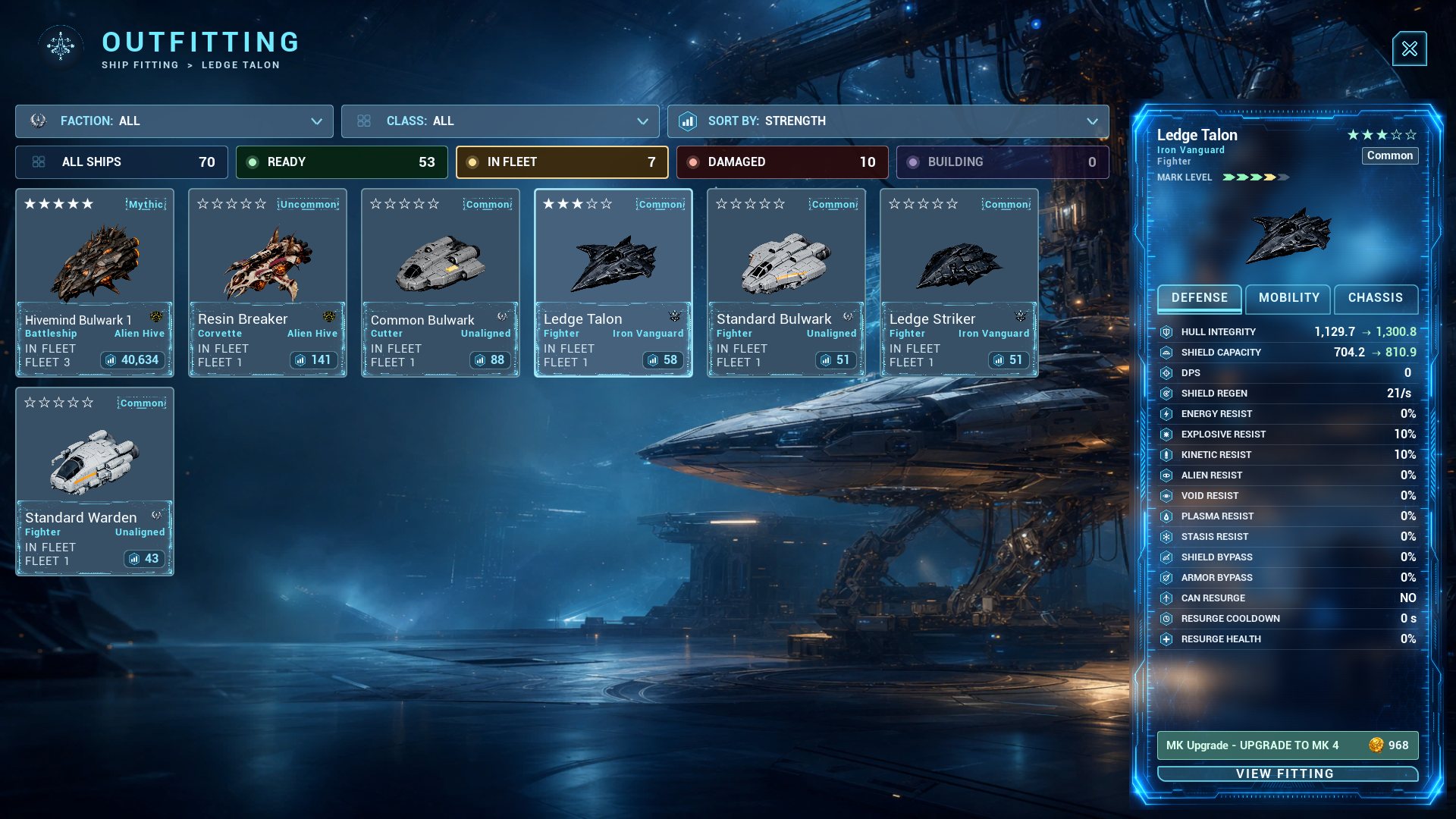
A ship no longer has to leave its fleet to be refitted. While its fleet is docked at your base, open Ship Outfitting (or OUTFIT in the Shipyard), pick the ship and fit or remove modules, or buy its next Mark, right where it is. The ship keeps its place in the fleet's formation.
- Fully repaired first. A damaged ship, or one in the repair queue, is refitted once the repair is done.
- The fleet follows the new fit at once: its firepower, health, speed and cargo hold.
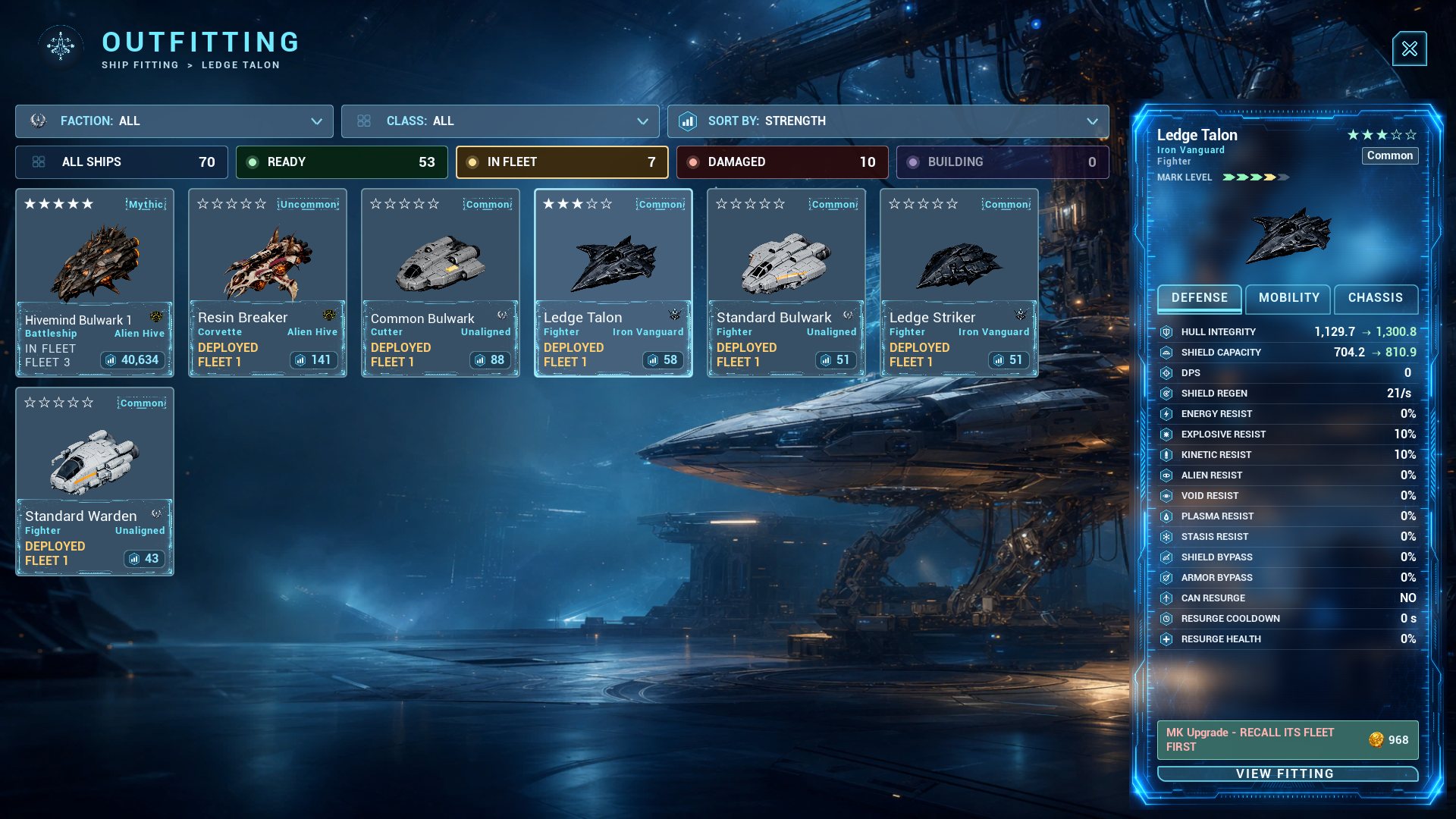
- Only at home. A fleet that is out on the map, travelling, or in a battle (defending your base in a raid included) keeps its ships as they are. Recall it to your base first: the ship's card says RECALL ITS FLEET FIRST, and Ship Outfitting says why.
Thank you to the commander who asked for this in #tester-chat!
Changed: smaller updates from now on
- The game's data now comes in pieces (ships by faction, base buildings by type, weapons, and the rest) instead of one 18.6 GB file. Steam needs free disk space for a full copy of every file an update changes, so an update that does not touch the art now needs about 2 GB free instead of about 19 GB.
- The training mission FIT A MODULE no longer tells you to take a ship out of its fleet first.
Good to know
- This update is bigger than usual, once: about 7.3 GB to download, and Steam needs about 19 GB free on the drive the game is installed on while it puts the new pieces in place. If Steam says there is not enough disk space, free some room on that drive, or move the game in Steam: right-click Massive Frontier > Properties > Installed Files > Move install folder.
- The changelog and the Player's Guide have the details.
Questions or bugs: #tester-chat and #bug-reports on Discord. Ideas: #feedback.